Intro & contents
The previous sections gave a rough sketch of what Transform does.
The rest of this topic aims to break things down a bit further and explain things in as non-technical a way as I can.
This tutorial takes it fairly gently using images where I though they might be helpful.
I’ve tried to follow some coherent order but have tried to write it so folks can jump around as they wish.
I’ve also tried to address some of the aspects I’ve seen users puzzled about over the time I’ve been following the forum.
I’ve decided to leave certain ideas for a separate topic called
“Using Transform”**
(some hints & recipes)
As well as reading, I’d encourage readers to keep an Editor open and try changing property parameters. Better still, start a new preset and do some testing of any new ideas before reading on (see Testing)
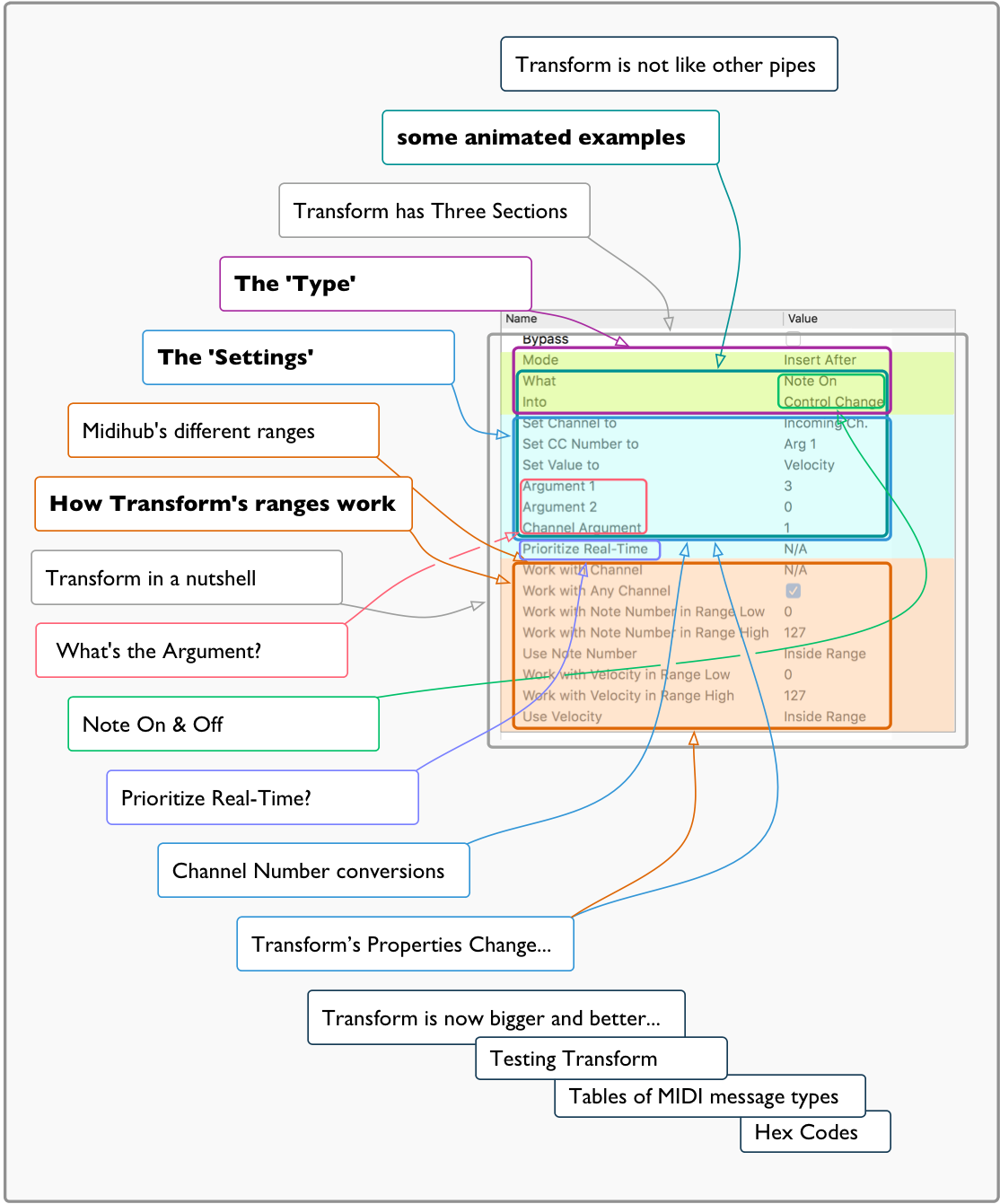
Here are the sections, written to encourage users to skip back and forth.
-
Introduction and Contents (this section)
-
Midihub’s different ranges - a comparison
-
Transform in a nutshell – a summary in a sentence or three
extra ideas:
-
FAQ2: Note On & Off – What it’s for and doesn’t do
-
Prioritize Real-Time? – A rarely un-ticked box
-
Channel Number conversions – a soon-to-be-asked question?
-
Transform is now bigger and better… – how Transform used to be and what it means
-
Testing Transform – Transform starts to make real sense when using it in practice
-
Transform’s Properties Change with Message Type – making it easier to read
If there’s a key issue for you that I’ve missed out,
please Message me...
…from one of the sections by clicking the icon/avatar at the start…
…I might have already covered that in materials I decided not to publish at this point.
Messaging me allows us to go to and fro to get the best graphics/clarification without cluttering up the flow of the tutorial.