On this point @DiegoC, yes you can make this much simpler by making use of Transform’s Ranges
This block…
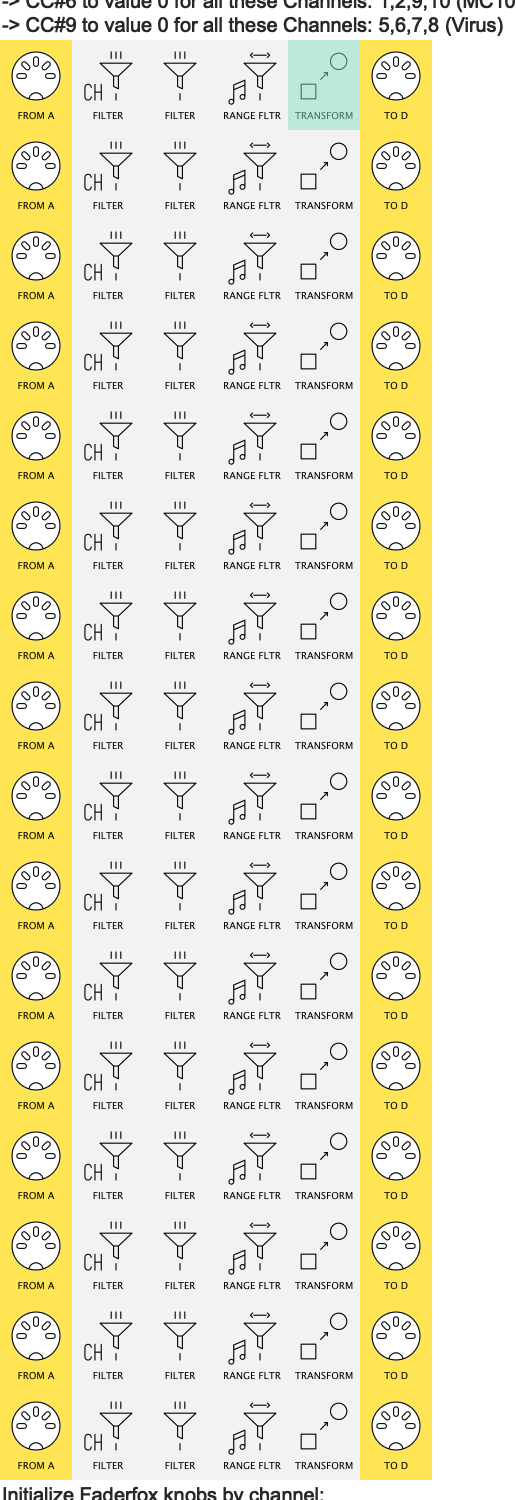
…for example, can be replaced by one line.
I’ll upload an example of the first few lines, then answer the other question about monitoring all lines when I’ve taken a closer look at your pipelines
OK, this is not the most compact way  to go, but it might be the easiest to adapt from your current preset:
here we have the (unfinished )replacements for your two Initialize blocks
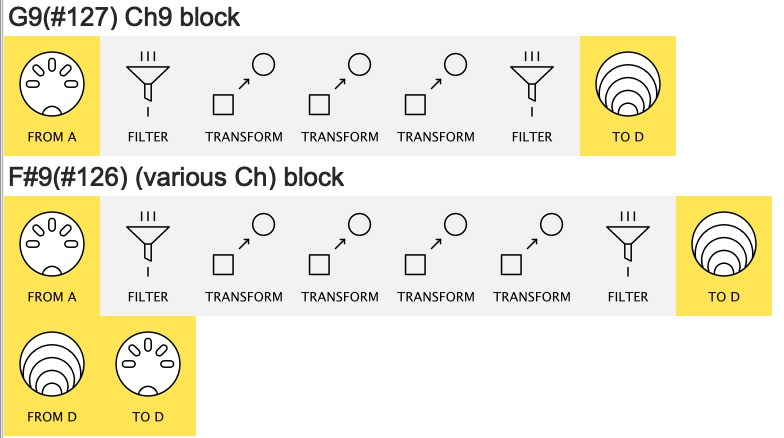
(3 Transforms from G9 block, 4 from F#9 block)
DiegoC_simplificar_ejemplo.mhp
changes to make
in each Transform, I’ve made use of Transform’s Ranges to make sure a given Transform only acts on the Channel & Note you want.
This means that, instead of being Replaced, as the note goes along the pipeline it creates the required CCs. (the final filter discards the Note)
So as you drag  the old pipes acoss to the new line this is what you change:
-
Replace→Insert Before(orInsert After– it doesn’t matter) -
Work with Any Channelis unchecked andWork with Channelis set to the required incoming channel -
Work with Note Number in Range ...values to set required note
it might be best to:
- do File → Append From File… to place my pipelines in your preset
- drag the lines to the matching block
- copy (alt-drag) the old Transforms across one by one and modify
- delete the old line
or start from scratch!
monitoring in one place
Obviously, this is made easier already with just two lines…
…but notice my example uses Virtual D as the Output
..then has a Virtual D → MIDI D pipeline
This gives us the option of
- Monitoring each “Init Line” by itself and
- Monitoring the output of both together
using CC Table instead
The simplifications above reduce approx 180 pipes to about 40 using Transform improvements made about 3 years ago
This year’s Editor version gives us CC Table which is designed just for jobs like yours.
Using CC Table would bring the pipe-count down to about 10 – one CC Table for each channel + outputs
I didn’t wanna hit you with this straightaway as you might prefer adapting what you know rather than learning a brand new approach.
Let us know if to want to try CC Table (it’s a bit neat  )
)