Big Long Explanation incoming…
To help understand the adaptations to the preset it will help to compare old and new a 2nd instance of the Editor
How to do this
Open the Terminal app and in a window paste this…
/Applications/Midihub\ Editor.app/Contents/MacOS/Midihub\ Editor ; exit;
…then press return
PS. On Windows & Linux just double-clicking the Editor icon will open a new instance each time.
MacOs doesn’t allow so we have to use Terminal. Useful here, essential if you own multiple MidiHubs
Now you can have your old preset open in the 2nd window to compare.
recent Midihub improvements
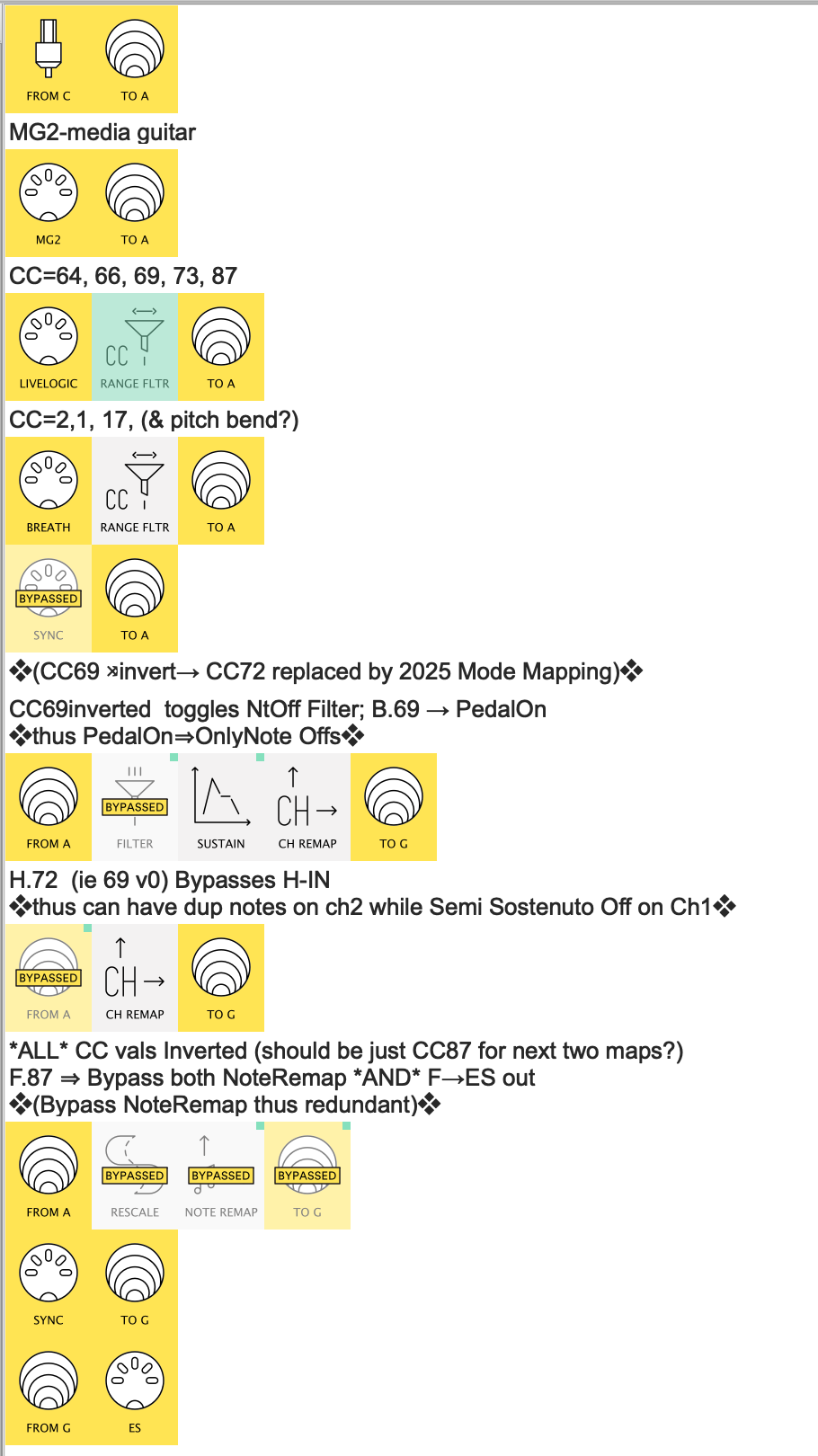
❖(CC69 ⤨invert→ CC72 replaced by 2025 Mode Mapping)❖
What is 2025 Mode Mapping?
In mid 2025, @Blokas released the 1.16 series Editor and firmware.
Two of the most important updates (IMO) were CC Table and more powerful mappings
(check out this link, partic the section about ‘Mode’)
I use language like “Mode Mapping” or “Mappings with Modes” when I need to highlight that I’m leveraging more than a mapping like your MIDI LIVELOGIC Ch1 Scale CC 69 [0 ↔ 127] (which is like a pre-25 mapping).
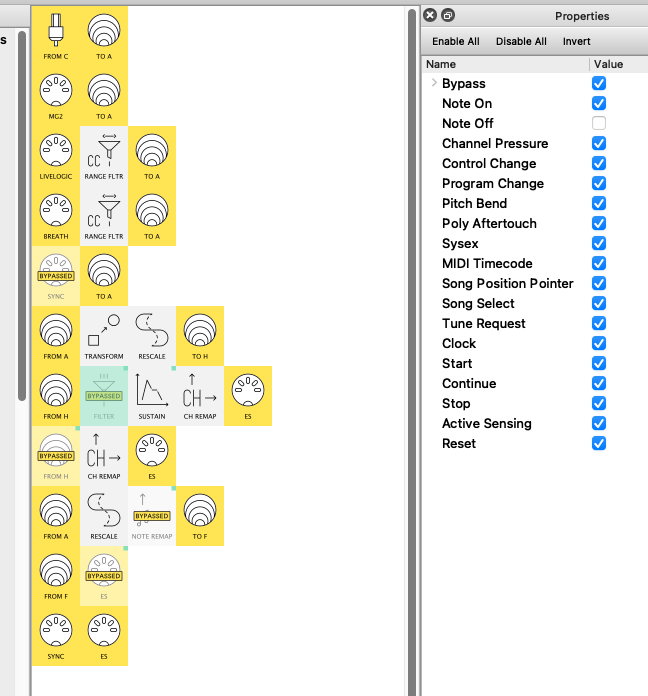
For example I use MIDI LIVELOGIC Ch1 Scale CC 69[127 ↔ 0] to map the Filter Bypass.
Now we can think of “Mode = Scale” mappings as an old-school mapping with a Rescale-Out built in.
This means that, where we used to need to create say a CC72 then Rescale to Invert its values,…
…now we can just use Scale CC 69 [127 ↔ 0] instead, saving all that extra complication.
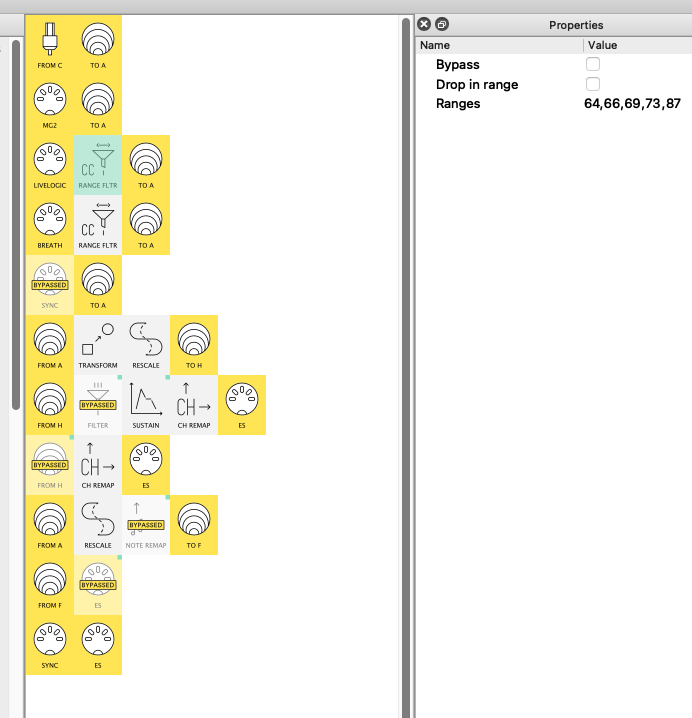
Compare the two presets and see that I’m using Scale ... [127 ↔ 0] in two places so you can understand the simplifications.
recording MIDI input messages to a DAW
tell me specifically how to make the midi file that will enable you to duplicate the problem
OK, One of the advantages of the simplifications is that all the parallel processing pipelines…
- Sustain & remap → Ch.1
- Remap → Ch.2
- Invert middle note range
…all start with Virtual A-IN
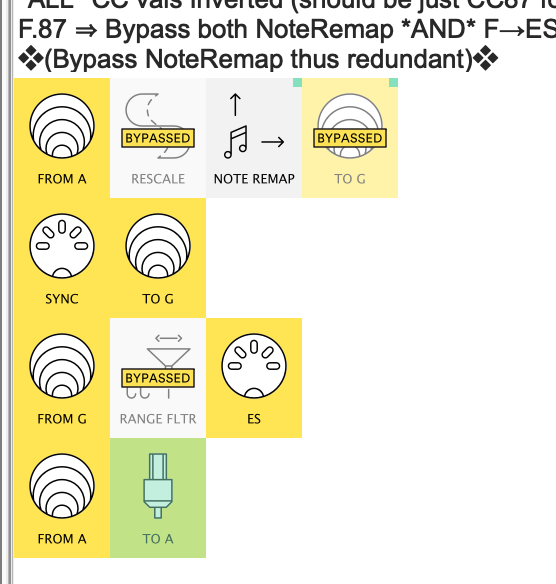
This means that Virtual A-IN carries all the messages that enter the system, so by adding the ‘vA to usbA’ pipeline…
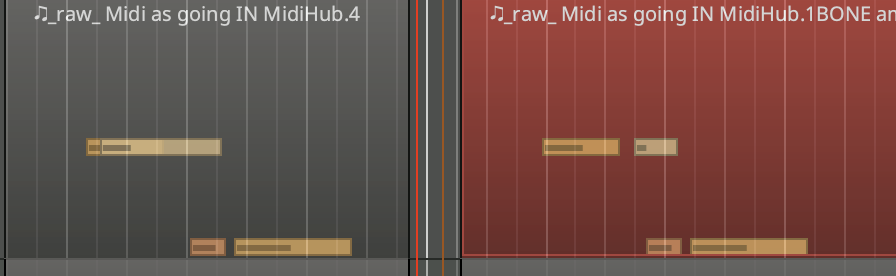
…and assigning Midihub MH-... Port A as the MIDI input for a MIDI track in your DAW.
you can record all those messages as you play, waiting for a stuck note.
Then I can use the resultant MIDI file (or at least the latter part of it  )
)
MIDI out, not sound
where the sound is sent out to the ES
We don’t need to record the sound from the ES for debugging purposes.
Note that, as well as rationalising all the ‘system inputs’ (as it were ) to Virtual A-IN…
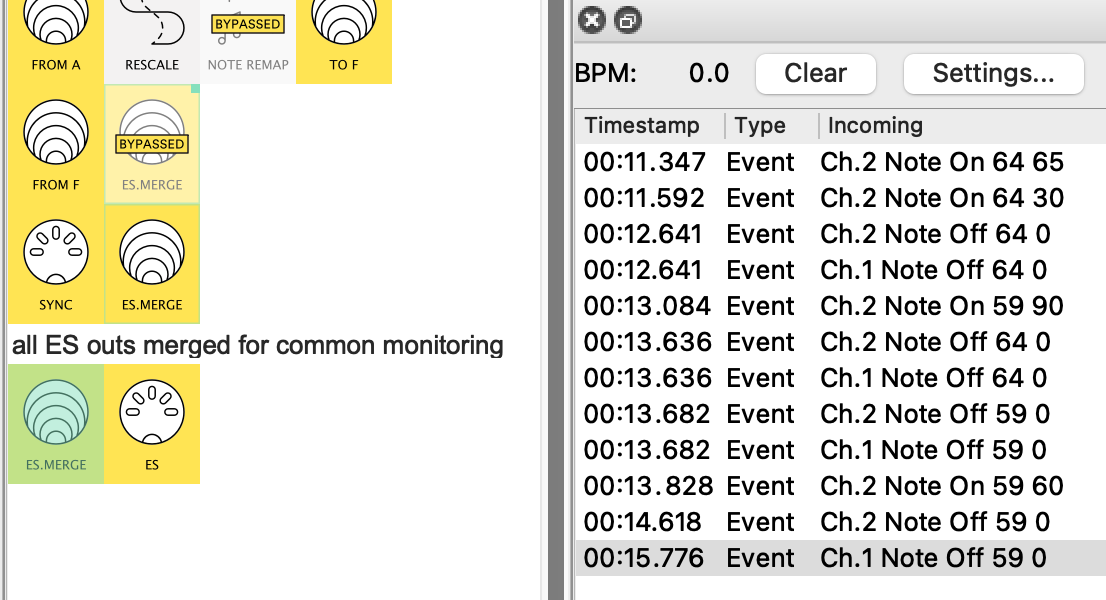
…I’ve used Virtual G to bring together all the MIDI outputs in one place too.
This means that, while you’re recording all those “inputs” in your DAW, you can leave the sole MIDI ES-OUT selected so the MIDI Monitor can record everything that is being sent out (maybe filter out the PitchBends so the Monitor doesn’t overflow)
Lastly
at times stops sending midi messages
this is a @Giedrius/@Pranciskus question!
I’d suggest starting a separate Support question with as much detail as you can (eg. when connected to Mac or when standalone, etc)

 !
!