Hi @Burak_AYDOGAN, welcome to Midihub forums!
Let’s look at the MIDI Monitor first.
Once you have the MIDI Monitor pane showing, here are two steps to check
First, select a pipe to monitor:
In this example, we use MIDI Monitor to check what the Rescale pipe is doing❖
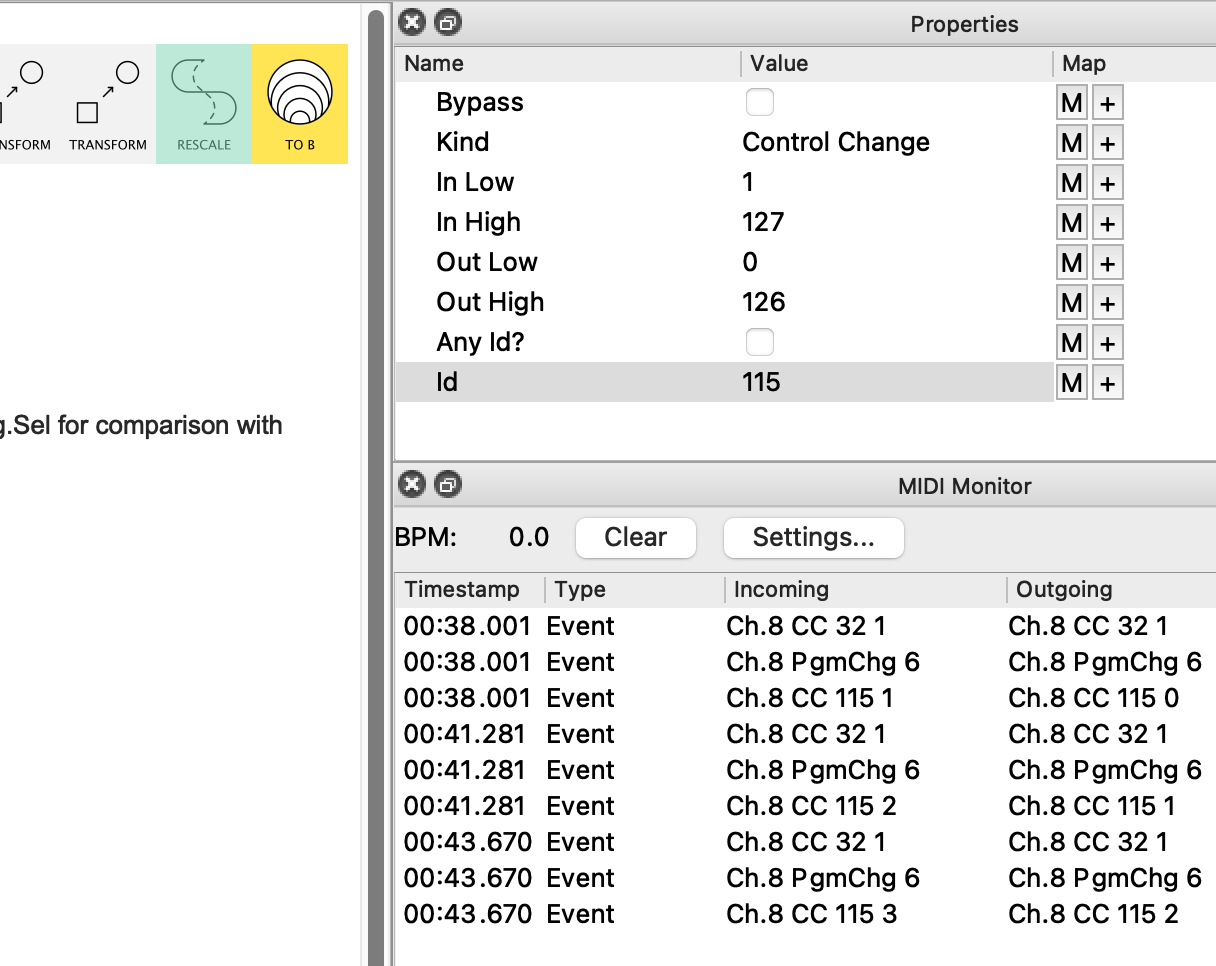
You should start with the input pipe for PODXT Live.
Next, check the MIDI Monitor Settings Button:
If, say Incoming Filters... is checked…
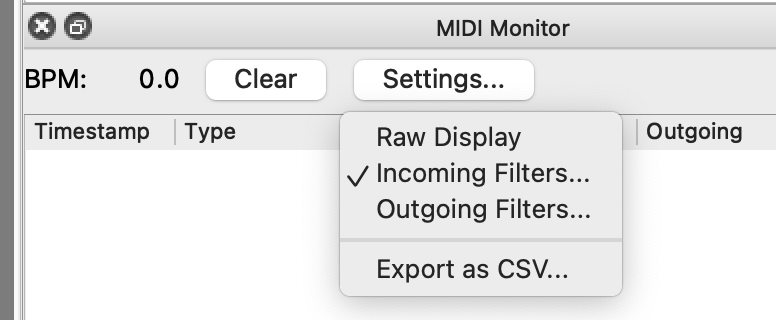
…take a look at what is being filtered out of the Monitor view:
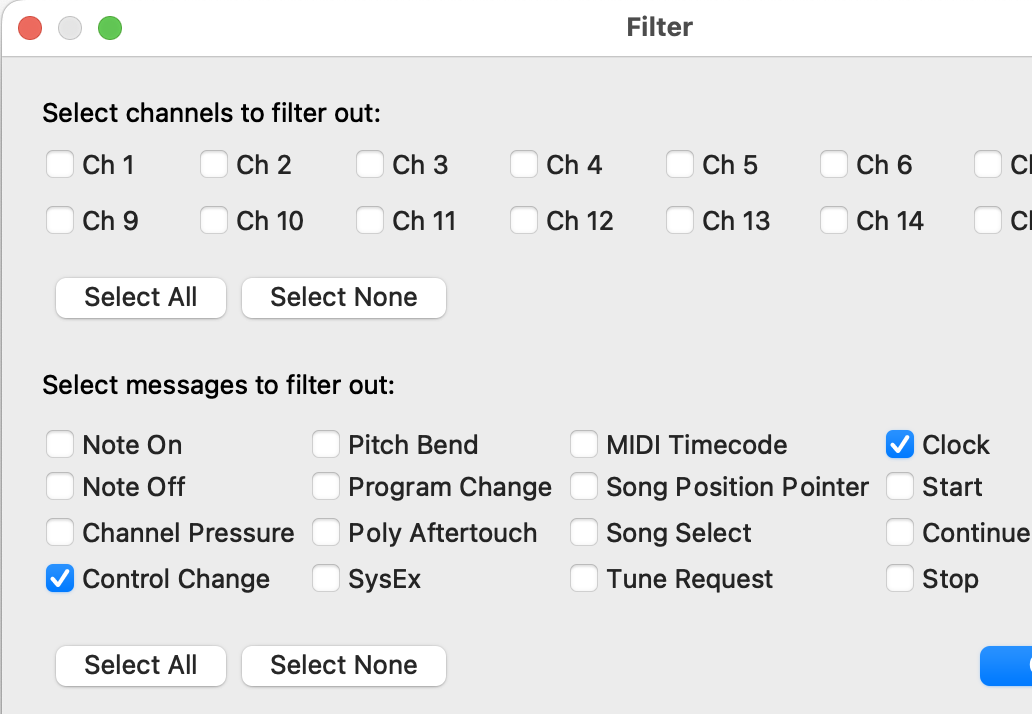
Here it’s Control Change and Clock.
That doesn’t mean those messages aren’t getting through; they’re just not being shown.
This tutorial section takes a slightly closer look.
Hopefully, when MIDI Monitor is showing your incoming messages, you’ll be able to see what PODXT Live is sending when it sends a Bank Change and you can post a screenshot:
❖ notice in the shot above, it shows
- which pipe is selected
- what its properties are and
- what the Monitor is showing
It might also be useful to save your preset to file and then upload it in a post
btw, the properties for the Input pipe shown suggest your mapping is toggling its Source (probably between MIDI A {the first in the list} and Virtual H {the last}).
Is that what you want?
When the source is Virtual H it’s probably not going to show anything in the Monitor! Hmm…