im using roland spd-sx to mute/unmute tracks on octatrack mk2 ive used chatGPT it keeps referring to things im not seeing ie mod counter, toggle, value map. should i have these? as im on the latest firmware.
Hey, Chat GPT seems to be imagining things.  What are you trying to do exactly?
HAHA,
Hi Giedrius. I’m trying to hit a pad on spd-sx to mute and unmute the octatrack tracks
What MIDI messages can you make the SPD SX produce? (i.e. what messages does the Midihub’s MIDI monitor see that you would like to use for mute/unmute?)
SP just sends basic midi commands when i hit the pad its showing in midihub 90 3f 00 not sure how midi hub would know thats what i was trying todo. basically i want to play drums live/hybrid and be able to mute tracks
im aware that i need to somehow convert the midi because the octatrak doesn’t seem to accept the on off type midi from sp
You should set up your pads you want to use for mute/unmute to be in ALT (alternating?) mode, as described in the manual:
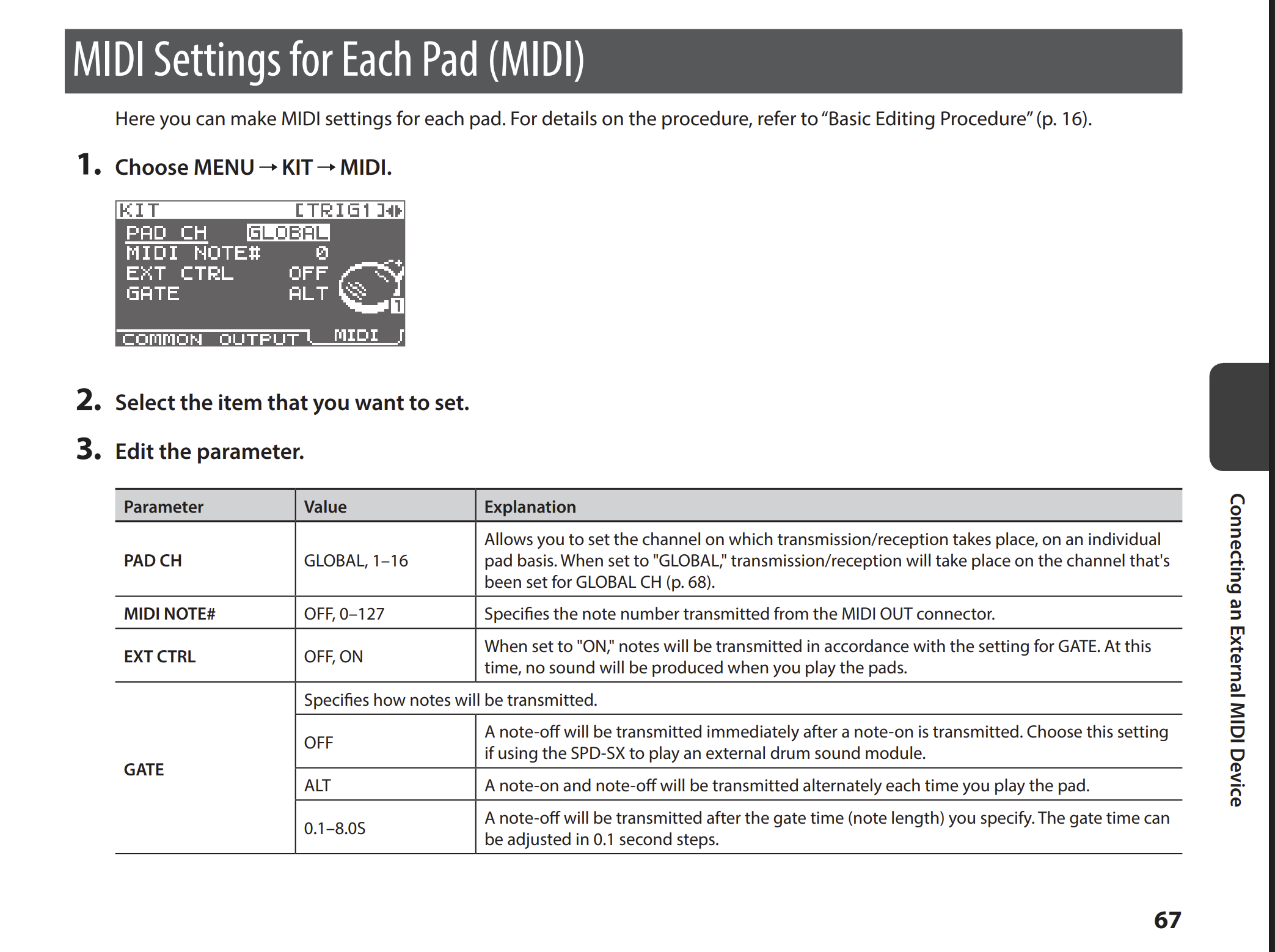
Octatrack expects CCs #112 - #119 for muting tracks 1 - 8. 0 value means unmute, 1-127 means mute.
You can use Transform pipes in Midihub to do the necessary conversion:
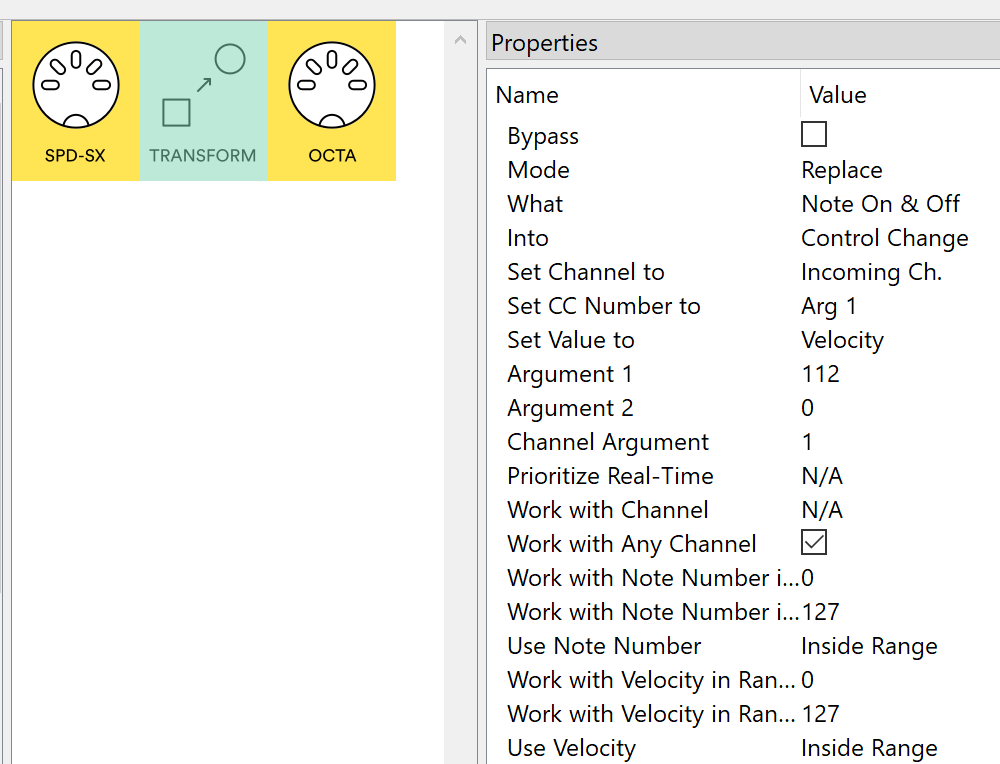
This would mute and unmute Track 1 on Octatrack.
Any note number should work, once you can get this to mute/unmute, the actual note numbers used for which track can be narrowed down as needed.
really appreciate this ive done what you have suggested but still not working sadley. i trying to work out do i need a specific cc number to send to the octatrack?
Could you upload your current .mhp preset here as well as what you get in MIDI Monitor pane when Transform pipe is highlighted and hit your pad?
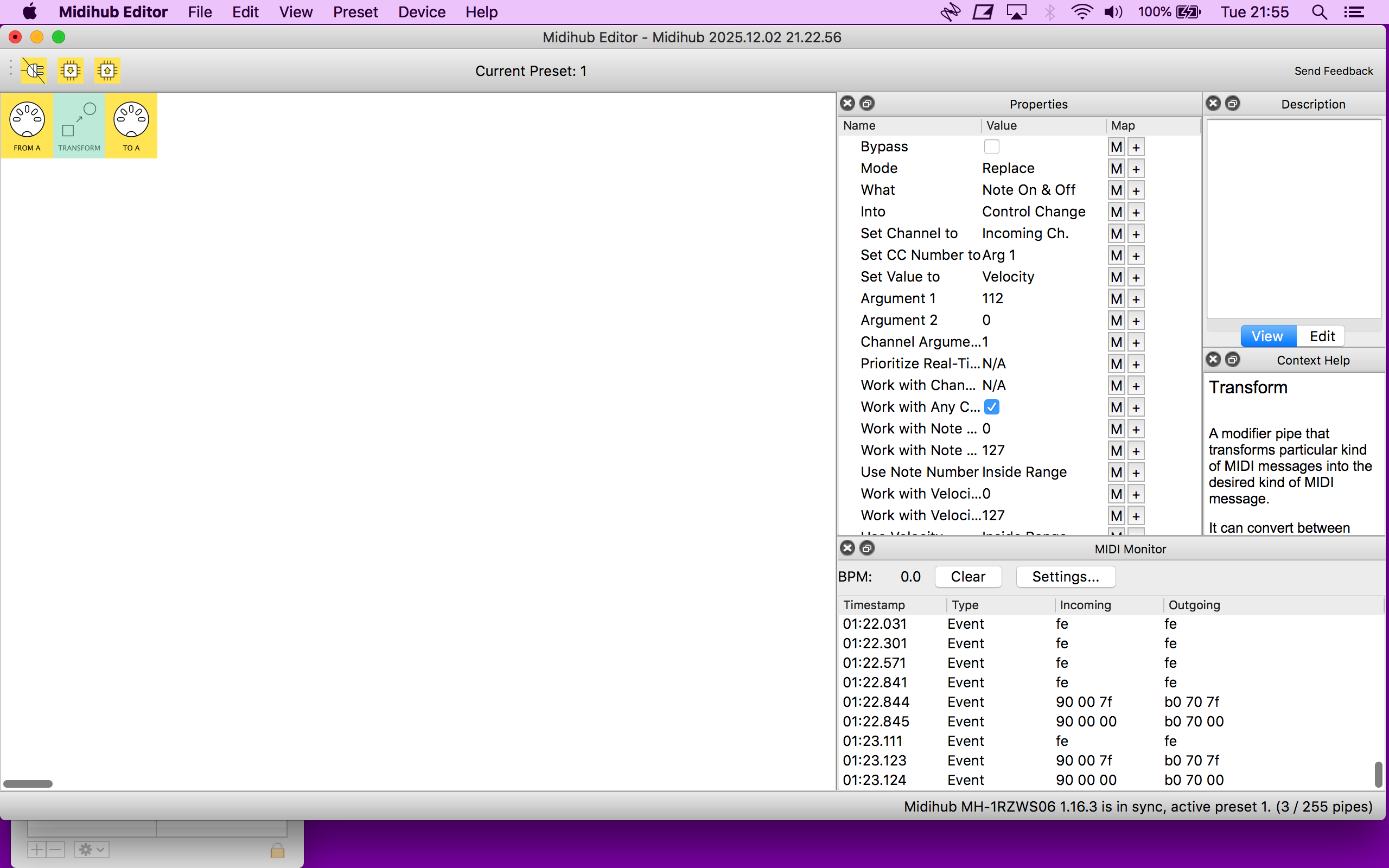
This is doing the conversion of note on & note off to mute/unmute CCs, however, your pad is not in “ALT” mode as the time gap between the on & off is just 1 millisecond. You should now focus on changing the pad’s settings on SPD-SX itself, so the pad hits toggle the note on and off, instead of playing a note for 1ms. (this is the GATE setting)
i had it in ALT, would i need to change midi note and any settings on the octatrack do you think? this is something ive attempted the last time i had an octatrack many moons ago
As I understand, this GATE mode is per-pad, do all the pads behave the same?
The focus is still on the Roland device, as the MIDI monitor didn’t show it behaving as a toggle / alternating note on & off.
there is another midi menu on the sp
in the setup menu
i think this might have just defeated me i realy appreciate the help very but its getting late and my brain is melting. will try and get on it again tomorrow.
No worries, if you can’t make SPD-SX pad usable as a toggle button, I think we can find a way to achieve the same within the Midihub, let’s continue tomorrow
thats amazing if i was able to do this one function it would be a game changer. would you like some cash for the help as its definitely taking up your time.
i also have the launchcontrol XL 3 that has a the ability to mute/unmute so the octatrack is able to accept these commands so i know its possible.
It’s all part of the job.
Let’s try this way, using a CC Table:
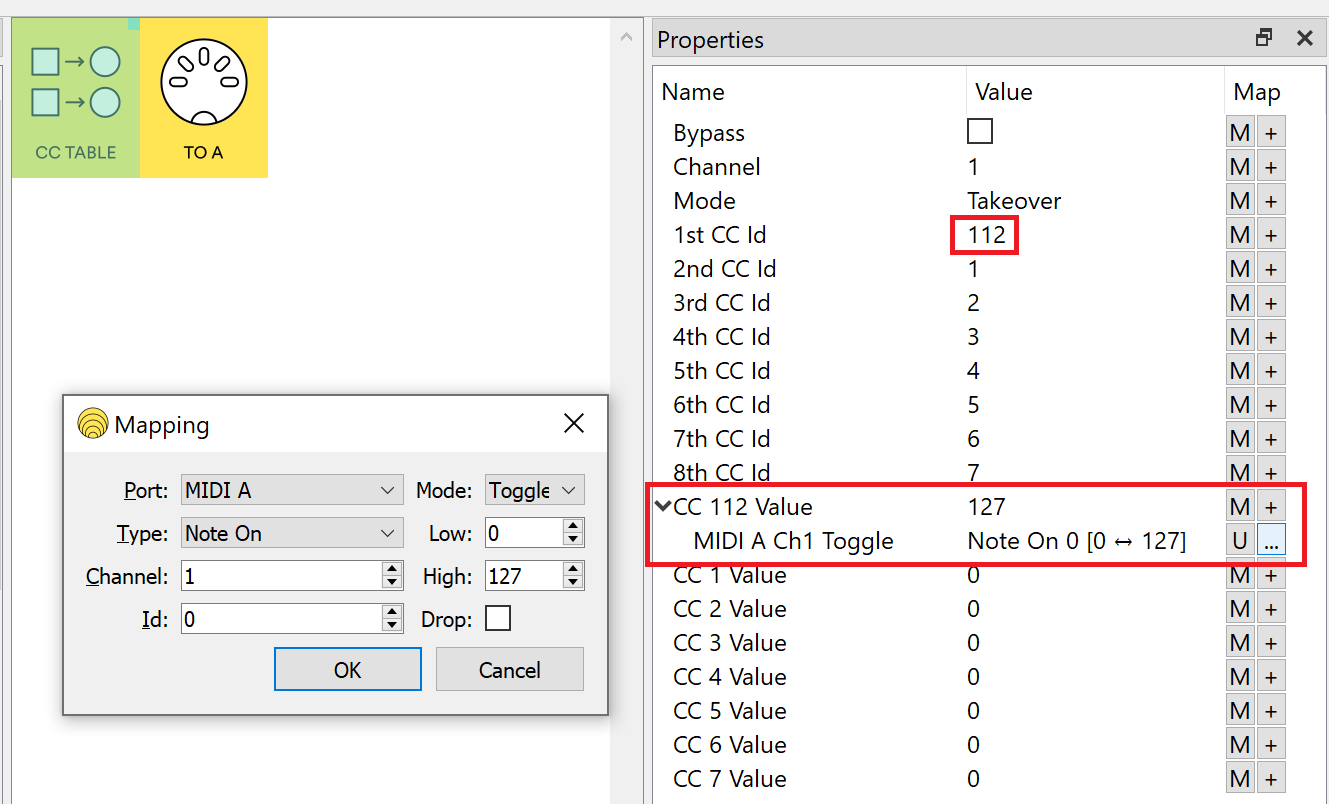
Set the 1st CC Id to “112” (1st track mute control), and map the CC 112 Value parameter to a pad - first click the ‘M’ button for MIDI Learn type mapping - hit the pad once. Then go to the mapping entry’s extended options via the ‘…’ button, and set it up like in the Mapping dialog of the screenshot. Keep the Channel and Id as is, but change the Mode to Toggle.
Now every time you hit the pad, the CC Table pipe should produce CC #112 with alternating 0 and 127 values.
Editing the parameter value in the Editor should make Midihub output the CC #112 too, so you can verify manually whether Octatrack reacts to it successfully.
Good evening, ive done what you have suggested but still no joy its mute/unmuting the midi track so this is useful but its not mute/unmuting the audio track. i feel the octa is possibly wanting another bit of midi information. i really appreciate your help here as this should be straight forward but elektron dosnt like it when something else is in charge.