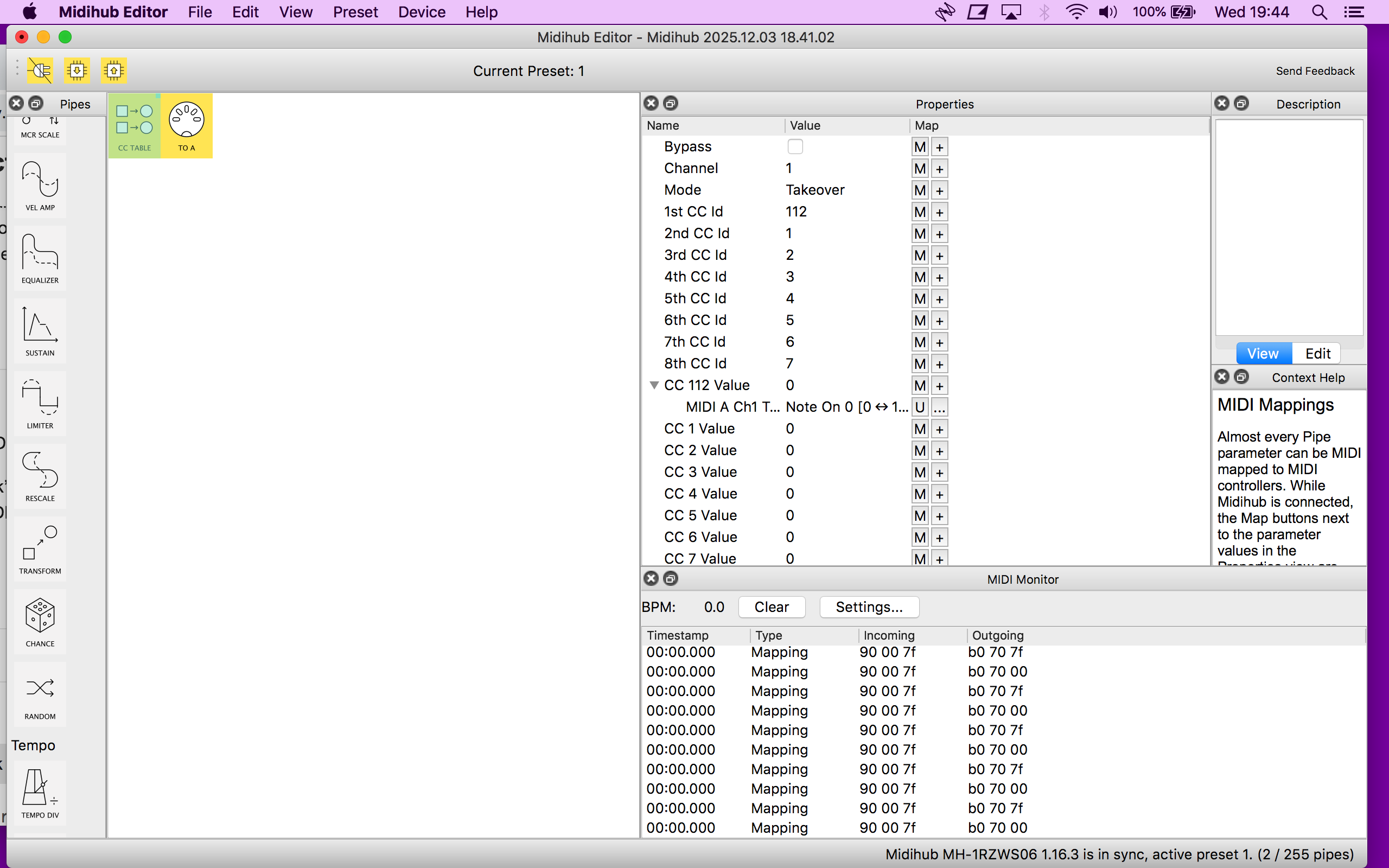
Could you show MIDI Monitor output on any of the pipes in the preset when you toggle?
Check the Octatrack’s MIDI preferences - usually devices have settings that make them listen or ignore incoming MIDI CCs and from which route (USB / DIN-5)
Could you show MIDI Monitor output on any of the pipes in the preset when you toggle?
Check the Octatrack’s MIDI preferences - usually devices have settings that make them listen or ignore incoming MIDI CCs and from which route (USB / DIN-5)
thats what ive done i will look into octa now
not seeing that in the menu atall. I was wondering if i could midi trigger my launchcontrol xl3 from the sp and send launchcontrol to the octa using the pipe you have designed
actually scrap those last few messages i think i would be usefull to be able to mute/unmute midi
im unsure how to set all the other midi channels to do what the first sp pad and octa is doing, does this make sense?
The CC values seem to be toggling their state as expected. Try changing the Channel parameter on CC Table pipe and go through every channel value, see if Octatrack reacts to any particular channel.
this is breaking my spirit  i might just forget about it as i dont understand enough and its all a bit overwhelming and i just seem to be going round in circles. thanks for the help and your perseverance.
You are like 67% there.  I think the last piece is to get Octatrack to react properly.
Im really struggling with all the text and numbers to be honest with you and im completely lost now 
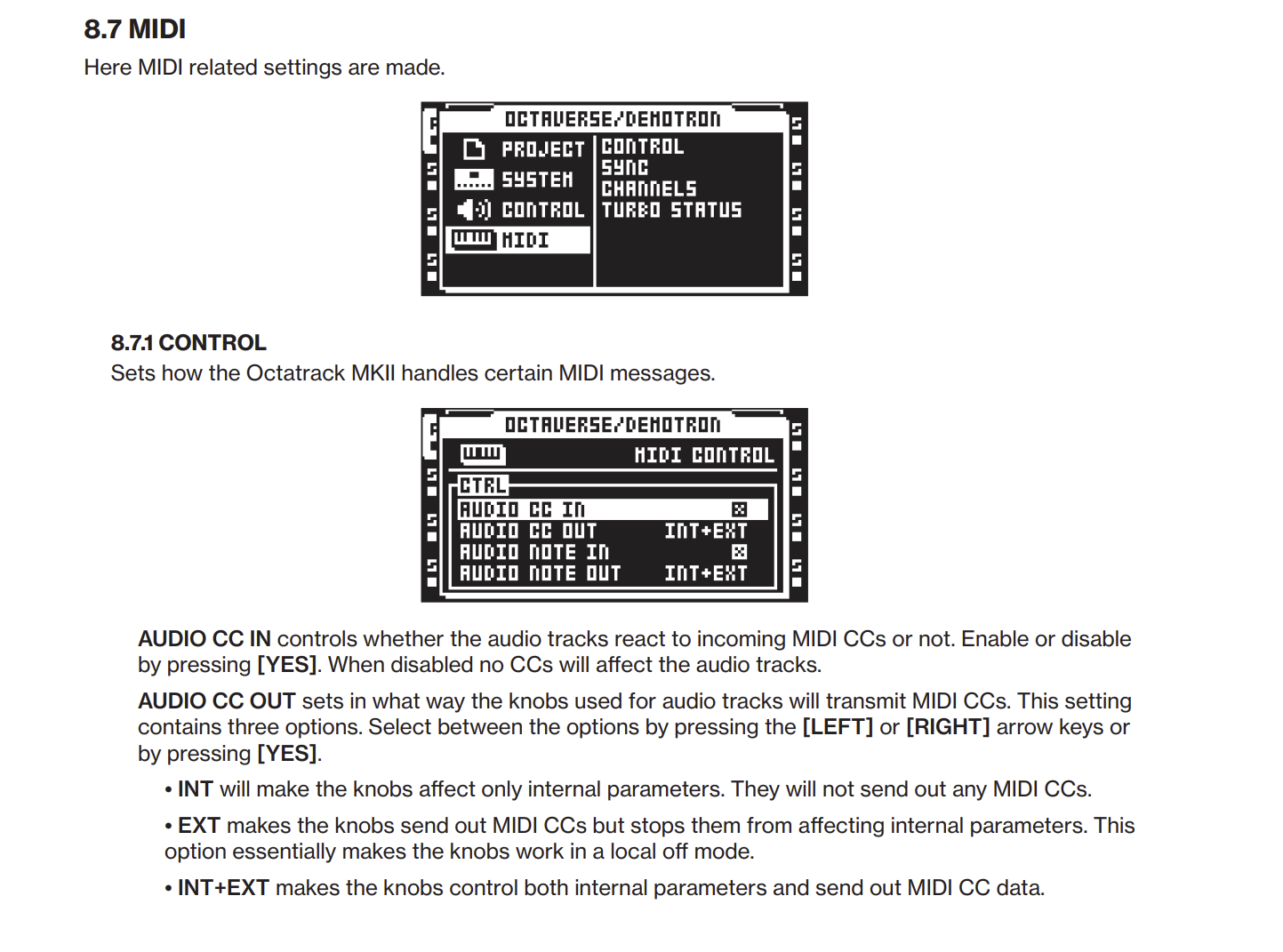
You have to make sure that “AUDIO CC IN” is enabled:
Also check the Channels submenu too which assigns some channel numbers to tracks.
Btw, as far as I can see, the MIDI CCs control “8 MIDI Tracks”. The manual also mentions 8 audio tracks - are they the same thing?
audio cc in was enabled im still only able to mute/unmute track 1 in midi not audio track 1
Also check the Channels submenu too which assigns some channel numbers to tracks. i dont know what this is i have gone through the menu in the octa and dont see it
really sorry about all this but i just dont get it at all
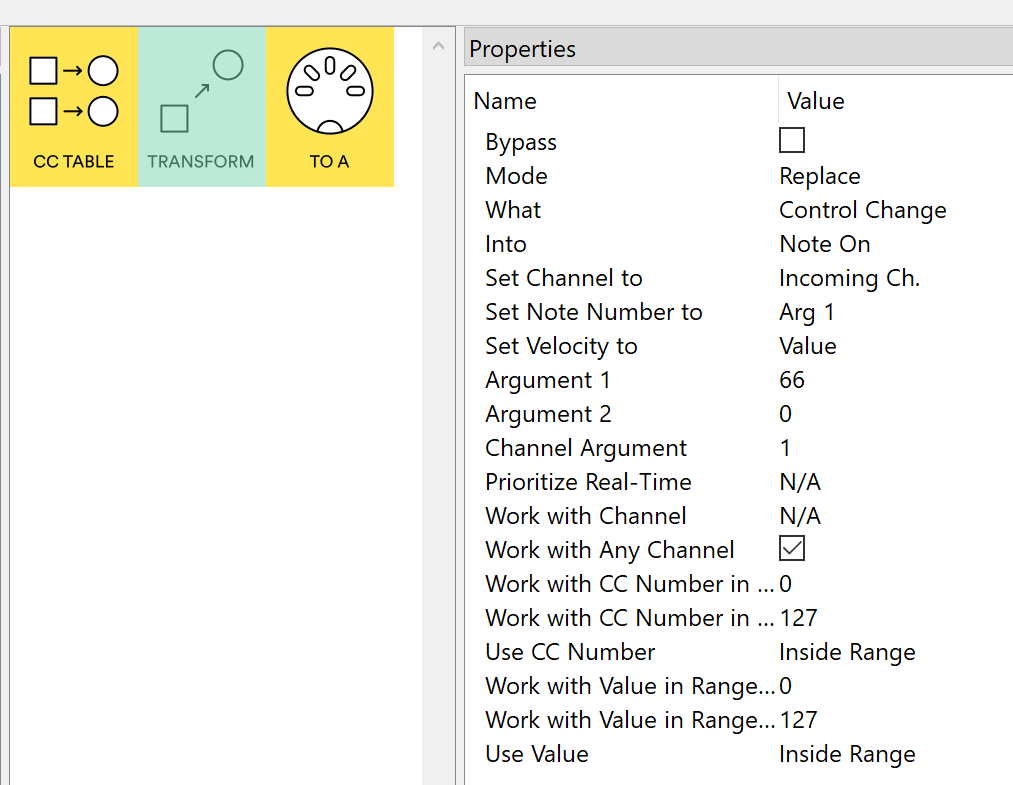
Ok, I didn’t realize that audio tracks and midi tracks are distinct entities in Octatrack. I see there seems to be a way to mute via note on 66 message which does ‘Mute active track’, as listed in the “C.1 STANDARD NOTE MAPPING” table in the manual.
Also note that this depends on some MIDI settings in the project, there’s “standard note mapping”, and some other modes, including “QUICK MUTE NOTE MAPPING” which explicitly seems to indicate that in this mode particular note numbers can mute/unmute all 8 audio and 8 MIDI tracks which we should give a try next if ‘STANDARD NOTE MAPPING’ does not work out.
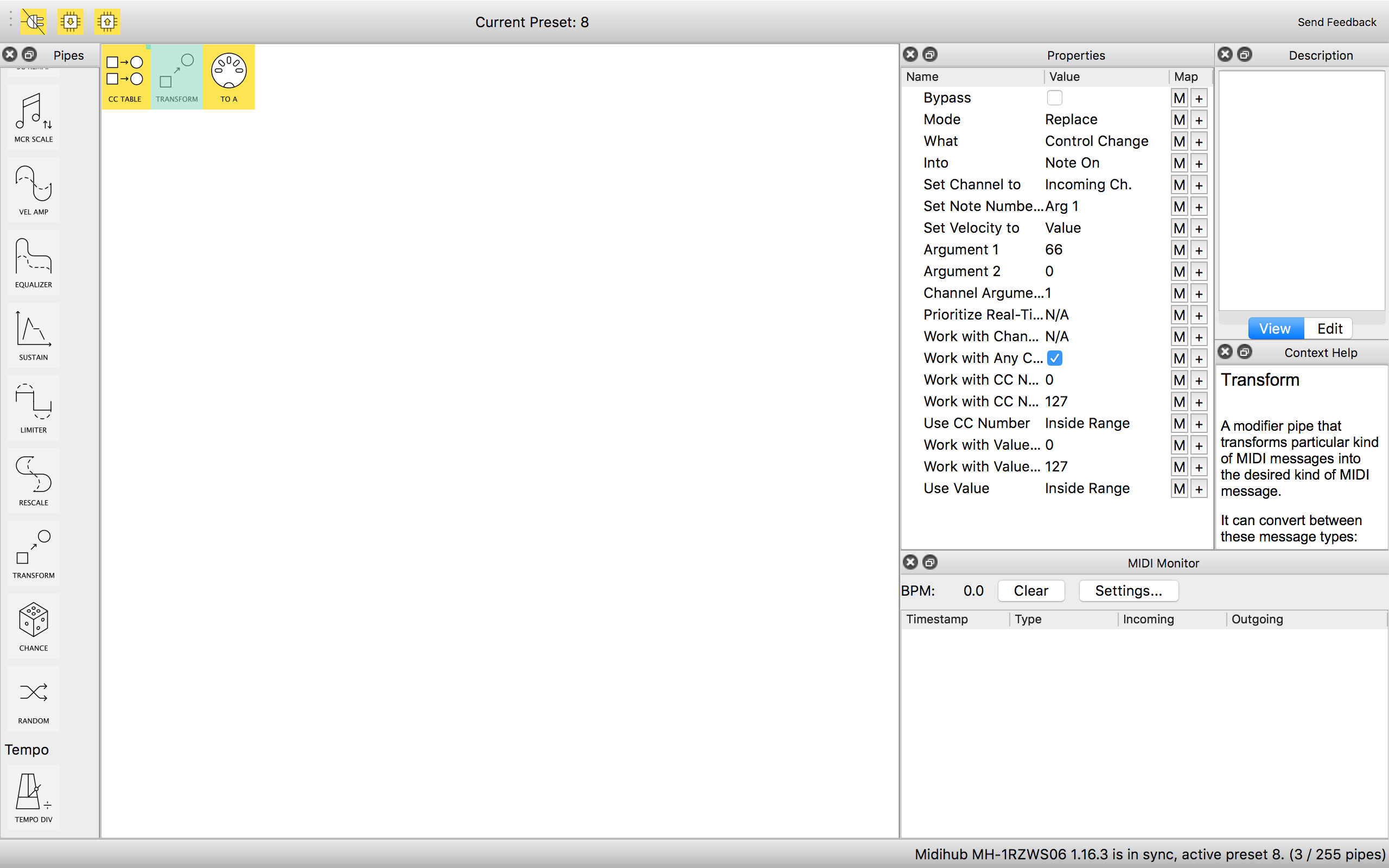
We can give the latter a try - add a Transform pipe just before the MIDI OUT pipe so it converts the CC into the Note On 66, set it up like below. As it affects ‘active track’, I hope the Channel number is used to indicate which particular track you want muted, according to channel mapping settings in Octatrack’s menus.
Hey thanks i will try this out in a bit a let you know how i got. Respectamundo
OK so it works but i have to hit the pad twice for the mute and twice to unmute for it to work but that is still a bloody good result thank you. what i dont understand is how i can replicate it on the rest of the pads and tracks, i thought i could just increase the value numbers and midi map the pads accordingly to new pipes.
i very happy that you have been extremely helpful and pushed for me to not give up even though you have done all the heavy lifting you absolute legend
Good to hear you have it (almost) working! Great progress!
Could you please attach your preset saved as a .mhp file here? Please also add a note which value / mappings are working and which are not.
It would be good to have a ‘minimum working example’ too, with only one pad doing something, so I can look at it as a working baseline.
I think this can be worked around by using different mapping modes or some additional pipes.