Hi, I’ve got a relatively fresh install of patchbox os on RPI 5 with the pisound board. I’ve got MODEP working well and it’s been excellent.
I’m having conceptual issues with:
PD - I have used PD and have created patches for it so I’m not a complete newbie. When I run PD using patchbox module config it wants me to specify a patch. When I do, it works fine. But, if I run it from the menu, and load the same patch, all kinds of bad things happen with noise coming out of the speaker.
ORAC. I’ve got it running via patchbox module config. Using sudo systemctl status orac, I verify it’s running. But, and pardon my ignorance since I’m sure I’ve missed something, but how do I bring up the PD control screen like I see in the ORAC 2.0 - Getting Started Guide (https://youtu.be/0XVzwFN4iLc?si=vLF0L3XewIas8Gmx)?
Sorry if these are FAQs. I’ve perused the docs and forum, but haven’t been able to find answers.
You can run the client patch on a different computer on the same network, just update the IP address as needed. Or run it on the Raspberry Pi itself, use 127.0.0.1 IP in that case.
Thanks for the response. Everything I mention here is running on the Raspberry Pi itself and being controlled locally by keyboard and mouse.
sudo kill
Patchbox Menu → Sound & Video → Pure Data
Pure Data Menu → Media → DSP On
Pure Data Menu → File → Open → /usr/local/puredata-patches/BrokenBeats-midi/BrokenBeats.pd
System comes to a crawl. Low frequency hum comes out of speakers.
Following the same steps as above, but loading one of my own patches, everything works fine.
But, if I quit my local Pd, and use patch module config to launch the root Pd, I get the Pd gui screen. I can now load my own patch, quit the automatically loaded patch and my patch works as it should.
What this is telling me is that pd is running as root with the -nogui flag set. The only way I can see to proceed is to follow these steps:
sudo kill
patch module config - then select puredata with a patch.
load the patch I want to work with.
close the default patch. Now, I’m all set.
Is there a better way? Is there a way to attach to the booted pd with -nogui set so that I have a gui?
I downloaded orac-remote-control-patches. I then followed these steps:
sudo kill
patch module config - then select puredata with the path_to_orac_remote_control_patchs/pd/main.pd
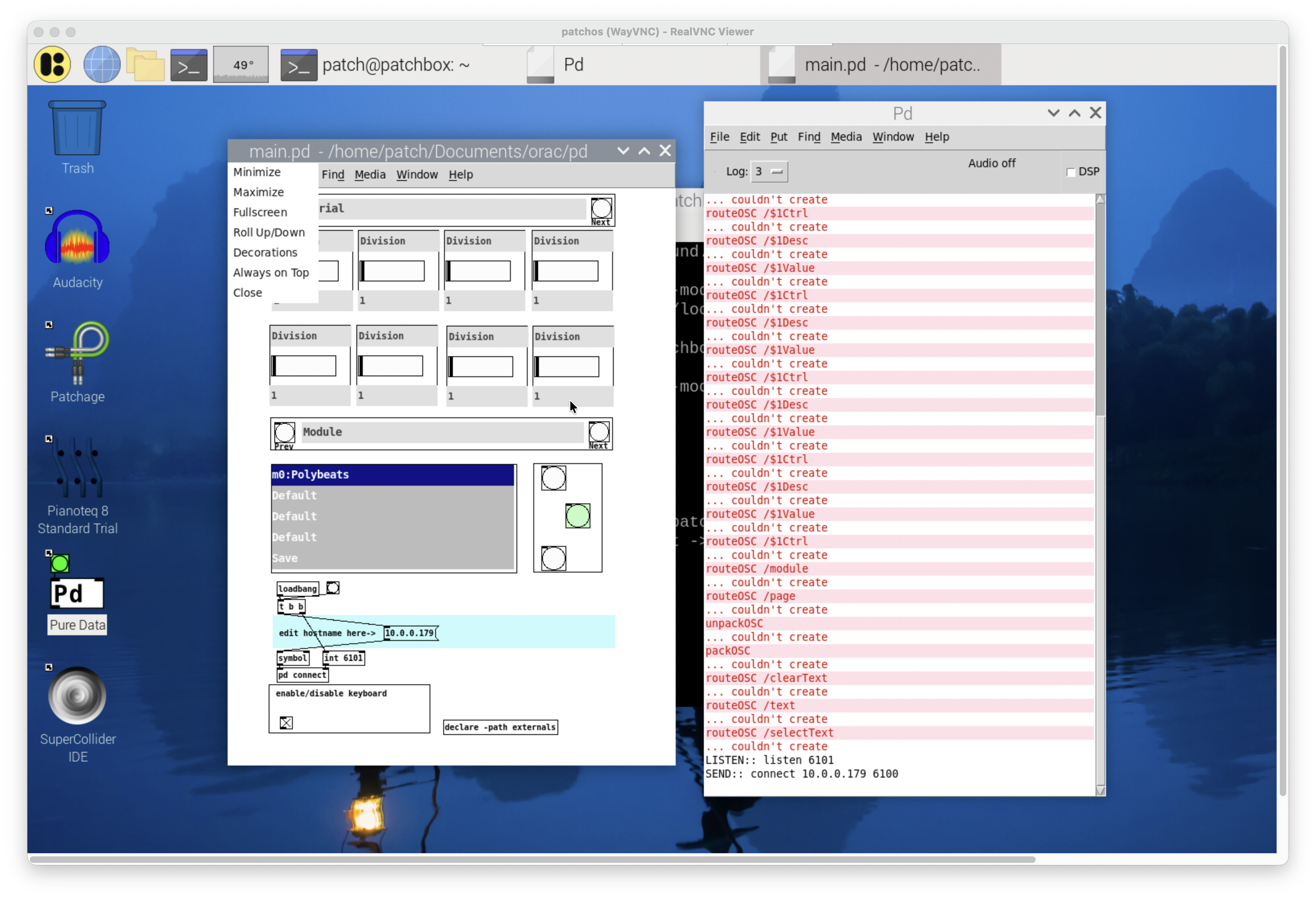
this brings up a gui that looks like it should except that the “patches” that are demo’d in the video aren’t populated which seems to indicate I’m still doing something wrong.
When I start orac using patch module config, I hear a drum beating which is mentioned on the video, so I know it’s working.
When you say “run the Orac client as a regular PD” what does that mean?
My interpretation is that I run Pd from the menu, then load the path_to_orac_remote_control_patchs/pd/main.pd, but when I do that, the gui doesn’t seem to be active, i.e. nothing happens and there are no patches listed in the box.
I don’t know if this is relevant, but I saw many responses to questions in the forum that the mrpeach external is required, but when I try to install it in Pd using Find Externals, it tells me that “It appears that there are no matching packages for your architecture”. I get the same message when I tried to install mrpeach on my Mac M1. I was able to install the osc external but all those “routeOSC /$1Ctrl couldn’t create” messages look like there’s still something missing.
Yes, you have to resolve those messages. Orac client comes with the externals prebuilt for many platforms, unfortunately arm64 externals are missing. If it’s mrpeach that’s missing, try to install it from the APT servers:
sudo apt install pd-mrpeach
Afterwards, you’ll find the externals located at /usr/lib/pd/extra/mrpeach/.
You may try and copy them over under the ORAC client patch and reopen it, or try adding the appopriate [declare …] object into the main patch, one of these should do the trick, or a similar variation, it would be great if you could locate which one is the golden ticket:
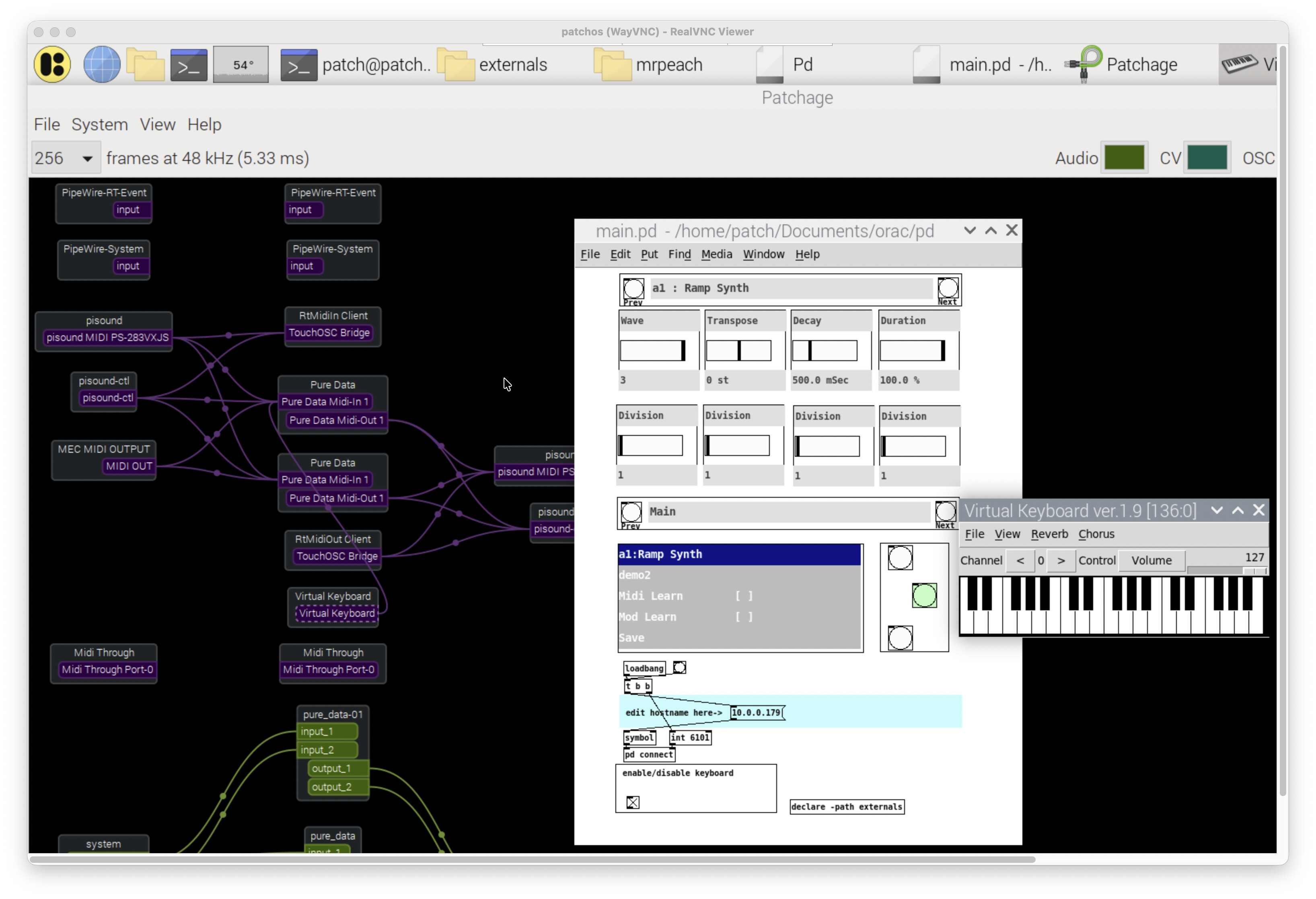
That did the trick. I copied the contents of /usr/lib/pd/extras/mrpeach (including the file I_Wanna_Be_Sedated.mid) under the ORAC client patch as you suggested and I’m getting some life. I’m traveling at the moment and don’t have a midi input device handy so I installed the Virtual Midi Keyboard app. After a bit of putzing with patchage, I got it making some sounds. The ORA client interface UI is a bit puzzling, but I’ve figured out how to change patches. I’ll have to watch technobear’s videos again and see if I can get some enlightenment.