Hey @Nalma1 , there’s one further improvement can be made;
Drop Mappings
Usually when messages are used for mappings, they also exist as messages in the flow with other events.
From Editor 1.16, we can now “Drop” mapping events like so:
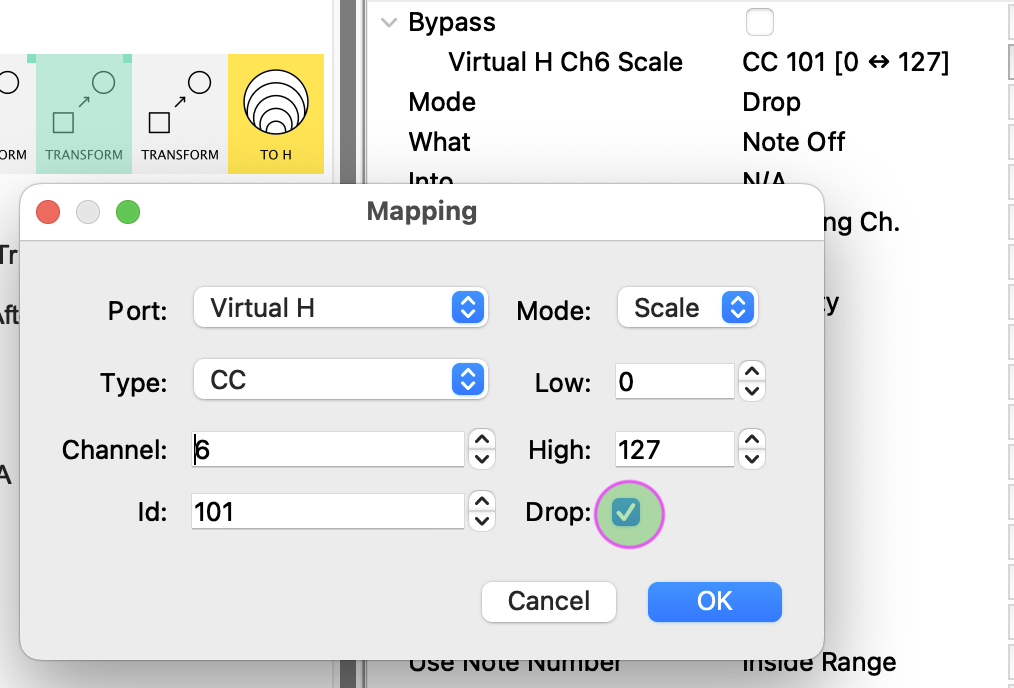
This means that this message now goes into the Virtual H port and gets registered as a mapping…
…but it doesn’t “come out the other side” and so doesn’t clutter up the message flow for connected pipelines.
Do this for all 6 mappings and you can safely remove the Filter in the line
FROM H → FILTER → TO A
This Preset in Diagrams
Just to wrap this project up, here’s a way of thinking about it (for yourself or future readers thinking about creating a multi-phase strategy)
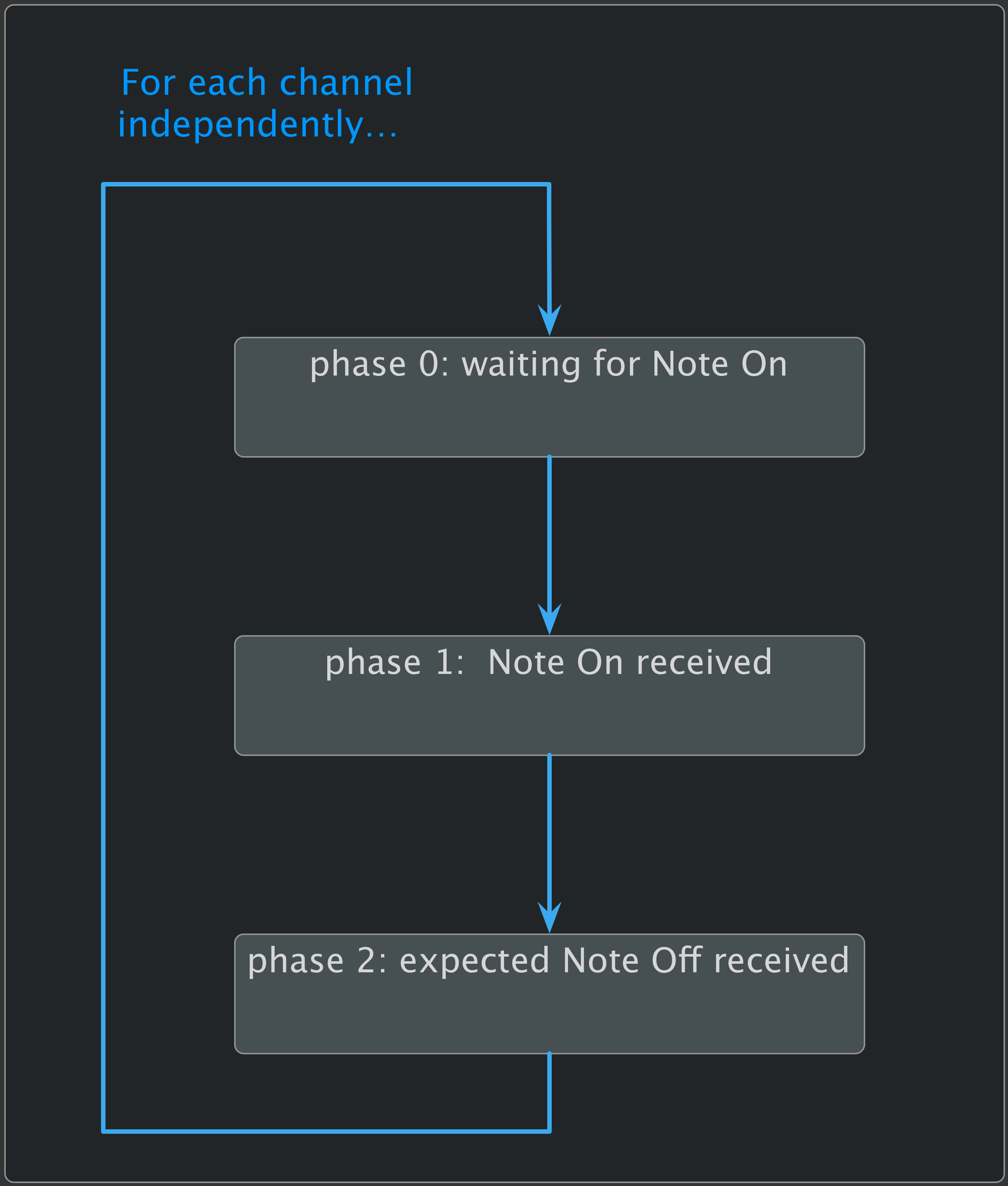
we can think of the mechanism as a 3-phase cycle:
Phase 0
here’s what happens if a Note Off message is received while waiting for a Note On:
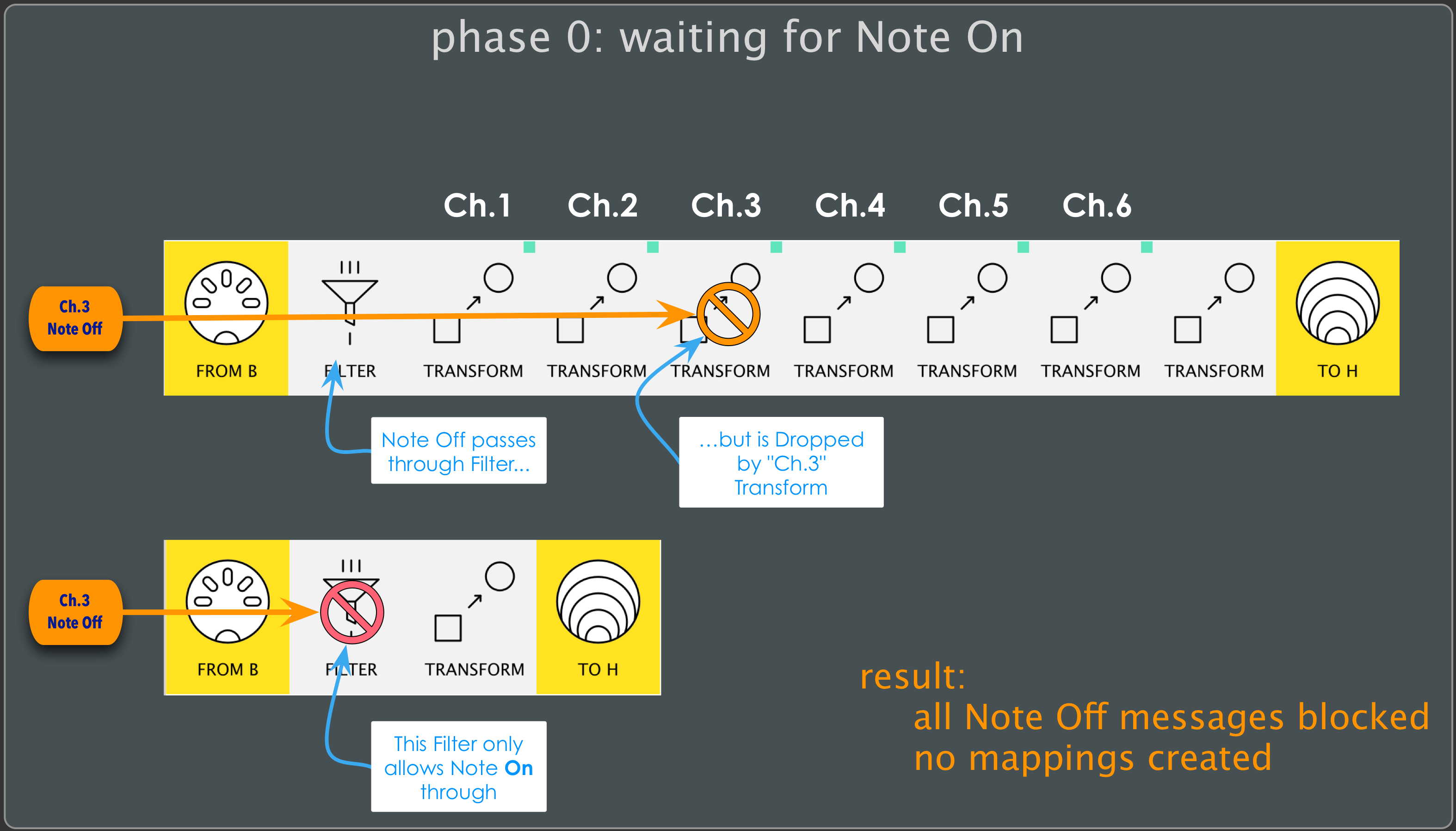
Similarly, any Note Off received on another Channel will be discarded by its respective “Drop Transform”
Phase 1
Now the interesting stuff starts to happen:
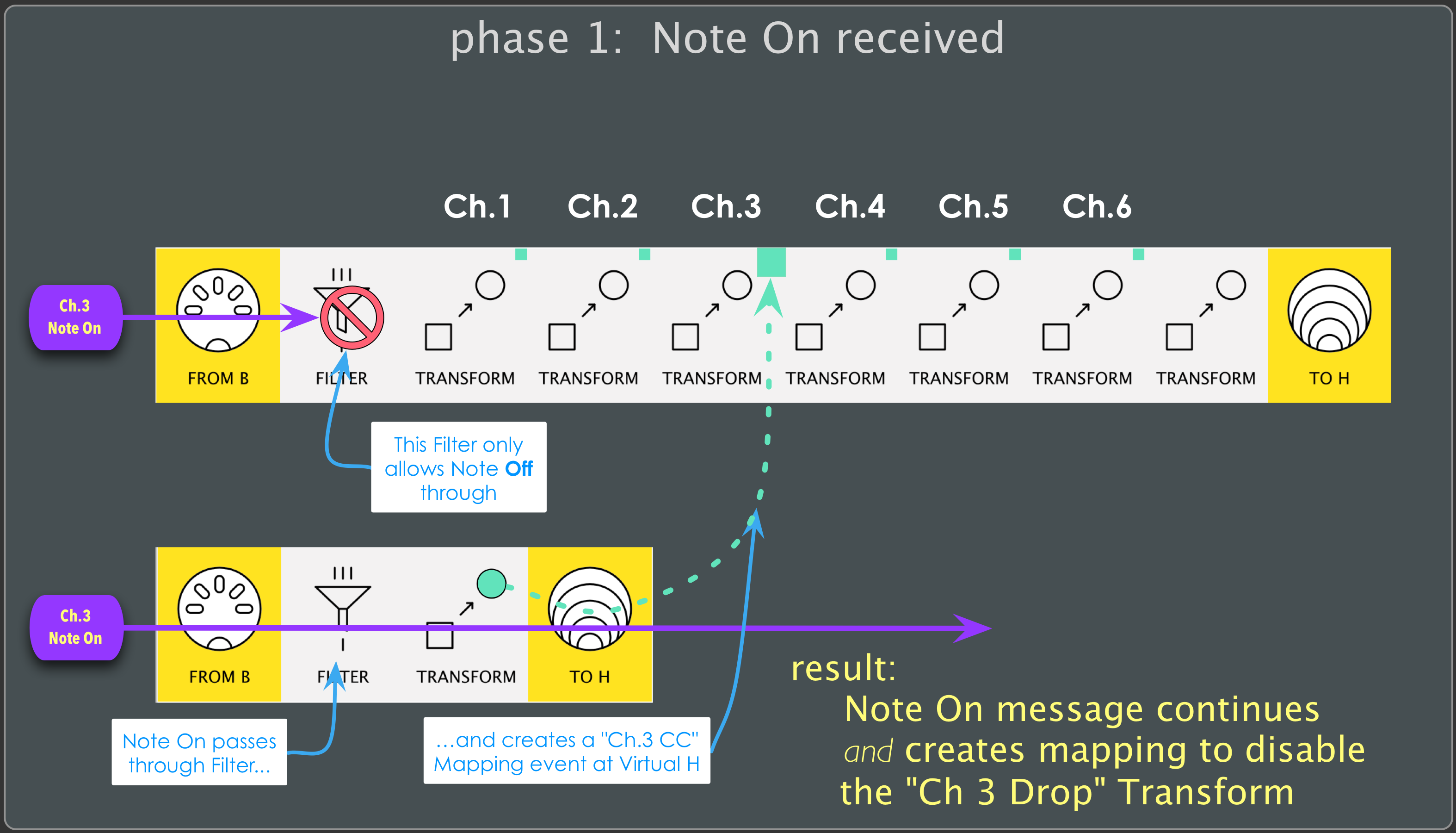
As a Note On message passes through it creates a mapping event on its channel.
This message is set to Bypass the corresponding “Drop Transform” in the “Note Off pipeline” above.
This prepares the system (for that channel) for phase2
Phase 2
Now the next Note Off (on the channel in question) is treated differently:
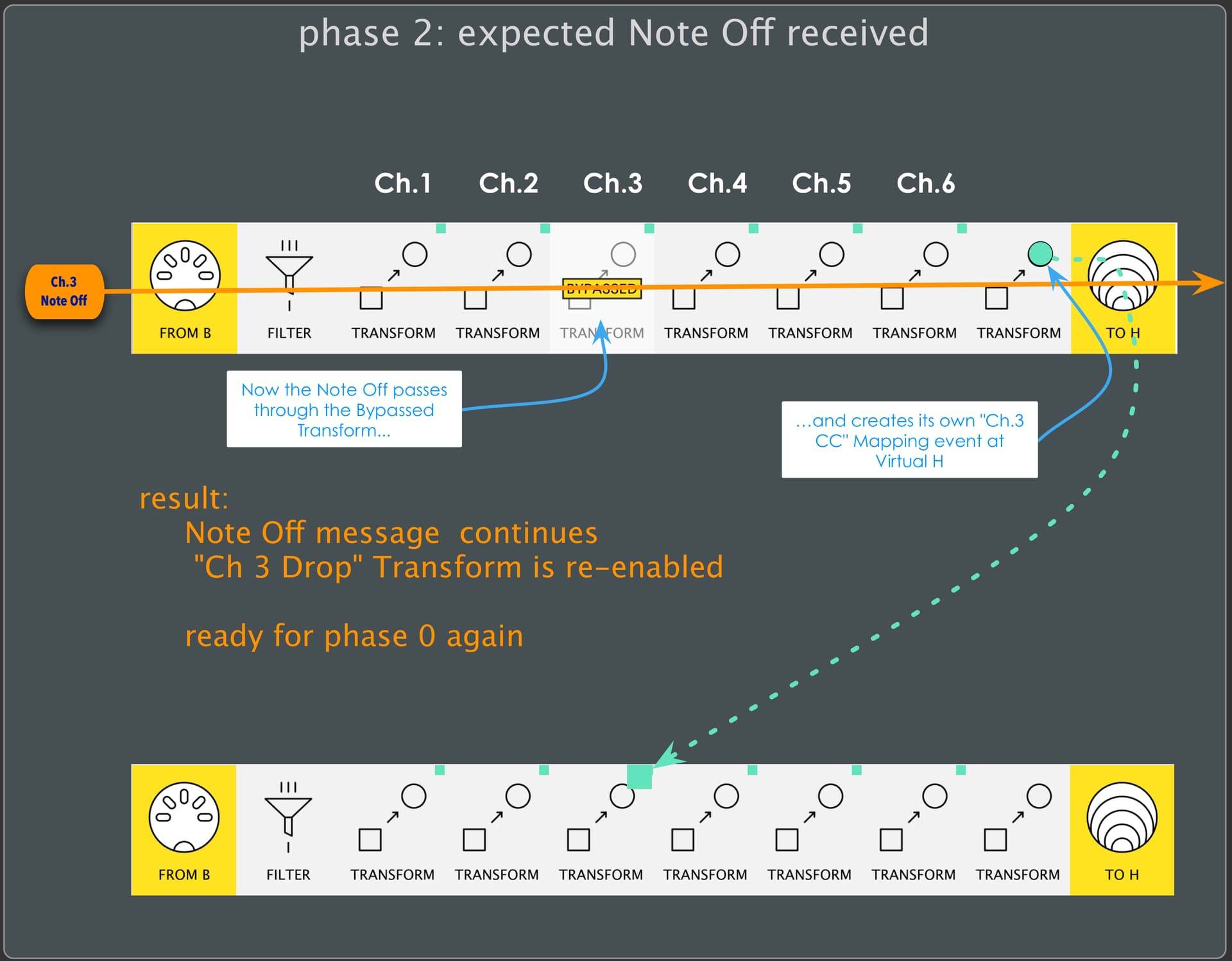
Now, instead of being discarded before it reaches the end of the pipeline, it passes through…
… and, just like the Note On message in phase 1, it also creates a mapping event on its channel.
Now, however, the message is set to re-Enable the (Bypassed) “Drop Transform”.
And so the system is reset for that channel and we’re back at phase 0.
Bear in mind that each channel is treated independently. This means that the system can –and likely will– be in different phases for different channels at any given time.