I have seen such issue on Windows only, but never on Mac OS. Nevertheless, we could try and apply the same workaround as is sometimes necessary when using multiple Midihubs with Windows.
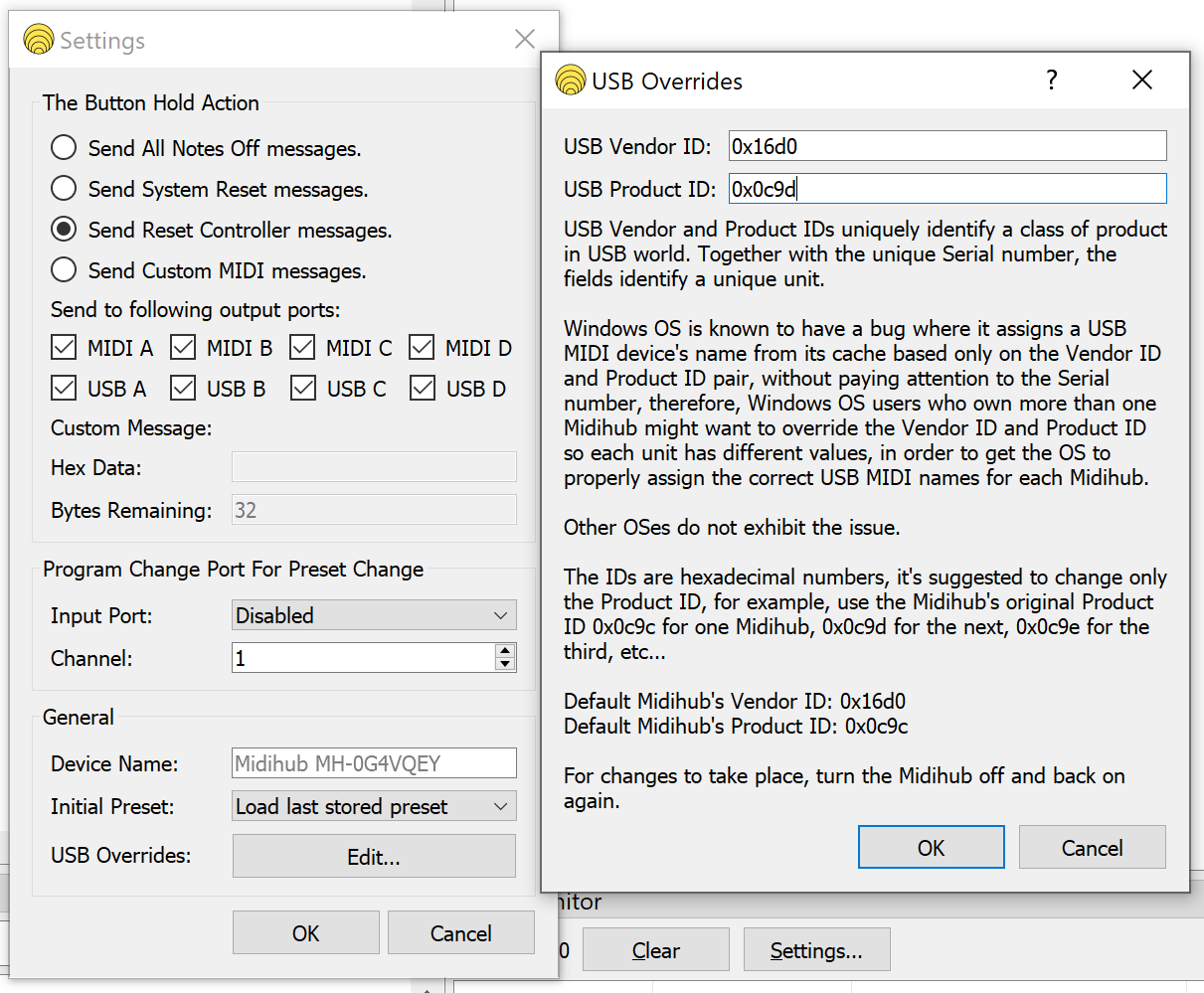
Let’s force a different USB Product Id on one of the devices:
- Connect to one of the devices using the Editor.
- Go to Device → Settings
- Click USB Overrides: Edit…
- Change the Product Id to 0x0c9d
- Click Ok & Ok
Cycle the Midihub device off and on again. The OS will think it’s an entirely new device, and will have an easier time differentiating with the other device.
You’ll probably have to enable it all over again in the Ableton’s MIDI settings.