Is it possible to limit the range of controllers ? so that a delay time can only go up to 1 bar for instance ?
thanks so much !!
Here’s an example preset, @kamal, with two Delay pipes, side by side both with Delay Time mapped.
kamal_vm_limit.mhp
The first is mapped directly to the CC coming in MIDI-A:
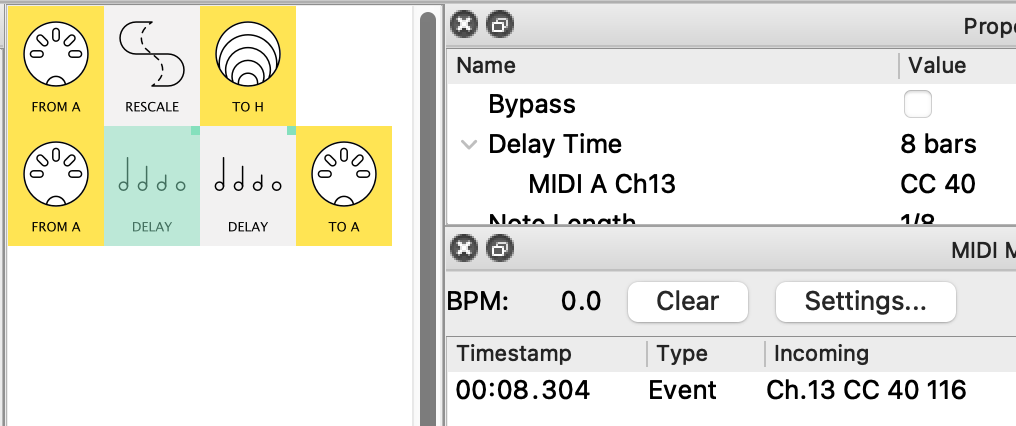
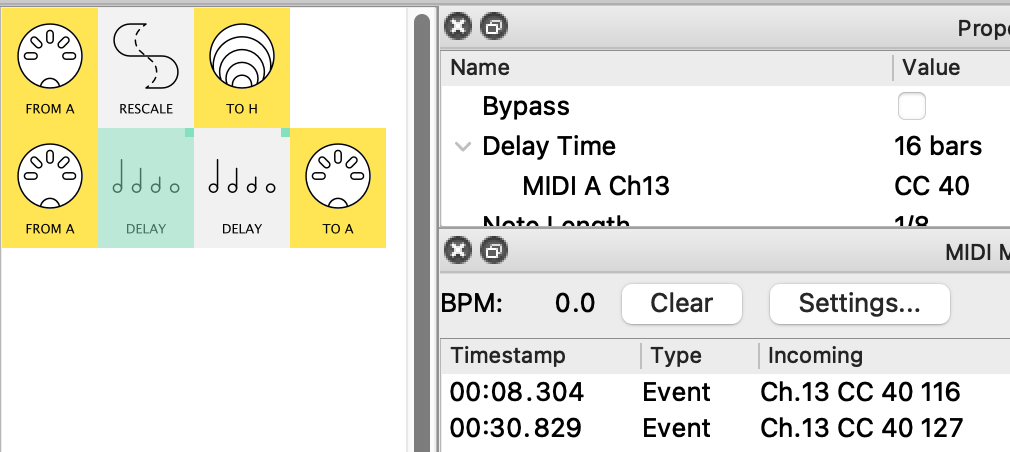
see how the values 116 & 127 give times of 8bars & 16bars.
In the second version the pipe is mapped to Virtual H allowing us to modify the mapping values.
Now, although we see the same CC values in the Monitor…
..the values have been rescaled in pipeline 1 to restrict them to the values you want for the mapping:
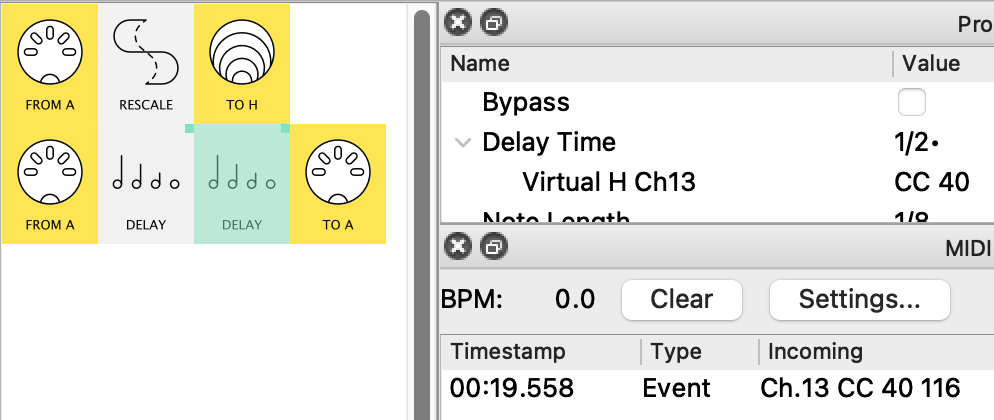
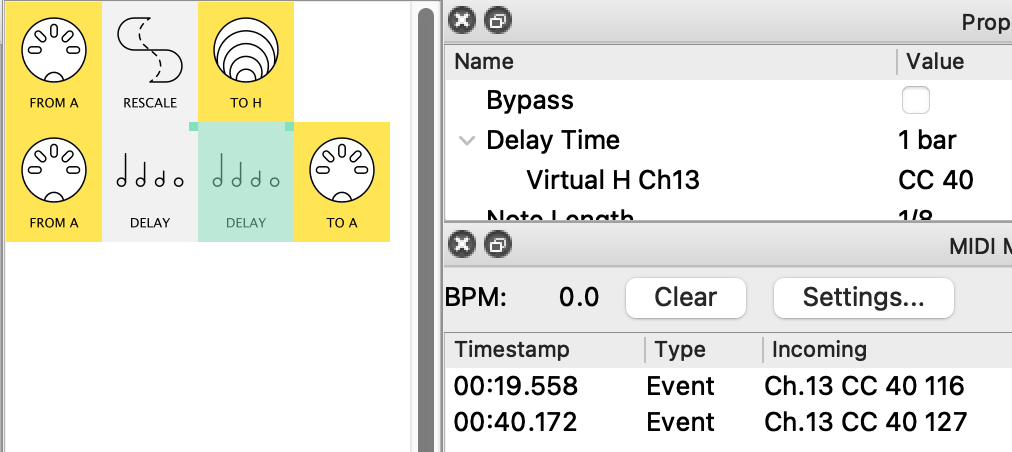
Try setting different values in the Rescale pipe to see the different outcomes (You’ll notice I’ve restricted the Out Low range as an example)
Then maybe try used two to Rescale pipes scale down, scale up to get only some of the Delay Time values (say 1bar, 1/2, 1/4, etc)
PS.
Notice the Virtual-H pipe goes nowhere in this example.
That’s because I’m only using it to create the mapping.
Conversely, I could happily Filter out the CC from pipeline 2 and it would not affect the Delay.
(I only left it in to show in the MIDI Monitor  )
)
for users 1.16 there is now a simpler “scaled mapping” solution!
The previous post serves as a good example of how the new Mapping Modes can make presets more streamlined:
Now, instead of needing a virtual mapping after a Rescale…
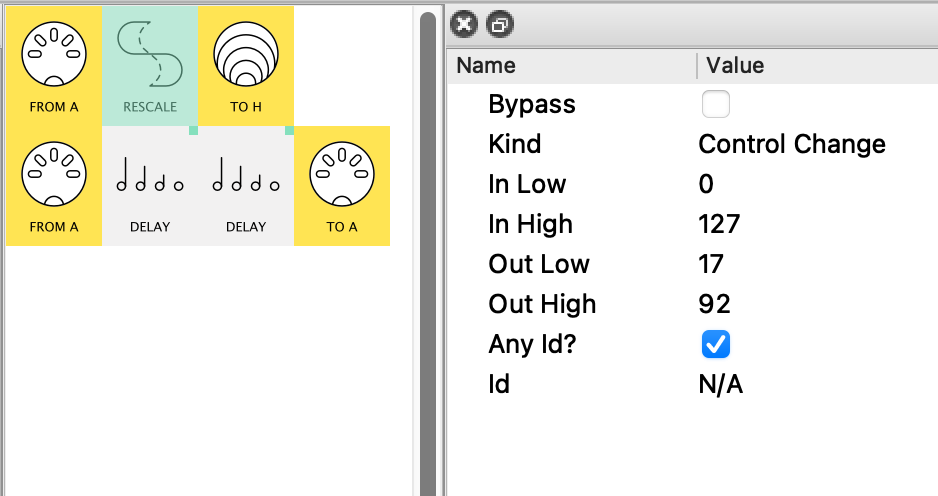
…to restrict the range for the Delay pipe in the original request…
…we can now use the new Scale Mode for the direct mapping from MIDI-A-IN…
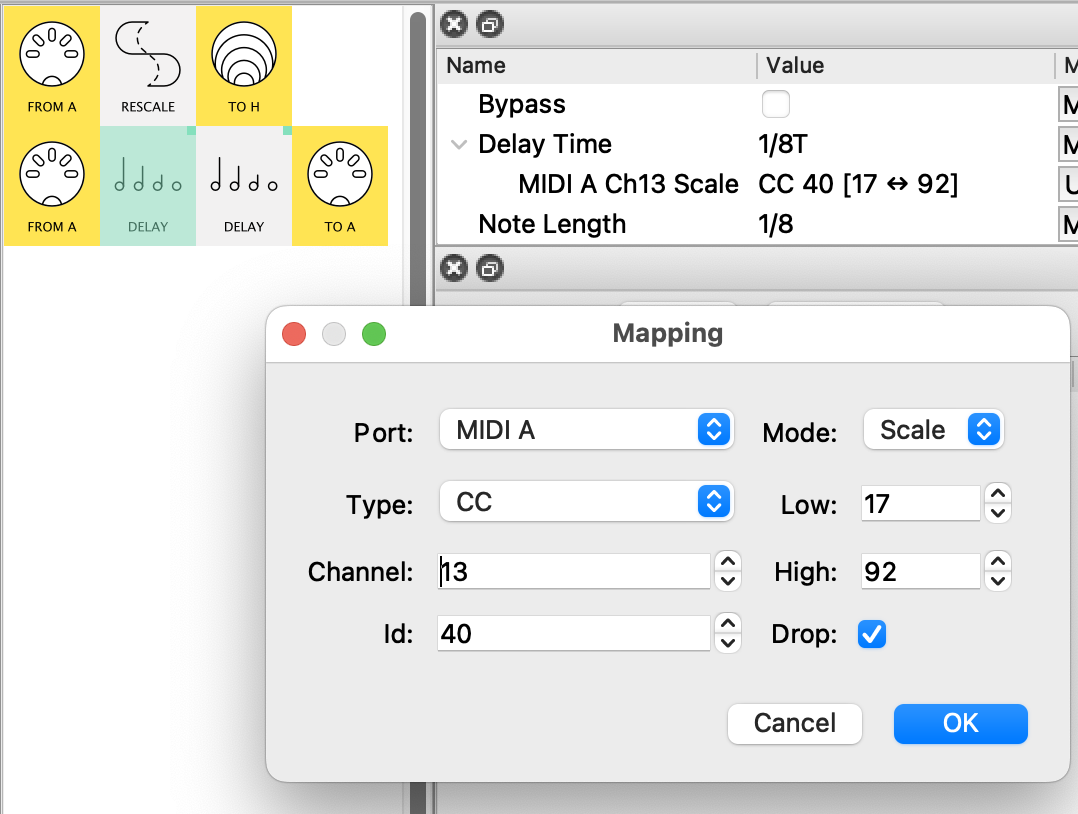
…to give exactly the same results:
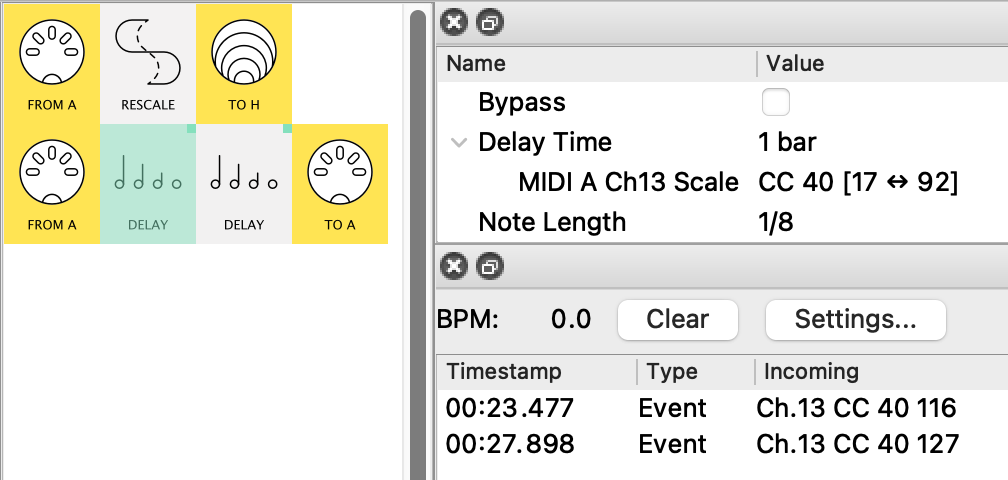
So now we can get rid of the “virtual mapped” Delay version…
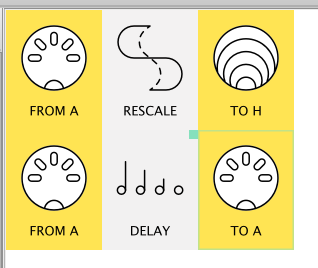
…and all the pipework needed to make the virtual map:
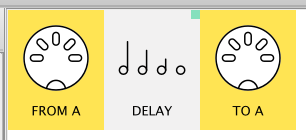
Much simpler!
Drop Mapping Message
Once I’m sure that the mapping is working just as I want it, I might go back to mapping dialog and click Drop (if I don’t need it for anything else):
Then the mapping will work just like before…
…but the CC messages won’t appear in the message flow
Look, Mum, no messages!
brilliant, great to see your workaround and also the update, which makes things easier : )
Hey ! What is your name btw ?
Do you think there is a way to make the delay replace the original signal ? Even at 100% wet you still have some, also the signal is much weaker (the note velocity I guess ?)
I’m not quite sure what you’re looking for here @kamal
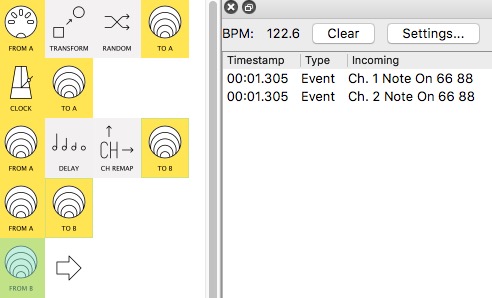
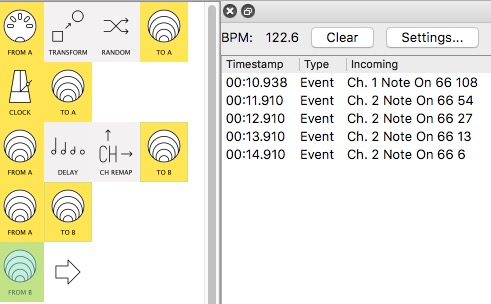
Here’s 4 screenshots:
-
The Original note is on Ch1
-
Notes coming from Delay on Ch2
-
Delay set to default 4 repeats
-
The first 3 pics use 50% Feedback for clarity
-
(guff in 1st line just to create notes from CCs, all Monitor shots remove the Note Offs)
-
here’s Dry(0%):
we get just the original note on Ch2
. -
Now here’s Wet(100%):
see how we lose the original from Ch2 -
lastly, this is Wet(100%) with 100% Feedback
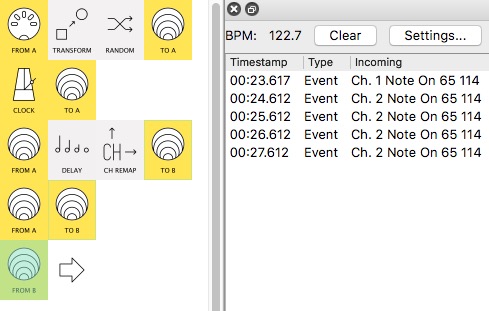
No original note and the 4 repeats at the same velocity
(you can even have the velocity increasing  – clipping at 127 if necessary)
If this doesn’t give you what you want please draw up an example of what Incoming at Time0
would give what Outgoing at Times1,2,3,etc