Tricky PC message transforming pipeline question

I’m looking to convert an incoming PC Message (1) to do this..

  1. Select a Bank (issuing an LSB message of CC#32 and a value of 1)
  2. Followed by a PC message of 11
  3. Followed by a CC# 115 value 1
  4. All while filtering out the original PC message

Hopefully that makes sense!
Thank you!

Make a inline series of Transform pipes to do this. Sometimes it’s convenient to have the first Transform pipe to convert the original event to a completely unrelated event type like Aftertouch, as you’re converting PC to another PC as well as some other message, for it to not interfere in the process it’s easiest to use an unrelated event as the temporary information carrier.

So I’d suggest doing something like this:

[FROM A] → [Transform PC 1 to Aftertouch Note 1 by Replacing] → [Transform AT#1 to CC #32 1 Inserting Before] → [Transform AT#1 to PC 11 Inserting Before] → [Transform AT#1 to PC 11 Inserting Before] → [Transform AT#1 to CC# 115 1 by Replacing] → [TO A]

Thank you for the reply!

It doesn’t appear to be working as intended.

Is there a way you can send a sample pipeline ? This is what I have from your note
pc to cc conversion help 2.mhp (544 Bytes)

@andrismattson your filter is blocking PC messages from leaving.
Drag the filter to beginning of the pipeline and change it so that it only lets PC messages in.

I haven’t had time to test it but line 1 looks OK
If you’re still having problems upload Monitor screenshots (if you show the pipe selected like in my recent examples to you, it helps the community see exactly what’s going on)

PS. I’ve moved your topics over to Midihub:Support so you can mark as Solved when appropriate :slightly_smiling_face:

1 Like

With the changed Filter, the Monitor shots…

...look like this:

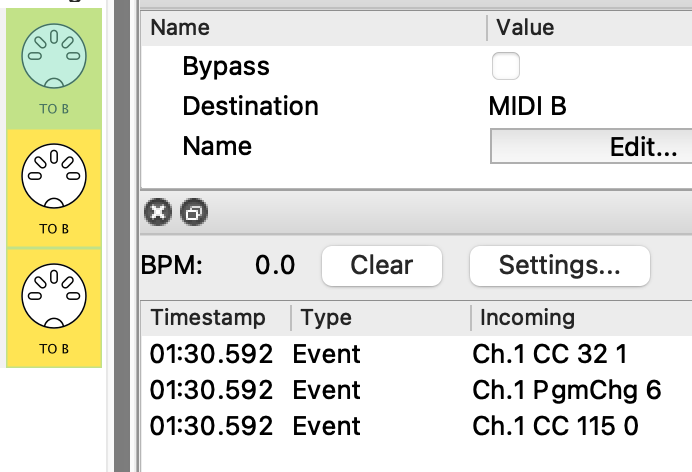
PC#1 →

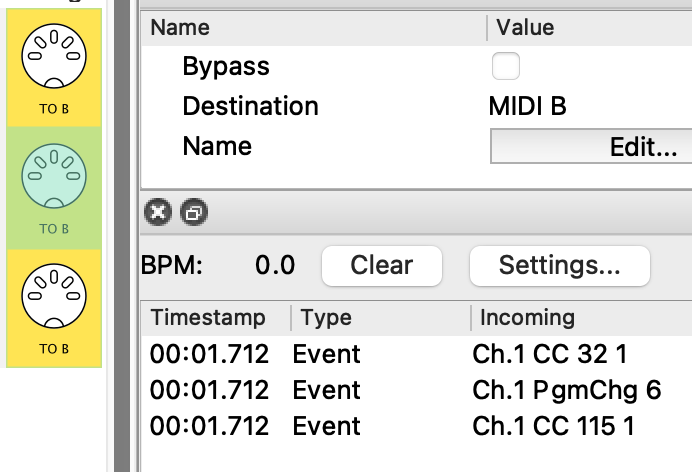
PC#2 →

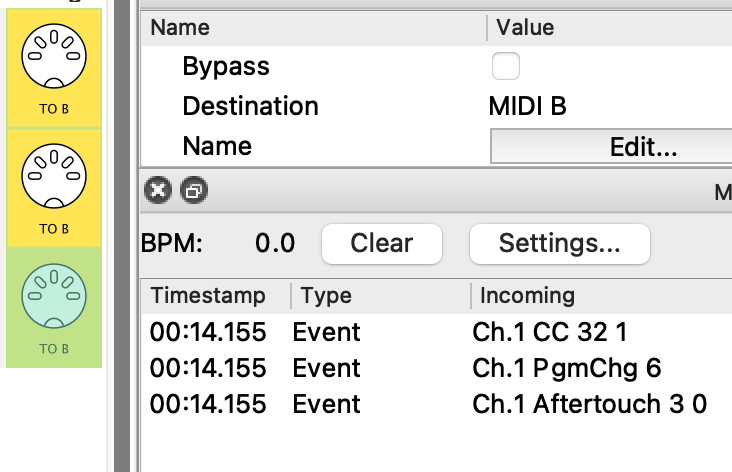
PC#3 →

showing that you just need to correct the Work with Note Number in Range... in the 3rd line
(and maybe some Arg1’s?)

The issue I didn’t see until testing is this:


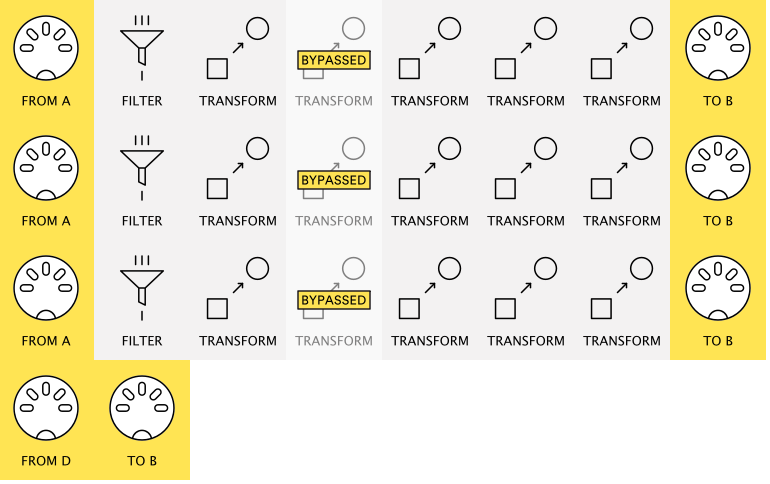
Any PC that a given pipeline doesn’t handle is just let through!

This is solved by adding a Drop Transform set to Use Program Number =Outside Range

(I show them bypassed here)

pc to cc conversion help 2(ResoEdit).mhp


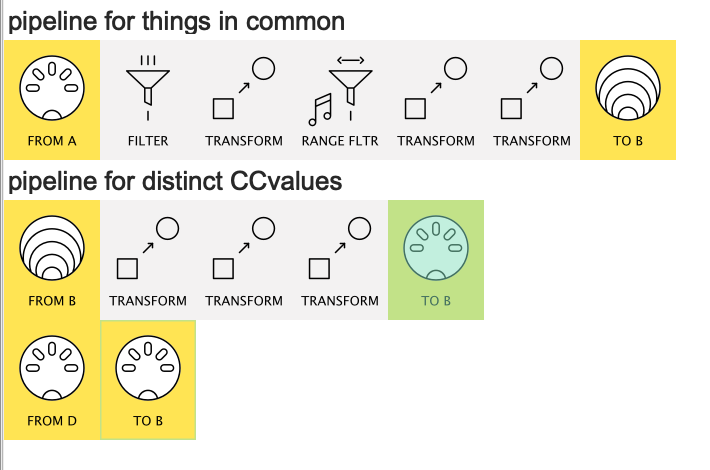
PS. here is a modified version suitable for later readers who maybe have many PC → Bank Change pairs to handle.
pc to cc conversion help 2(ResoVersion).mhp

Details

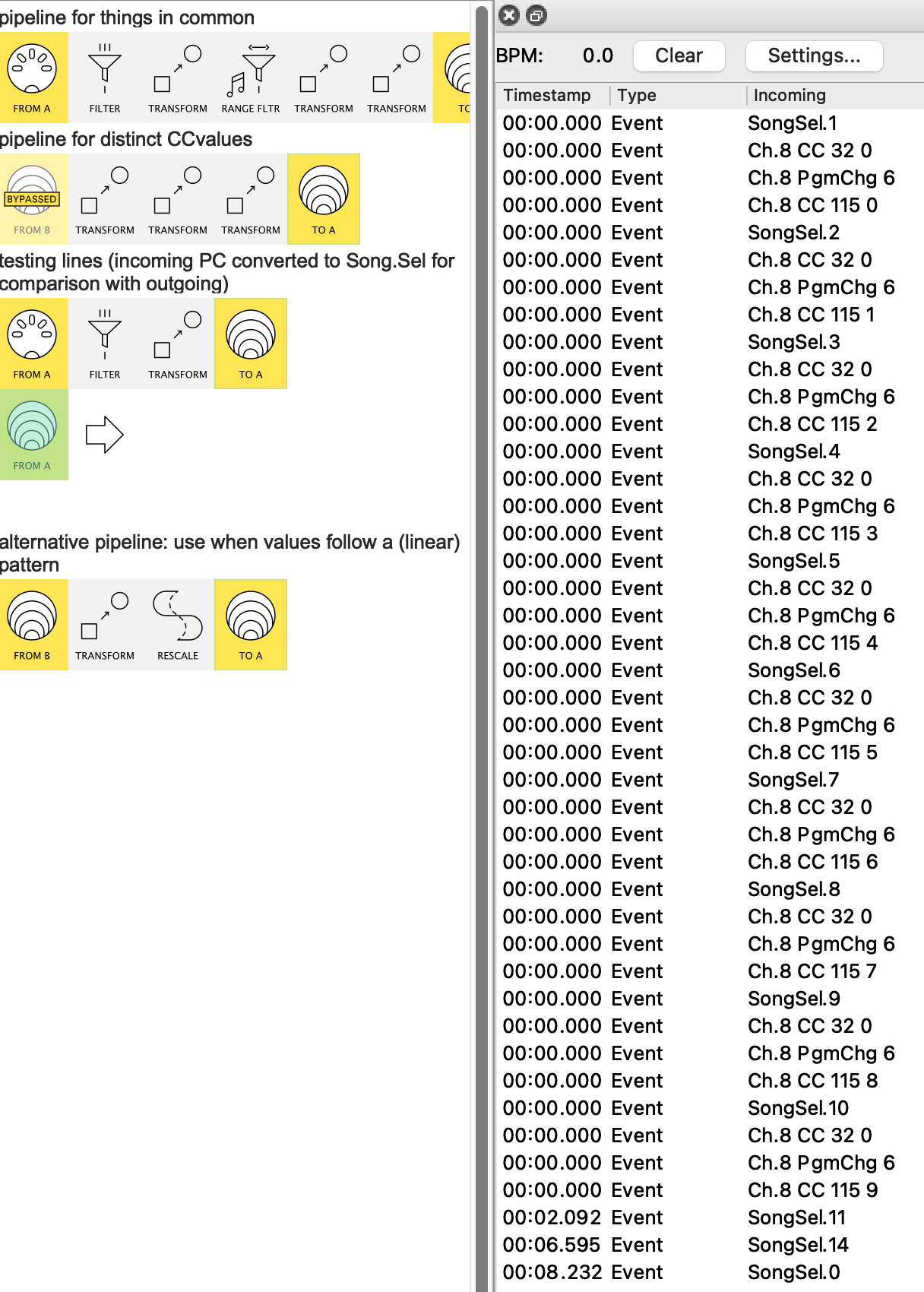
it keeps all the parts in common in the 1st pipeline (CC#32, PC#6)…


…and puts all the PC-specific CC#115 values in a 2nd line

(it could be all one pipeline, but this feels more organised)

It uses Note On instead of Poly Aftertouch just because that allows us to use Note Range Filter to discard the PC# numbers the pipeline is not meant for

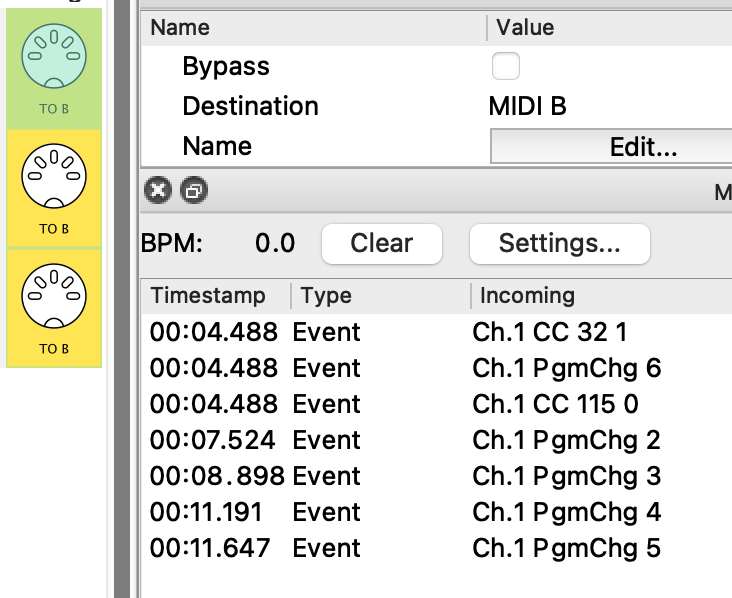
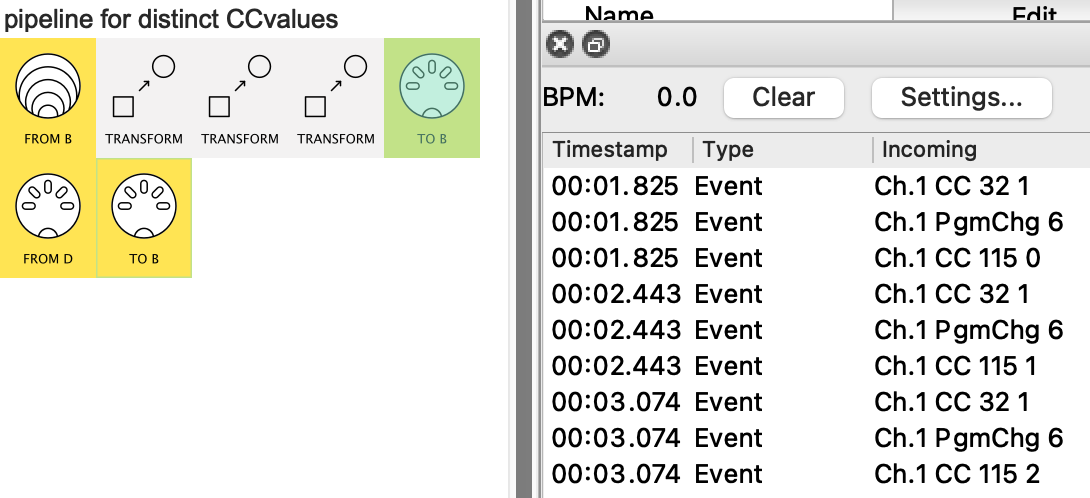
here’s the testing:

Notice this uses a Transform for each CC value. This method is necessary when there’s no relation between PC# IN and CC value OUT


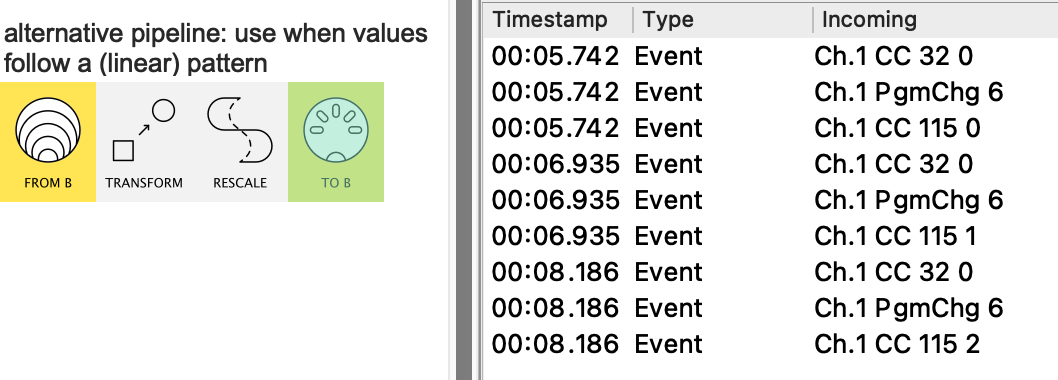
When there’s a pattern (like here: 1 → 0, 2 → 1, 3 → 2), however, we can save a bit of work with a Rescale:

Thanks for the reply!
Still not working :frowning:

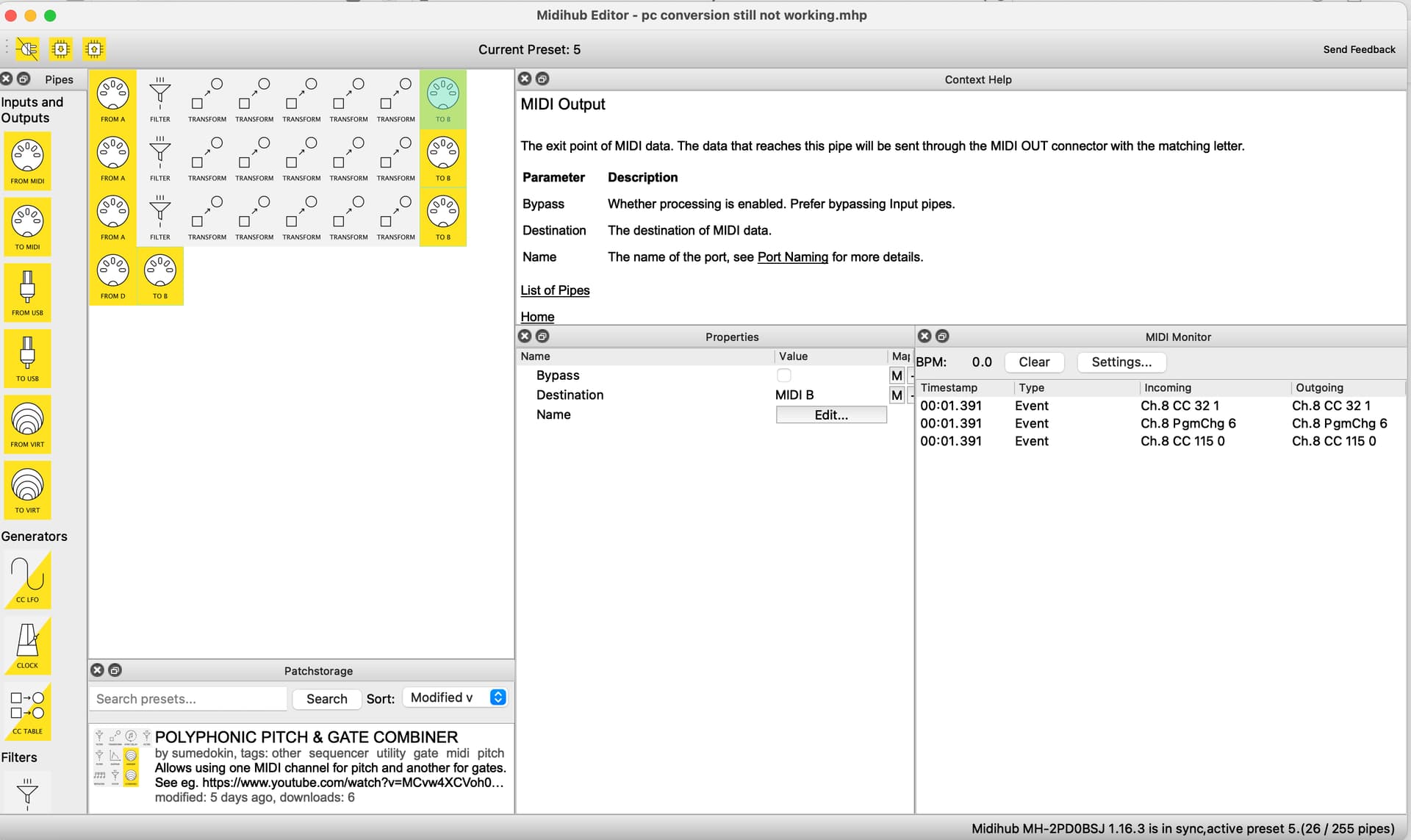
I’ve attached the pipeline i’m using with your first solution (the second one didn’t work on my end)
With this first one, pipeling 1 (PC 1 conversion) worked as intended. The rest showed no activity at all when i hit the corresponding midi buttons. What am I missing here?
pc conversion still not working.mhp (577 Bytes)

If it is helpful, here is the pipeline that is working for me. these are the messages that are being sent successfully (assuming that I have manually switched to the correct Bank and Preset on my pedal - Bank 1 Preset 6)

All I am seeking is a way to replicate this pipeline in a way that also includes initial messages that tell the pedal which Bank and Preset need to be selected before the subsequent CC message is sent. This way i don’t have to manually switch to that preset.

Thank you!
CC pipeline that is working.mhp (774 Bytes)

Spell this out for me:
I see Ch.8 CC#32 = 1, PC#6, CC#115 = 0
what would expect for each of the 3 PC# in?

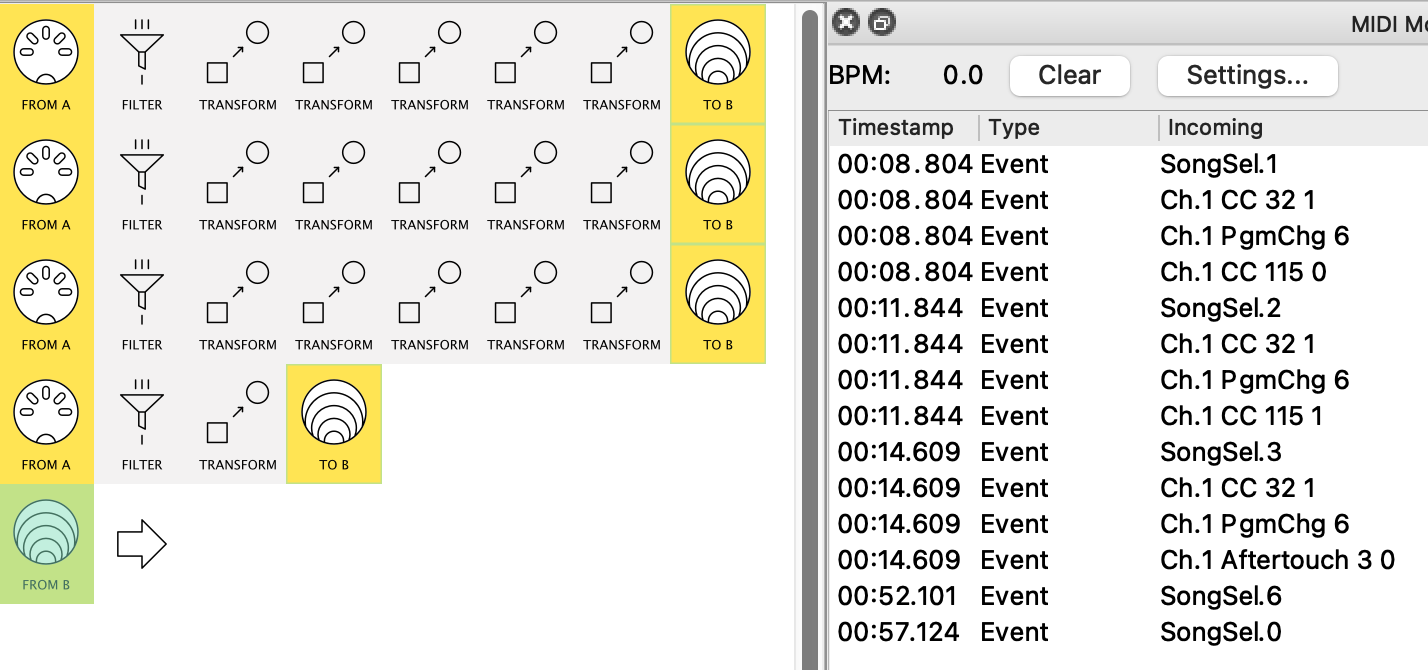
OK, here’s all the incoming PCs (changed to SongSel to distinguish) in one place
followed by the outgoing created messages

Apart from the error that’s still there…

See above: “showing that you just need to correct the Work with Note Number in Range... in the 3rd line”

…what would you expect that isn’t there?

I would expect

1 PC → CC#115 = 0
2 PC → CC#115 = 1
3 PC → CC#115 = 2

etc.. (until PC 10)

right now it doesnt appear to be receiving those other CC Messages on my end (After row 1)

my most recent screen shows

1 PC → CC#115 = 0
2 PC → CC#115 = 1
3 PC → CC#115 = 2

doesn’t it?

Now you’ve said

here’s this for comparison:

Are there any unexpected messages here?

(from an edited verson of mine uploaded for later readers. )

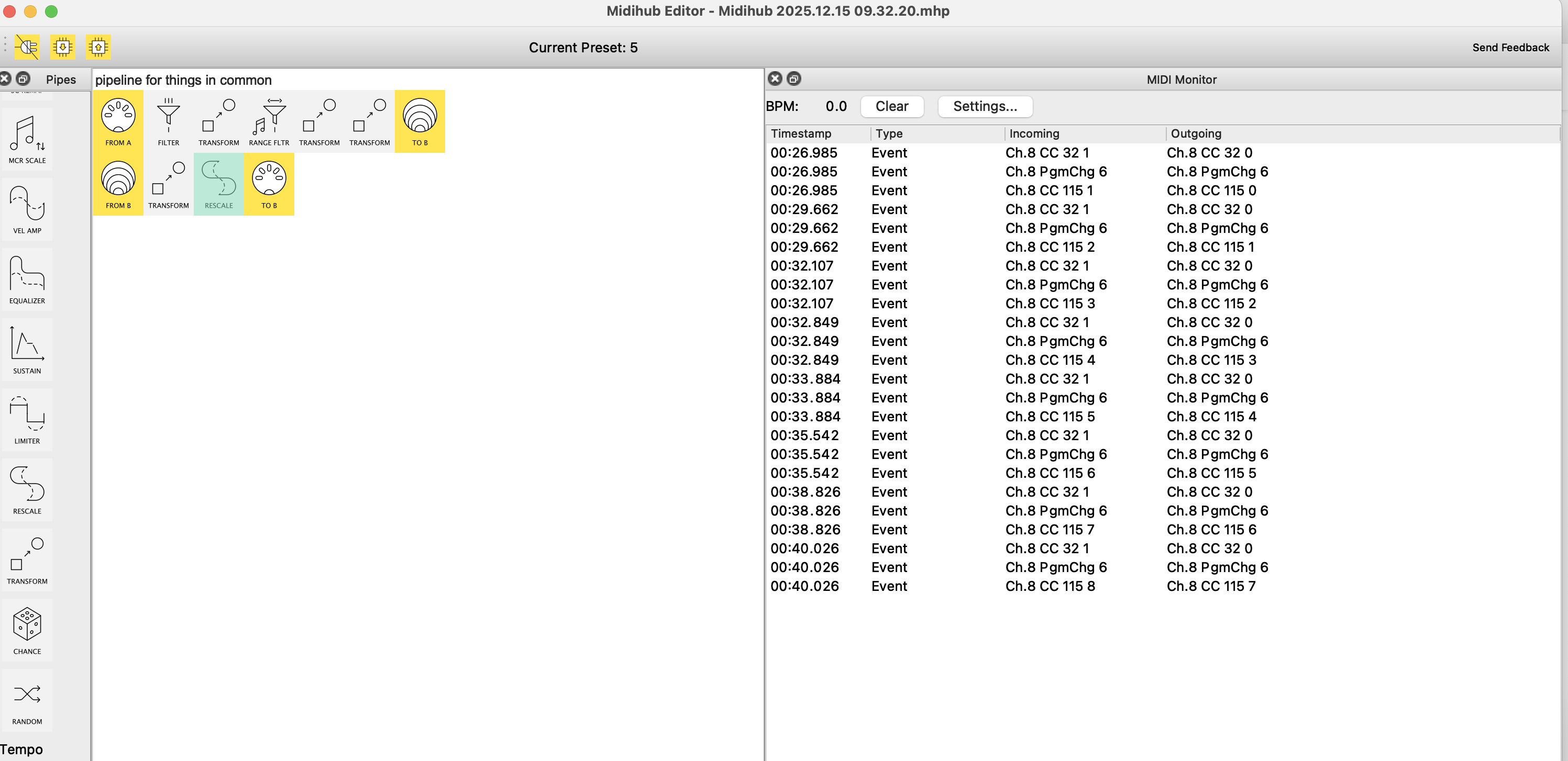
that all looks correct but when i load it in my midi hub editor it doesnt work. let me try again and upload the result

Midihub 2025.12.15 09.32.20.mhp (438 Bytes)

it is showing that the signals are being sent, and yet nothing is happening on my pedal

Would this be easier over a phone call?

OK, your “Bank” messages are in the same order as your OP
but worth doing two things

  • check pedal wants Ch.8
  • check the values it wants are correct

have you tried a test to send the three components from 3 different messages just to make sure?

Yes, the pedal is expecting Channel 8, and the values are correct.

I’m wondering if this might be an issue with how the pedal interprets the data.

When I switch to Bank 1, Preset 6, the CC messages (CC #115 with values 0–9) function as sub-presets within that single preset (6). Because of this, i wonder if it may not be possible to directly switch to Preset 6, Sub-Preset 2 (i.e., CC #115 = 1) from a different preset.

Just a theory

Because this first line works great.
Single line.mhp (337 Bytes)

but then when i change the CC#115 value on this line to Value 9 (aka subpreset 9)
It doesn’t want to jump to that one. I execute the action and it still just brings me to Bank 1 Preset 6 Subpreset 1
Single line.mhp (337 Bytes)

It seems incapable of getting to Bank 1 Preset 6 subpreset 9 in one step