That sends CC#32 value 1 not 0
ah yes my bad. Ok the problem still remains that it doesn’t want to switch to these subpresets in one action. On the first line it still is just switching to value 0 (which is what i thought i had set it to)
No, Andris, my bad:
Look closely…
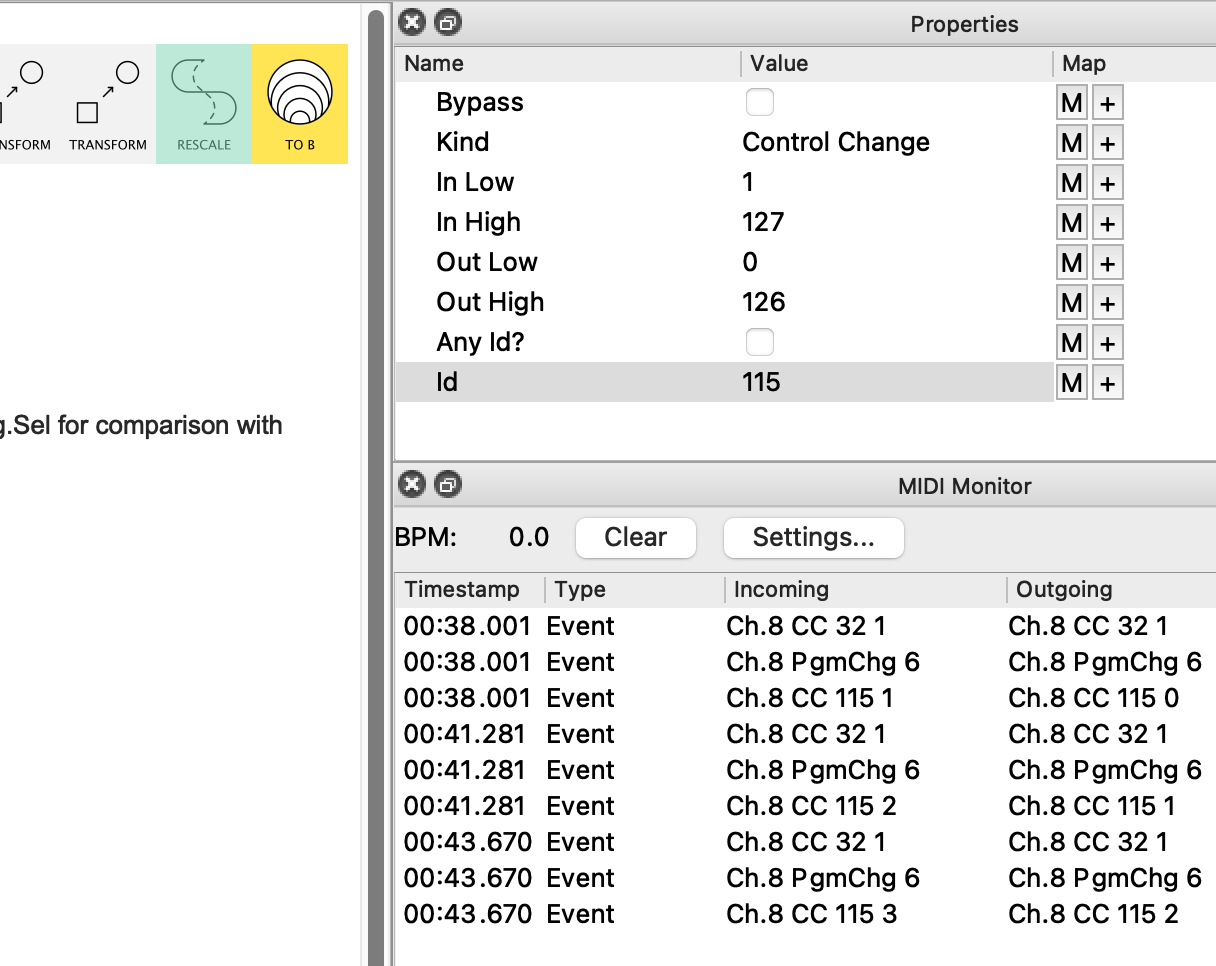
…see how I had the Rescale applying to all CCs.
Now it works only on CC115.
Make the change and check it out.
Then we’ll talk about the higher PCs
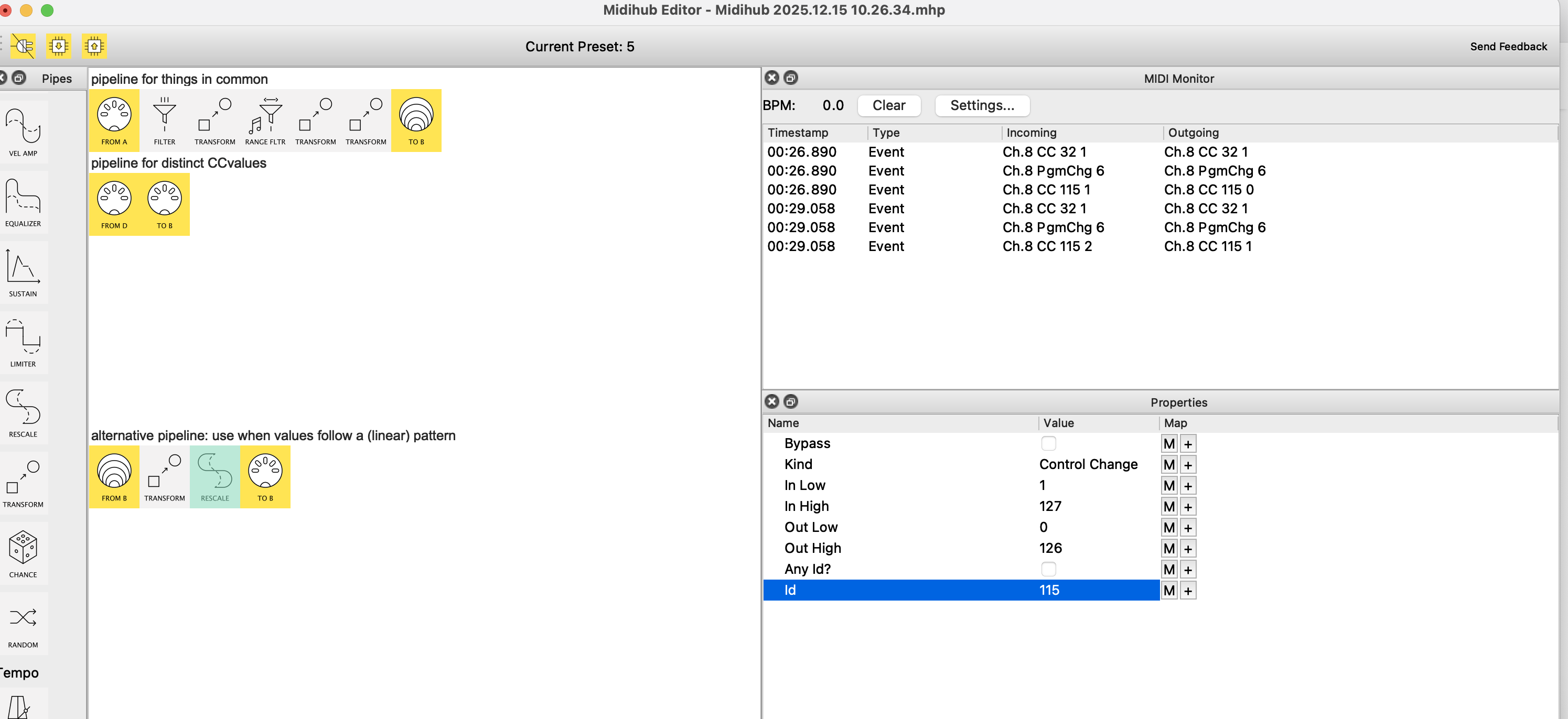
change has been made, ready to talk higher PC’s/higher subpreset values
Presume it does work for PC 1-9? 
the fact that it does work for 8 presets but not beyond makes me wonder, is all (whenever I see 8, 16 , 32 basically)
Worth looking to see if you can find anything that suggests that say CC32 value might change for the next 8 and so on.
Nothing in the manual/ MIDI implementation chart?
i think i’ve possibly landed on the issue. MIDI Flooding, too many CC messages being sent simultaneously and the pedal gets confued.. I just tried adding a short delay and the switches are happening. the only issue now is:
when i send CC # 115 = 3, the pedal has a quick moment where it first switches to the first subpreset before then switching to subpreset 3
Midihub 2025.12.15 10.26.34.mhp (585 Bytes)
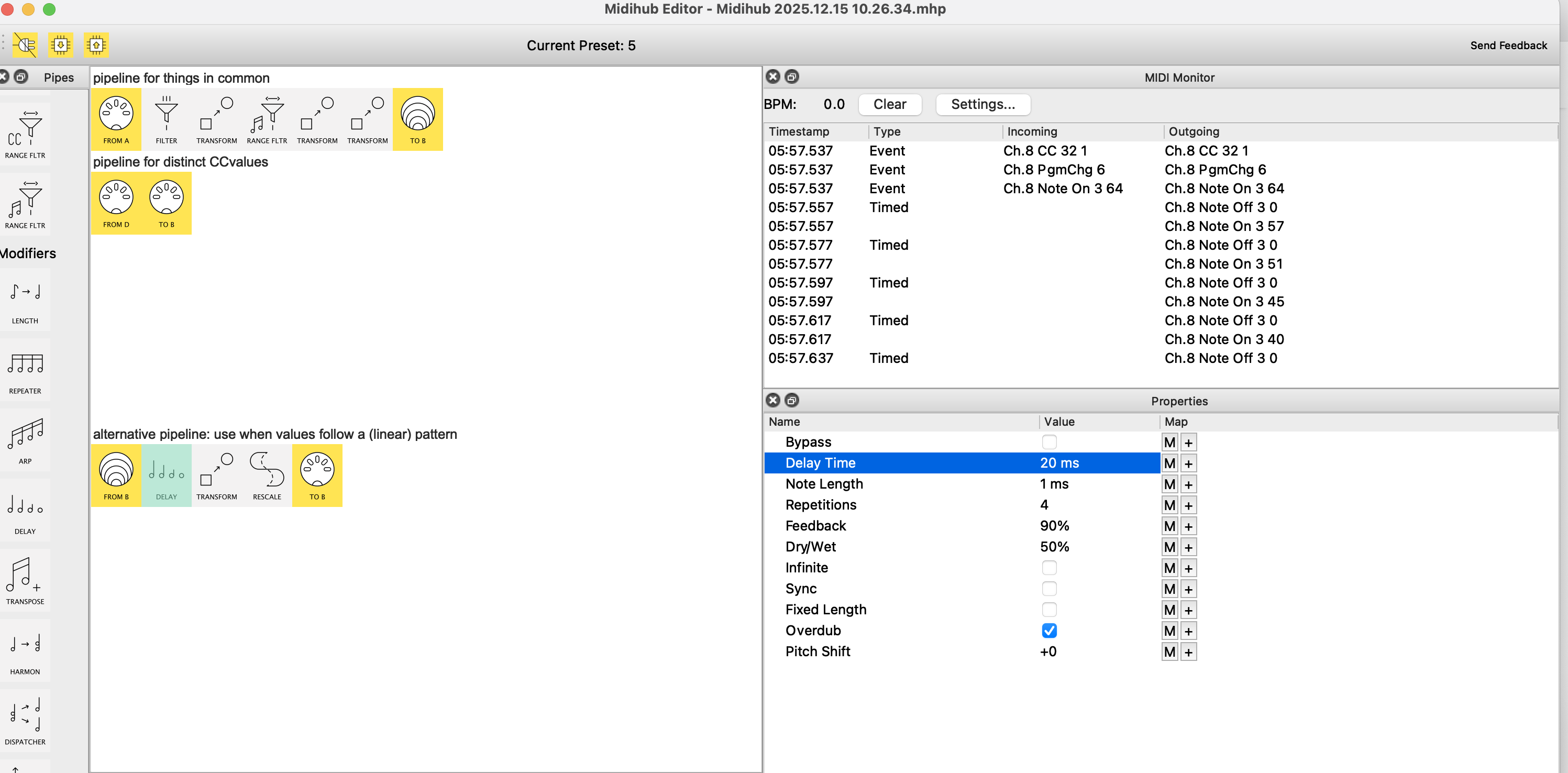
is there a way to prevent that from happening?
Hey, @choponster01, good spot!
Better still is your turning to Delay as a possible solution.
(I’ll be packing my Midihubs away for a journey North later so don’t have them hooked up atm so… )
…rather than me jump in with possible settings have a try yourself with this idea:
-
First, on a separate clean pipeline, experiment with a 50% Feedback delay with 2 Repetitions
-
Send it a Note velocity 64
-
watch the velocities in Monitor
-
I think they should be 64 (original), 32 (rep1), 16 (rep2)
Whatever they are, when you’re sure, you can use these velocities to adapt thepc to cc conversion help 3(ResoVersion)to get something like this:

the new filter discards the Notes Off
Now change the two Insert Before Transforms to Replace:
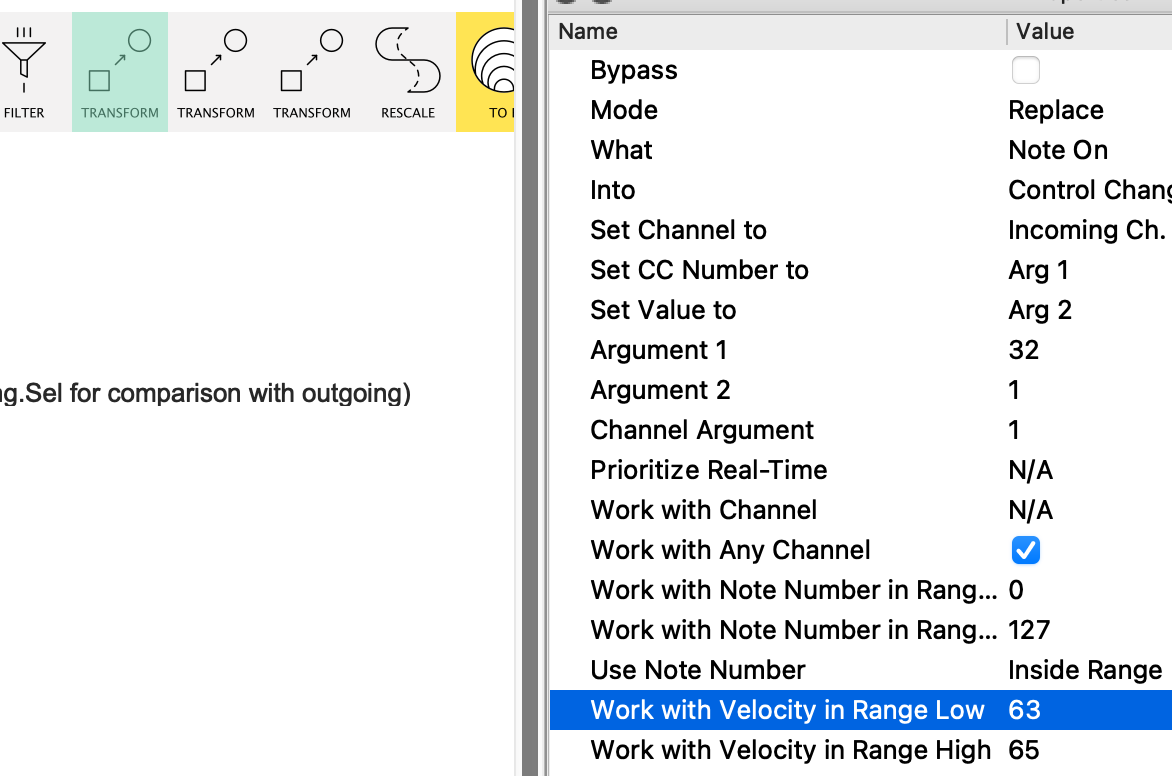
See how I’ve restricted the Work with Velocity in Range Low|High so it catches just the first note.
The next Transform’s Ranges will catch the 2nd Note (and the last can be left as is cos it will only ever see one note a time)
Check the order and the timings by Monitoring Virtual B and adjust
If it works, you should be able to adjust your Delay Time to <10ms.
Decided to give this a quick test and it’s all good, IMO:
here’s a demo
with PC#2 → Note 2 velocity = 64, we get:
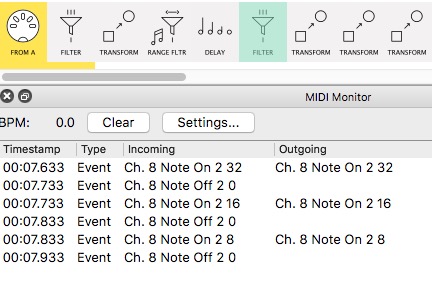
the 3 note velocities go 32, 16, 8
then…
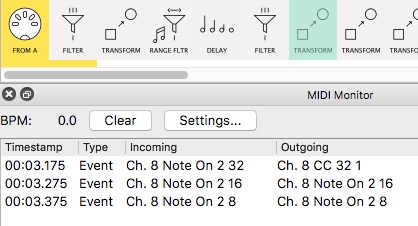
…velocity 32 → CC#32
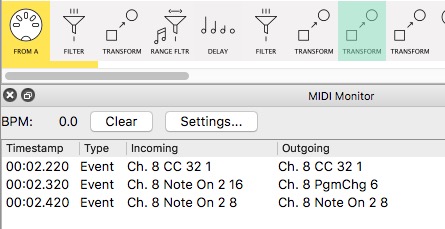
…velocity 16 → PC#6
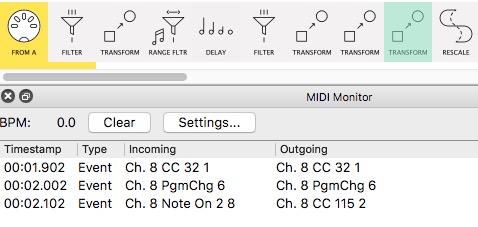
…and the remaining Note On → CC#115 (val = 2)…
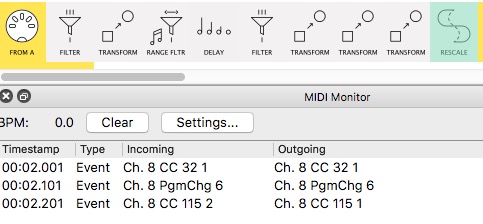
..which is rescaled 2 → 1
if, after adjusting timing to the minimum the pedal will take, the pedal still has “a quick moment”, maybe investigate whether sending the CC#155 without delay helps (ie reps =2 and adjust Mode on PC Transform)
This should wrap it. 
In the end, this is a nice demonstration of the various ways Transform can unpick a problem, stage by stage…