Hello!
I am doing a complex routing situation on some parts of the MIDI A → MIDI A pipeline, I am filtering out all but the CC Messages by the end, and then on another MIDI A → MIDI A pipeline I am wanting the PC Messages to go through along with CC Messages. Is there a way to do this? Having seemingly conflicting filter settings on the same pipeline?
I’ve attached my file here to hopefully illustrate what I am hoping to accomplish.
Hoping it is doable 
Midihub 2026.01.07 18.34.33.mhp (2.0 KB)
(Referring only to the relevant first 8 MIDI A → MIDI B pipelines…)
…you are creating two problems by your design choice of one Transform-per-pipeline:
- every CC message is sent to MIDI B eight times
- the problem you’re then trying to solve.
One of these is the solution:
Scenario A: simple case - only the 8 Transformed PCs need to be removed
- As all your PC → CC Transforms are Replace Mode…
- …then putting them in just one pipeline will solve both problems
NB Remove the Filter/change it to allow PCs. This is because the Transforms have already removed the unwanted PCs
But – If there are OTHER PCs you want to filter out:
Scenario B: some “untransformed” PCs should also be filtered
Slightly more complex but still only uses Transforms & Filters.
The strategy here uses one pipeline to selectively filter PCs…
and another to Transform the eight PCs (and allow CCs)
-
PC Filter pipeline Filter (all but PCs) → (one!) Transform PC → CC (see below):
this Transforms all PCs so that you leverage CC Range Filters to selectively remove “PCs”…
…then a final CC → PC Transform recreates the remaining wanted messages
-
specific PC → CC pipeline
This is as in scenario A except here, the final filter should block PCs as they’re already going through pipeline 1
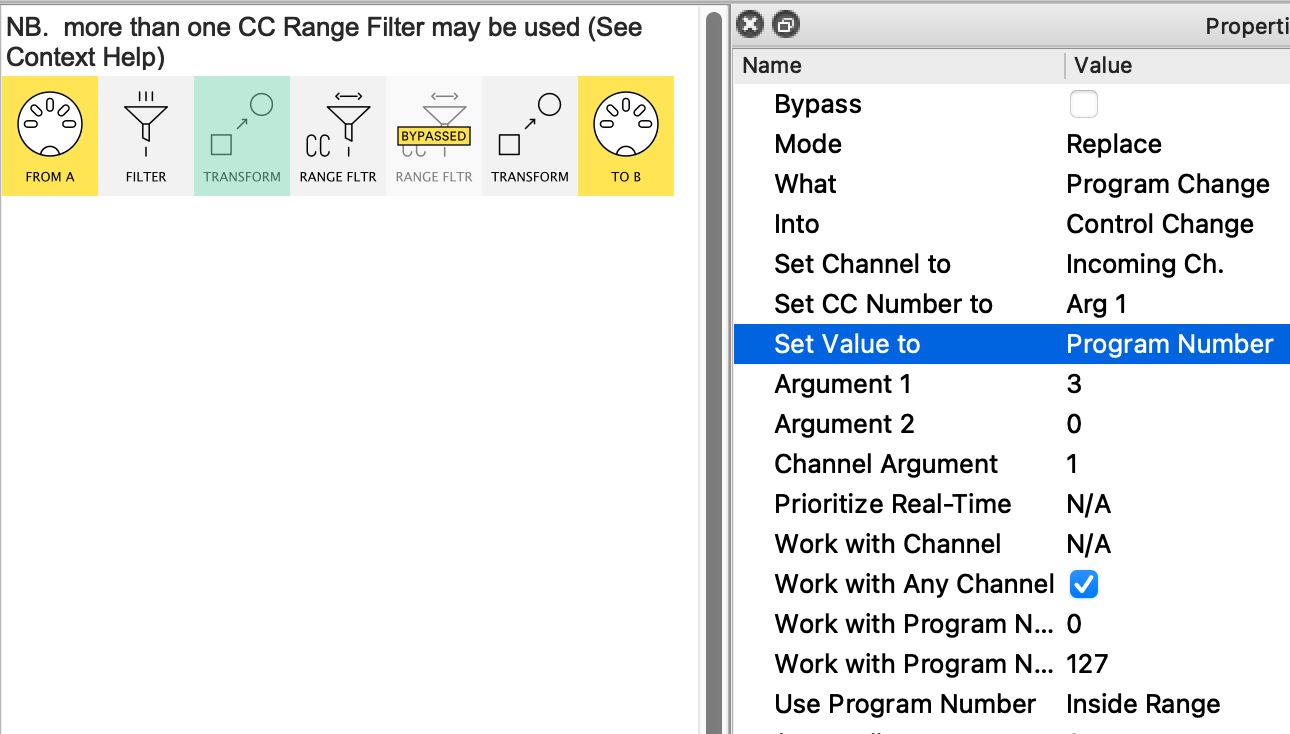
example Transform:
(the 2nd Tranform effectively does the inverse)
Thank you! I will try this out and report back. Although i will admit, my brain is still trying to wrap itself around your solution here. How can i have just one pipeline for all the PC transforms? They are being transformed to different CC messages depending on which PC is triggered. that part i still don’t understand.
Thank you!
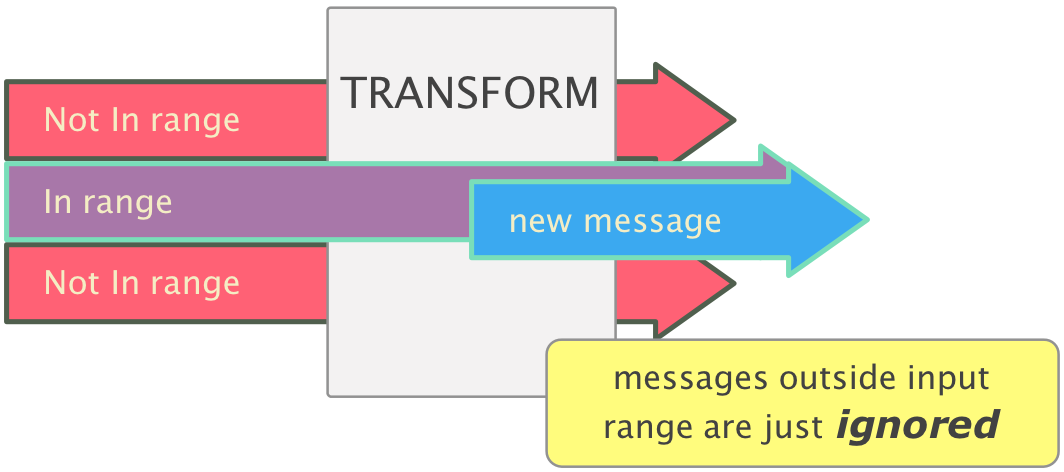
The first thing to realise is that a lot of Transform’s power rests on its ability to select which particular messages a given Transform will deal with
Midihub’s different ranges are contrasted here but this is the crucial image:
(anything outside the range(/channel) of a given Transform will simply continue, perhaps to be used by a subsequent one)
maybe this analogy will help:
Think of a pipeline as a conveyor belt carrying messages down it, with Transform workers stationed along it.
Let’s take Scenario A
-
Each worker deals with only one PC
(they are thus nicknamed Workers “1”, “2”… “6”, “11”,“12”, & “17”)
-
So PC#1 arrives and Worker “1” picks it off the conveyor and replaces it with one of his collection of CC#115’s (they are all set to value = 5)
-
but when a PC#6 comes down the line, all of Workers “1” thro to “5” just think “not mine”, ignore it, and watch it go by…
-
…leaving it for Worker “6” to remove it and replace it with one of her CC#115’s which are all set to value = 9
-
and so on
-
note that all those other PCs (eg. 8, 31, 99) will just travel on past all the transform workers and need to be dealt with later…
Hopefully, this analogy works for you.
If you come up with one that works better, please share! 
PS. For completeness, I should add that there’s a scenario C where we don’t need the PC → CC → PC trick but use Drop Transform(s) instead. I may add this when you’ve solved your set-up