Here’s what I meant Andris @choponster01.
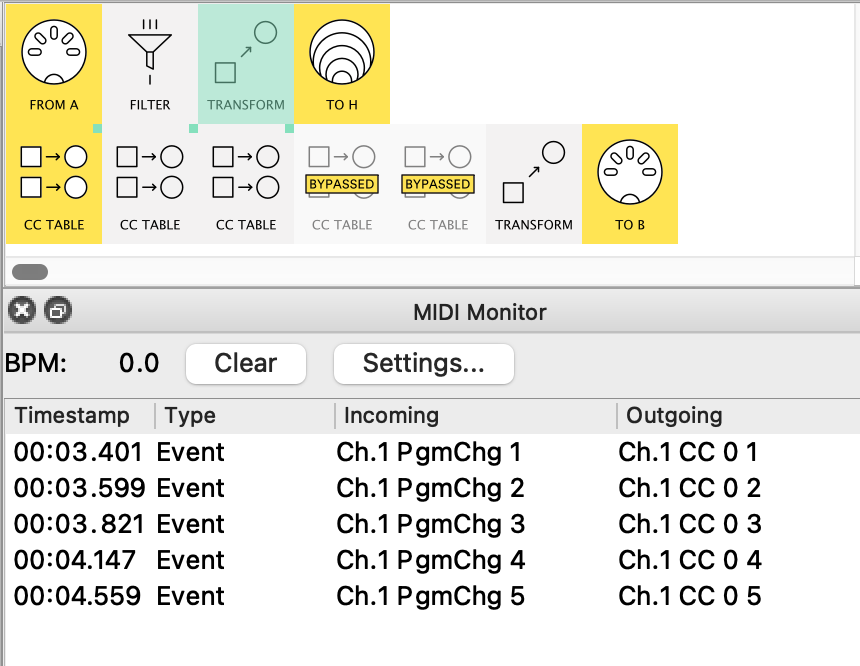
These are all the pipes you need.
let’s walk slowly through it:
The CC tables (five are needed– not 3!†) need mappings to work:
†each CC Table creates up to 8 CCs
-
I create the mapping CC from the Prog Change
I use CC#0’s value to “carry” the info about the PC#
(check out how by inspecting the Transform in the preset below) -
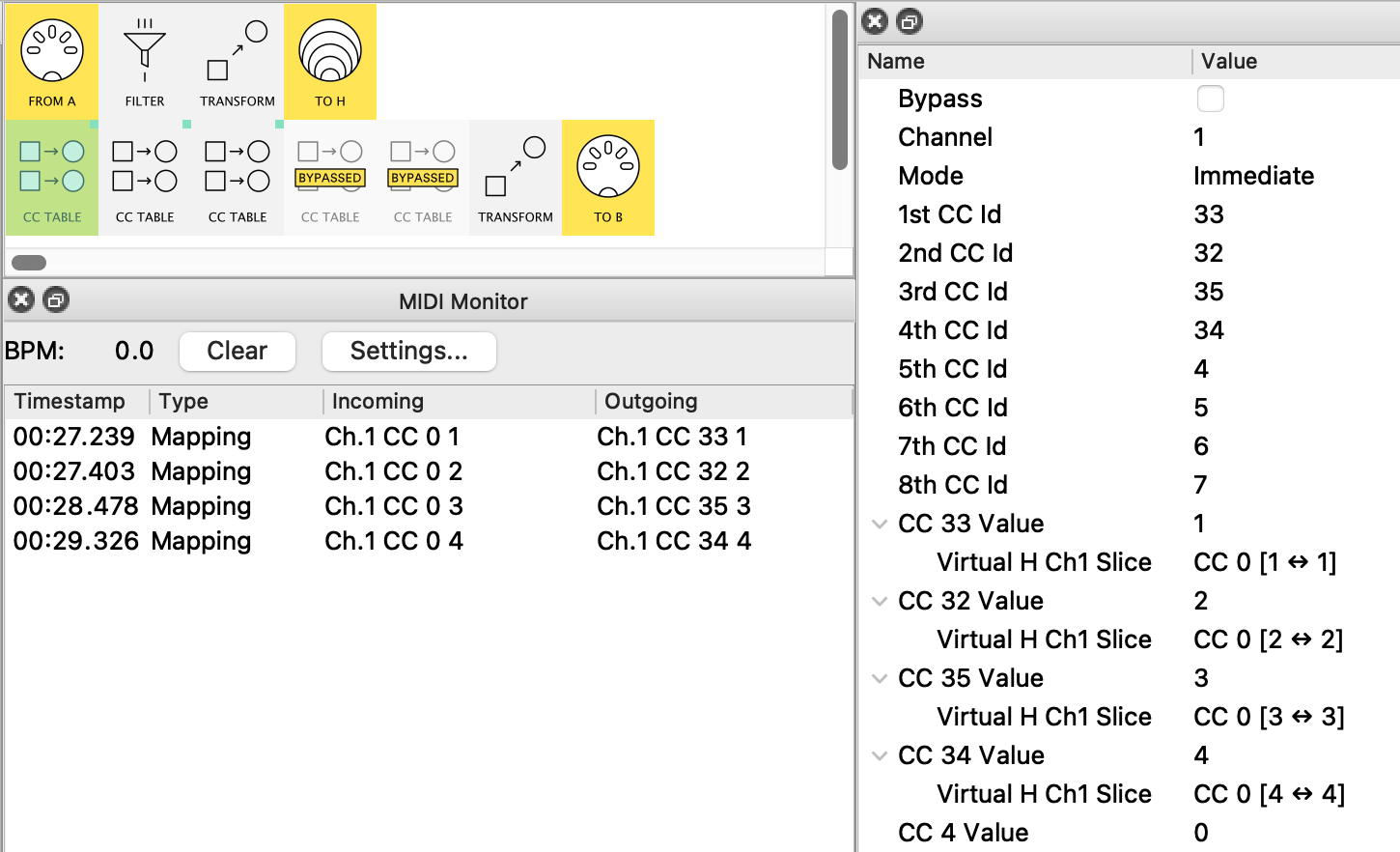
The first Table will handle the 1st 8 values (I’ve mapped 4 as an example)
Notice the CC Ids I’ve entered a the 1st 4 PC no.s you want in your list.
See how I use a Slice mapping with just one value – the incoming PC value
So the Monitor shows incoming values 1,2,3,4 → CC’s 33, 32, 35, 34 respectively
(nothing happens with the others cos I haven’t mapped them: add (+) those maps yourself and try it!) -
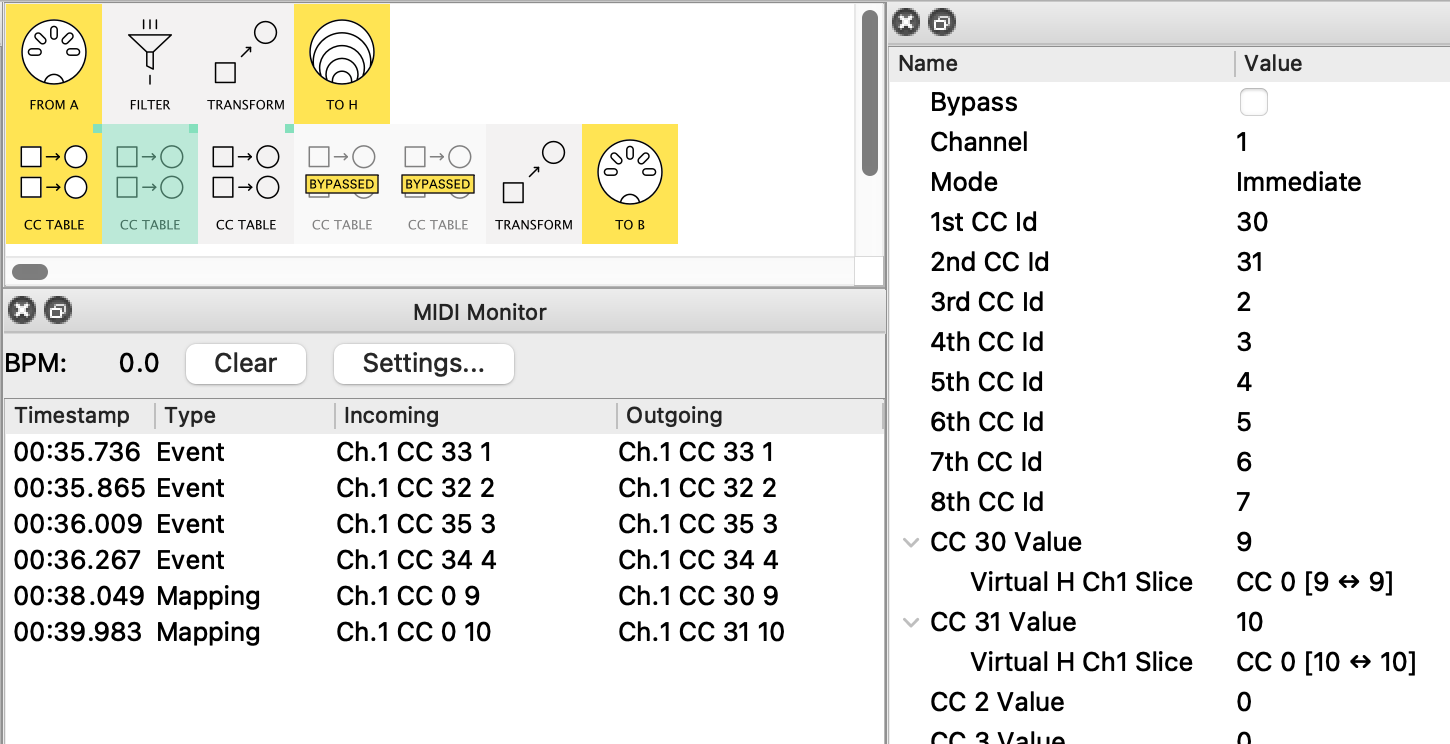
Looking at the same run with Table 2…
…we see the CCs created by Table 1 (labelled asEvent),
then the new Table 2 CCs (labelled asMapping)
Again, I’ve only mapped a couple of rows and left the rest for you! -
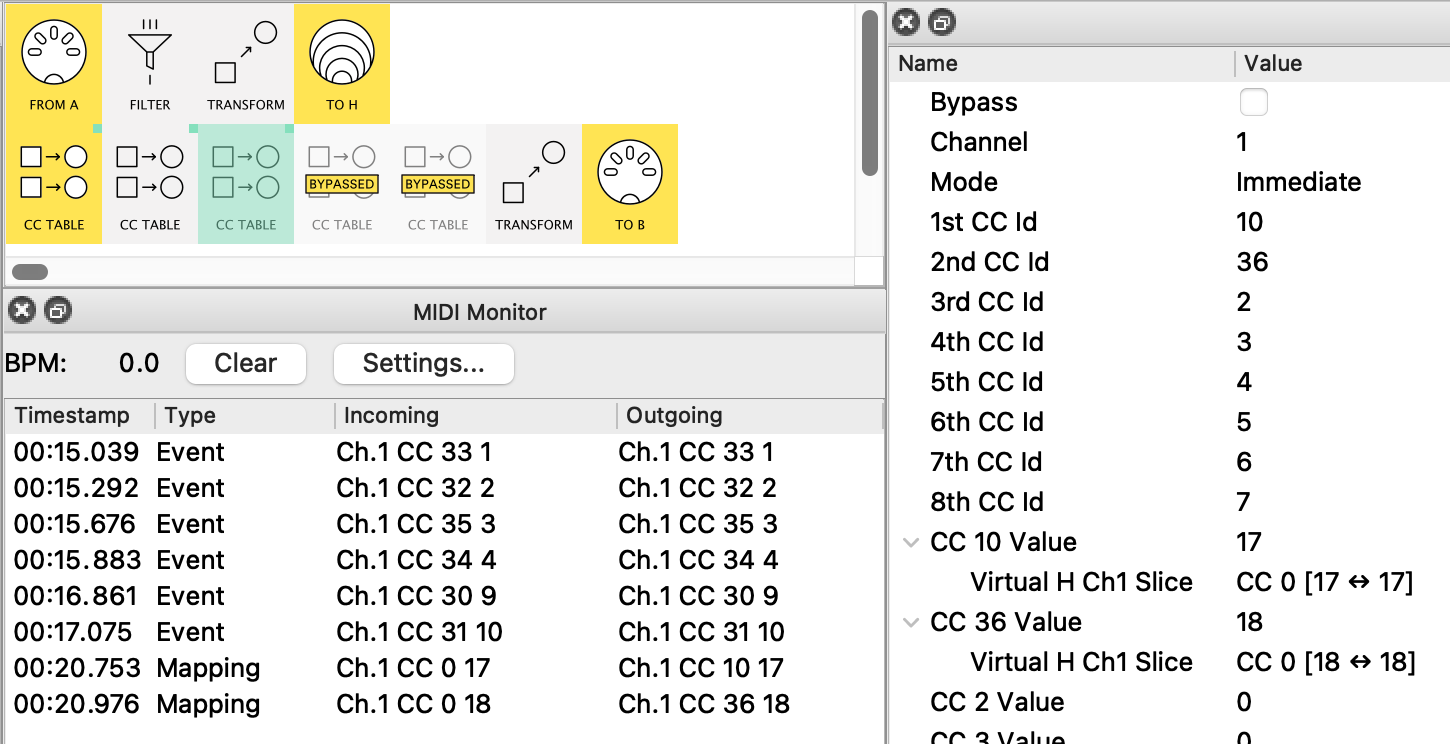
And so on with Table 3
(PS. I disabled Tables 4 & 5 just to say they’re as yet totally unmapped) -
Finally, All the CC’s are brought together and Transformed into CCs
I like the fact that, although the Incoming CC value isn’t used by the Transform, it serves as a check that we haven’t made a mistake in our pairing!
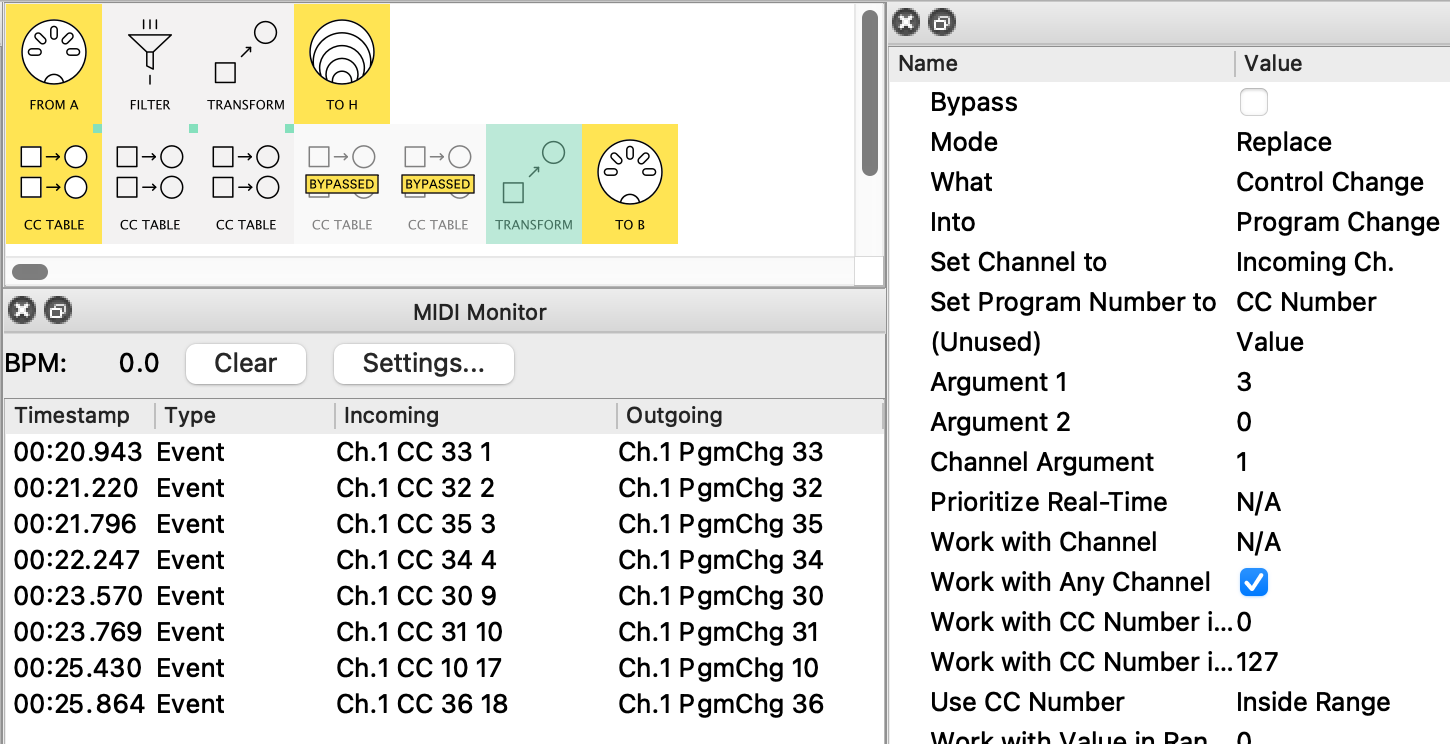
Here’s the preset:
andrismattson_PCmap_by_CCTable.mhp
Take some time monitoring the 3 main stages so any new ideas start to make sense
Update: I noticed that your pipelines used MIDI B for PC#19 onward. The CC Table version need a separate input pipeline similar to pipeline 1 to handle this