I am trying to have preset D01 of the monomachine activate Midihub preset 1, D02 activate preset 2 etc, though the monomachine sends out PC=48 at preset D01, PC=49 at D02 etc., which is too high a PC for Midihub to read.
Midihub seems to respond to PC=0 for preset 1, that I can send using a different monomachine preset (A01), which I can’t overwrite at the moment.
How do I make monomachine preset D01—D08 / PC=48—55 trigger Midihub preset 1—8? I tried using transform, turning PC=48 into 0 but that didn’t do the trick.
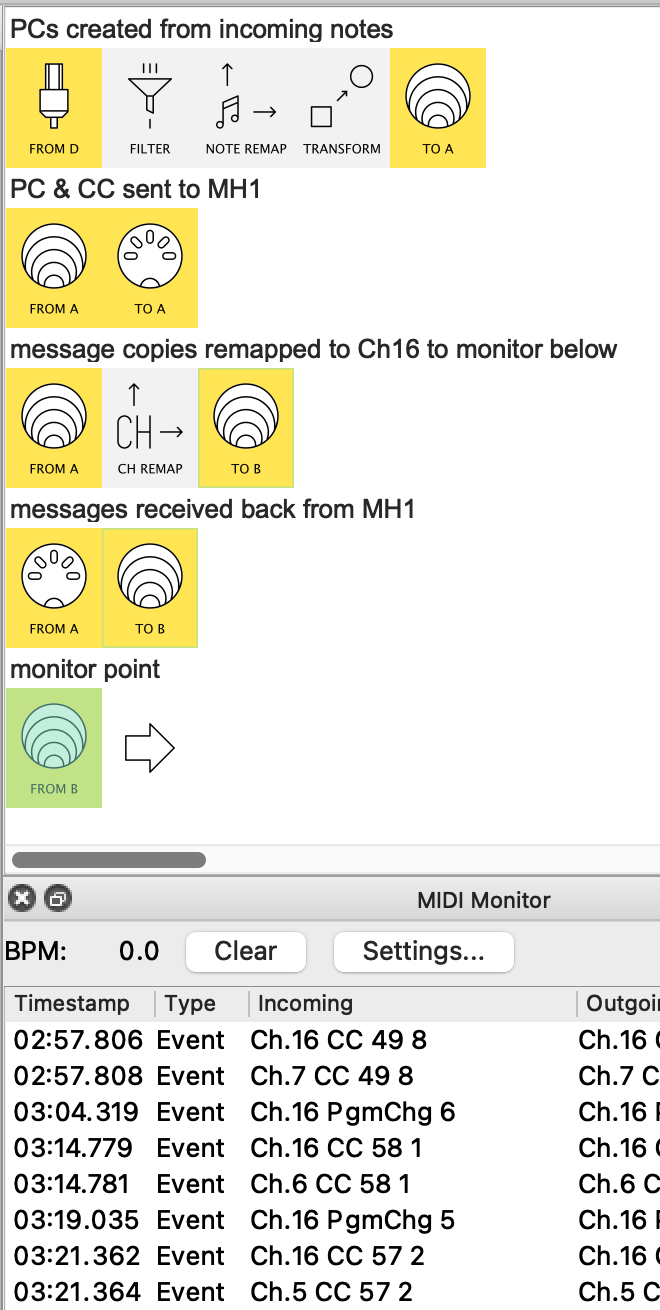
All it does is take your incoming PC, change it to CC so it can be remapped, then change it back to a PC to send it out.
A physical loopback is a trick to send messages out & back to Midihub so it sees them as external events.
(This is needed here cos MH only changes presets via PCs when they arrive from an physical port)
I’m expecting that selecting the same bank on my external sequencer will switch the preset accordingly, but when I try to switch bank both led lights of port D flash and nothing else moves.
In the MIDI monitor I can see that on channel 16 a Program Change message is being sent correctly (values 0 to 8). However, the preset does not switch on the unit, neither does it recall the editor project.
I also tried installing a previous version of the editor (1.15) to rule out the possibility that the latest firmware would be the cause, but that didn’t change anything.
…I think I got it, and your suspicion turned out to be right The device settings got somehow changed, and I have now set input port to D and then channel 16, and everything seems to be fine
I guess the question I had is why such settings have changed out of the blue, while I simply hadn’t used the editor for a few months. I did update it first thing though before using (also firmware got updated), not sure that was the reason
There was a bug in an earlier Editor version which would migrate these settings incorrectly. I recommend to upgrade the Editor first, then the firmware. Currently this sequence is not enforced, but I should probably make it enforced in future versions, to avoid similar problems.
Right, that makes sense. If I remember correctly it first updated the editor and then the firmware. Something got lost while migrating I also forgot myself which were the correct settings with this particular “loopback” setup, but I have made a note now, just in case.
I’m having a small issue with Program Change messages not passing through the MH and I’m wondering if I’m overlooking something.
Setup:
Sequencer 1 → MH Input A
MH → Output A
Output A → Sequencer 2
Sequencer 1 is sending Program Change messages, and I want those to reach Sequencer 2 so it can switch soundbanks/presets.
What happens:
Midihub does receive the Program Change messages (I can see them in the monitor and presets switch accordingly).
But Sequencer 2 doesn’t react to them. It does react only if I am switching to banks other than PC 0—8
Other stuff like clock and start/stop goes through fine.
I’m currently trying to reorganize my soundbanks so they line up with MH Program Change 0–8, which would let me free up a MIDI output and avoid using a loopback. As it turns out I need to free up port D for another midi stream…
Question:
Could it be that Program Change messages somehow get “consumed” by MH and therefore don’t get forwarded automatically? Or do I need some specific pipeline/filter to make sure PC messages are passed through?
@Giedrius would be able to tell you exactly what’s going on under the hood, but the way i read it is this:
MH listens for PC 0-7 on the channel & port specified
if such a message is received it doesn’t get processed by any preset (current or “future”) – MH just uses it to change preset.
I’m currently trying to reorganize my soundbanks so they line up with MH Program Change 0–8, which would let me free up a MIDI output and avoid using a loopback
So does this mean you’re sticking with one preset?
Or you can use a MIDI thru to send the PC back to MH? (eg. send Ch1 PC → Seq2 on MIDI-A, MH receives messages from Seq2 on MIDI-B & that port is elected for PC change)
PS. It would be possible to delay the PC that switches the MH preset so that the current preset gets a chance to forward it to Seq2. How depends on the answer to the above…
thanks for getting back to me! Indeed, let’s see what’s going on under the hood — probably @Giedrius will be able to shed some light. Midi-B is already taken for some other stream, the only available ports would be midi-D (in & out). Forwarding PC to Seq2 via the same midi out port that carries the rest of the information would be ideal, although I wouldn’t know how.
but also sent to Virtual B after a Ch Remap to Ch16
MIDI-A in receives messages back from Midihub 1
(each preset there merely changes does a Ch Remap to whatever the preset PC was)
all these messages are gathered at Virtual B-IN
Now see the Monitor output:
every CC sent out (shown here on Ch16) is processed by Midihub 1 and received back (on ch 5-7) but, no preset-change PC is processed by Midihub 1.
So the question remains: how are you gonna free up MIDI-D & still get the PCs to Midihub?
If monomachine cannot send PC 0-7 then it seems to me the only option is MIDI thru on a destination device.
Does Seq2 have a MIDI thru? Any other destination device?
Yes, Midihub does consume the Program Change 0-7 message that triggered a preset change. One of the reasons for that is that it would be unclear which preset would be responsible for handling the event - the current one, or the new one it is going to switch to.
Thanks @Giedrius for the heads-up. Would you imagine any other way to pass PC onto a Midi-out port? I would set MH as last ring on my chain (so it would be okay to eat up PC), but unfortunately that’s not feasible.

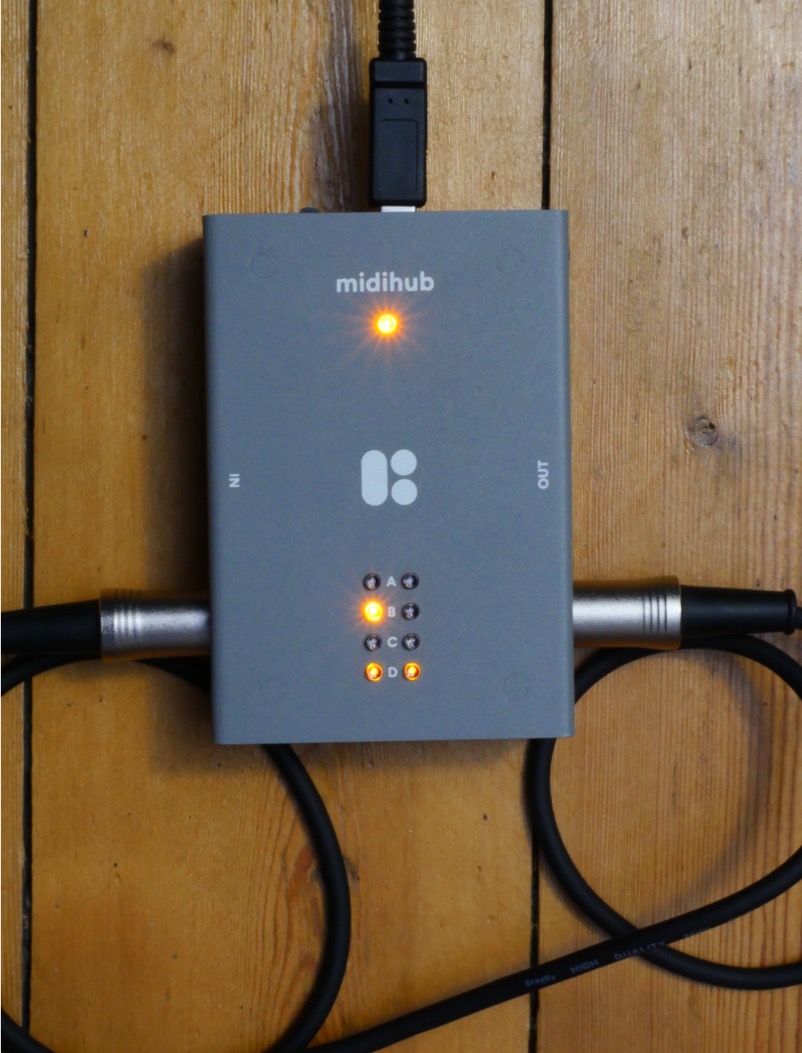
 Thanks a lot for the tip and for taking the time to program the patch for me.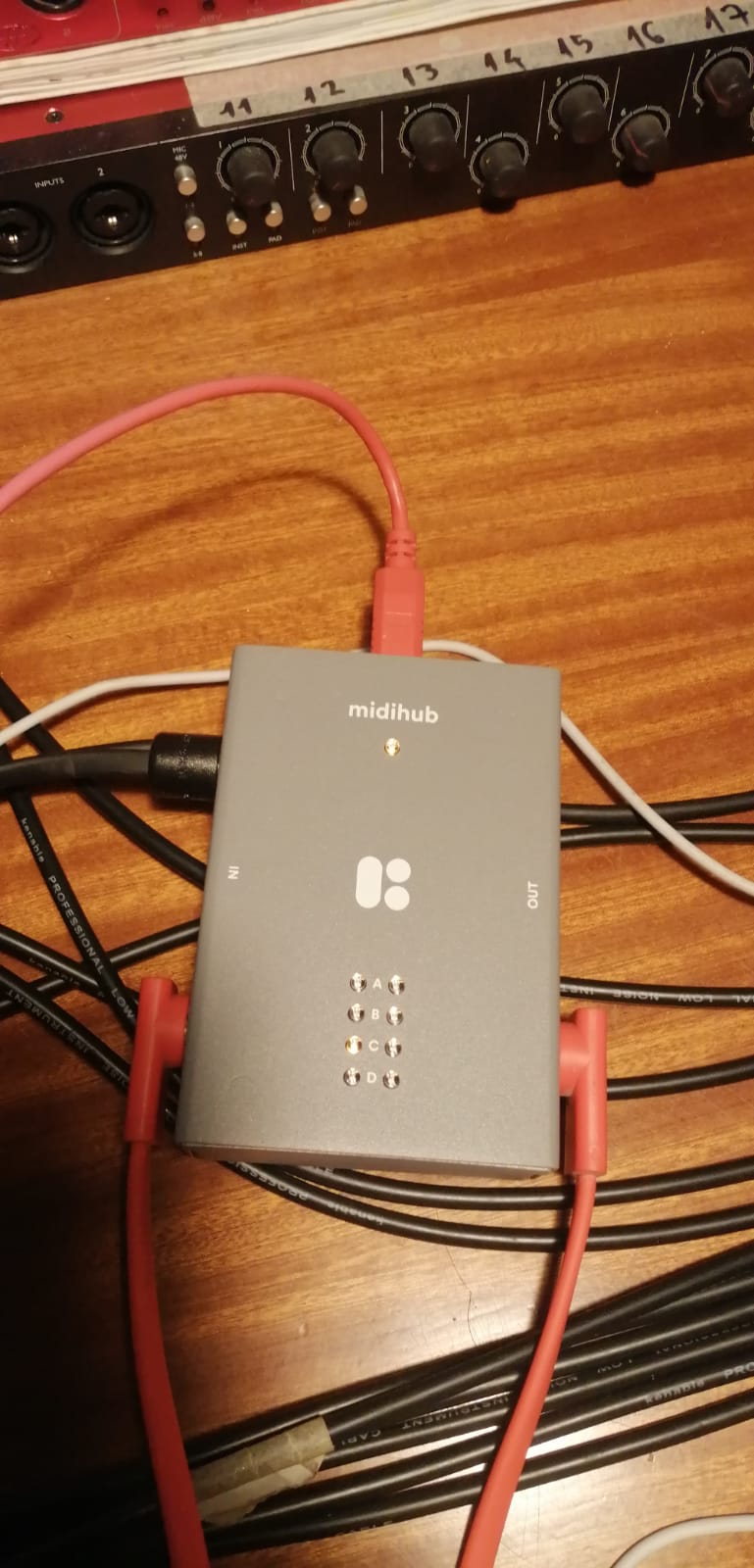
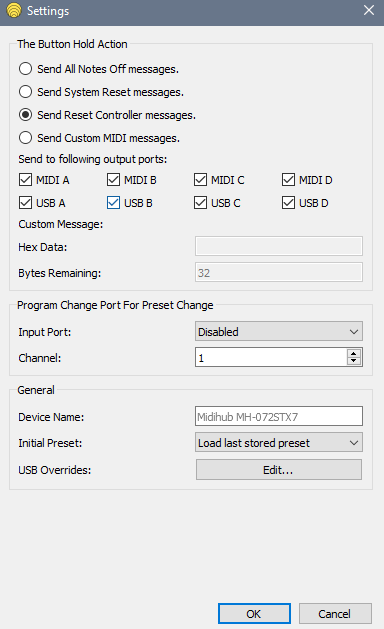
 The device settings got somehow changed, and I have now set input port to D and then channel 16, and everything seems to be fine