Hi everyone
Is there a way that I can remap each new note coming in on MIDI channel 1? So the first incoming notes gets redirected to MIDI channel 2, then the next note to Ch 3, the next to Ch 4, the next to Ch 5 and then back to 2?
Hi everyone
Is there a way that I can remap each new note coming in on MIDI channel 1? So the first incoming notes gets redirected to MIDI channel 2, then the next note to Ch 3, the next to Ch 4, the next to Ch 5 and then back to 2?
ok thanks! That is very helpful.
Welcome to Midihub forums, btw!
Thank you for the welcome.
I am having some difficulty with this though. I have 2 Pro 800s on a single midi connection (MIDI Out A - > Pro 800 (1) → MIDI THRU → Pro 800 (2)
They are set to channels 1 and 2. So in the Midihub, I have MIDI input on port A coming in on channel 5. So my patch looks like PORT A In → Dispatcher - > PORT A Out
I have selected MIDI channels 1 & 2 in the dispatcher and selected the round robin algo.
The problem I am having is that although it is alternating between the 2 devices, I can only play 2 notes at once. If I press a third, the first note will be killed.
What am I doing wrong?
Hey, @IAmSeth, it’s just that you’ve set your Dispatcher for the number of channels rather than the number of notes you want to cycle (I selected four channels in Post 2 cos you mentioned a cycle of 4)
Here’s a way to think about it:
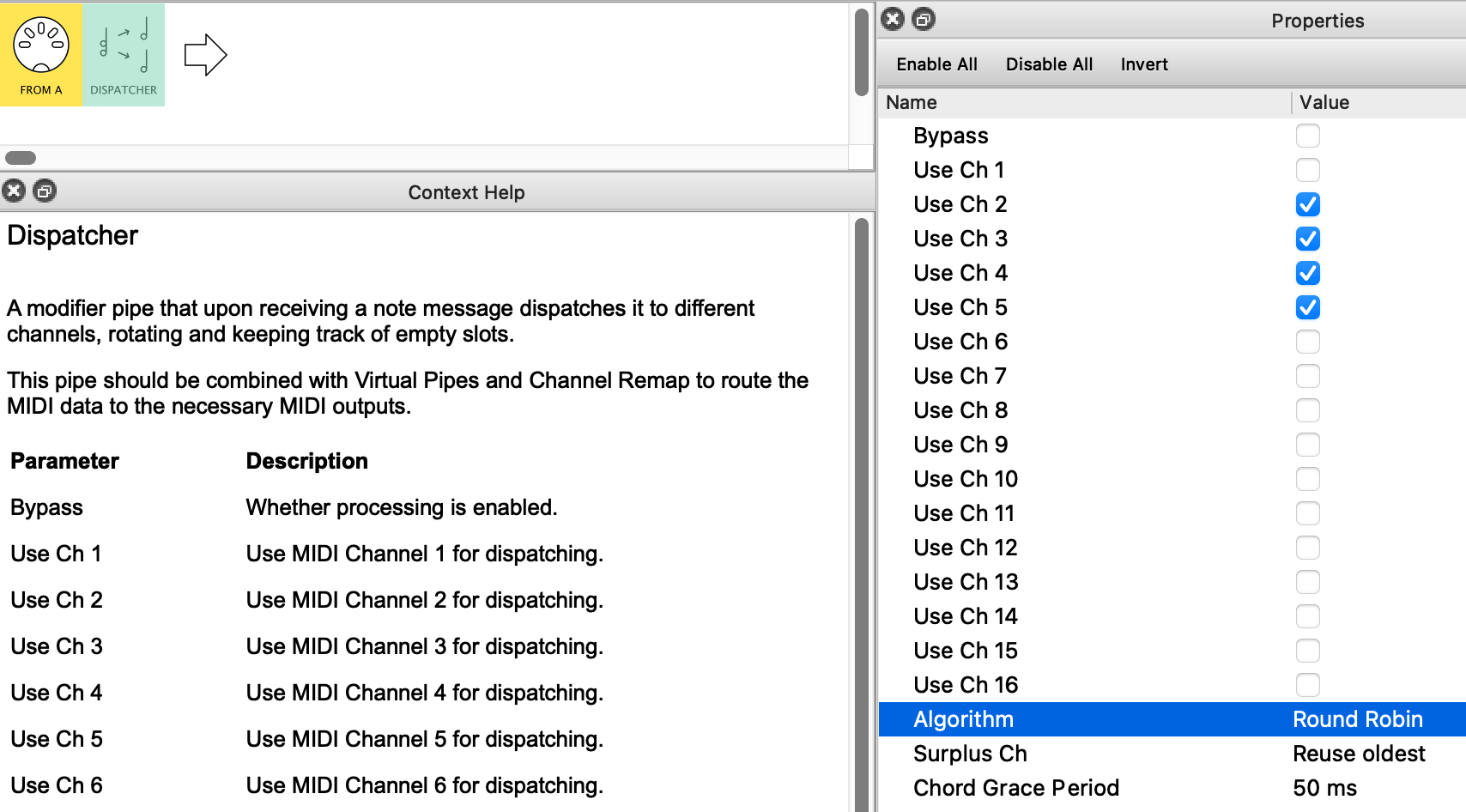
Dispatcher’s Context Help starts with
…upon receiving a note message dispatches it to different channels, rotating and keeping track of empty slots.
so this means that if you’ve only got two slots, a 3rd note will kill one of the old ones to clear a slot for itself.
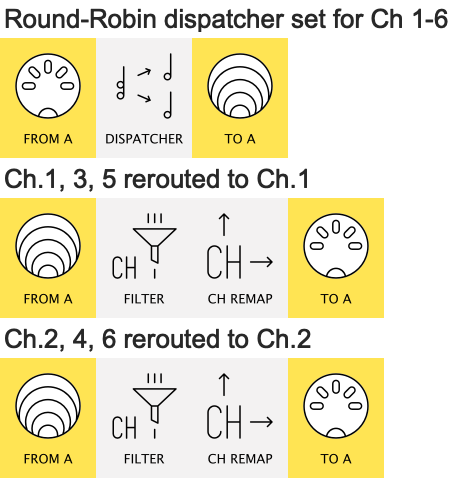
The solution is to use as many slots as you’re likely to have simultaneous notes…
…then “re-channel” them in parallel pipelines, like this:
Using Dispatcher often involves using more channels than you ultimately want to send notes to; that’s why the Help also says…
This pipe should be combined with Virtual Pipes and Channel Remap to route the MIDI data to the necessary MIDI outputs.
(I think of Dispatcher as a tool to separate notes in various useful ways, the channels just being mechanism to sort them. )
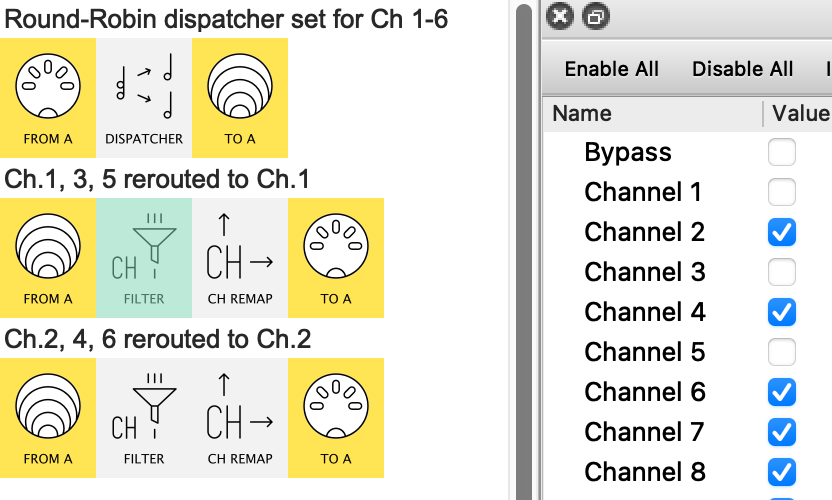
Now, cos you want to alternate your notes, we cannot just use Channel Remap by itself – we need to use one of the Channel Filters.
So the first virtual line looks like this:
only the odd-numbered channels get through…
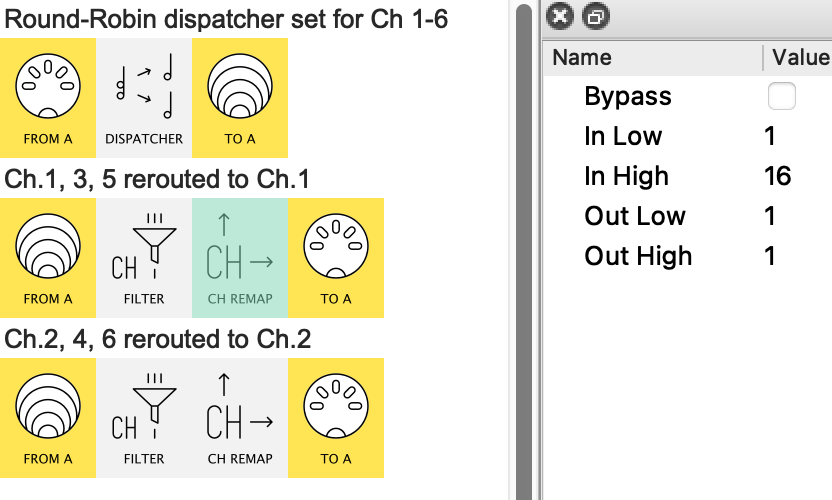
…and are then all remapped to Channel 1
Here’s the preset if you want to work through it
IAmSeth_6noteDispatcher.mhp
Hi thanks for that.
I still don’t fully understand how or why this is working but I was able to follow your instructions and adapt it for 2 x 8 voice synths. Many thanks for the help.
Glad it’s working.
To understand, I’d recommend sending in the same short sequence (maybe 16 notes) and watching the monitor at
Dispatcher is the key; everything else follows