But yeah, using the Native PC would be still better, so appreciate if you can explore that 
Btw, just checked, and that’s correct, for any two messages (CCs, PB, AT) sent with same value in a row, the second one is not sent out. Only notes and velocity are sent, so those are the ones I could use…
But I´m thinking about a different approach that could be better: I could use a note with velocity that could generate the PC like this:
C-1 Velocity 1-16 would trigger PC 1-16 Bank1
C-1 Velocity 17-32 would trigger PC 1-16 Bank2
…
C-1 Velocity 118-127 would trigger PC 1-16 Bank16
Do you think this can be done? I think I did something similar long time ago but I cannot find the pipeline anymore
yes this is all possible (to remind you, it just needs a Rescale to reduce the value range down to 16)
But i thought you needed two independent values X & Y (for CC32 = X and PC = Y)?
Yes, I need them, I would still need to inject the CCs, but I don’t think that would be difficult… However my math failed anyway  The Oxi has 16 banks with 12 pages (programs) each - I would need 192 values (and Velocity only goes up to 127!)
In the meantime, for some reason the current fix also failed at some point (even without changing to other bank and keeping the program)… So there must be something broken with the Oxi incoming PC anyway
Your preset, please!
I uploaded here some messages ago 
Hey, thanks - I missed that.
So you’ve got a lot going on there!
I’ve taken the liberty of creating a merge of all the MIDI-D-OUT like this:
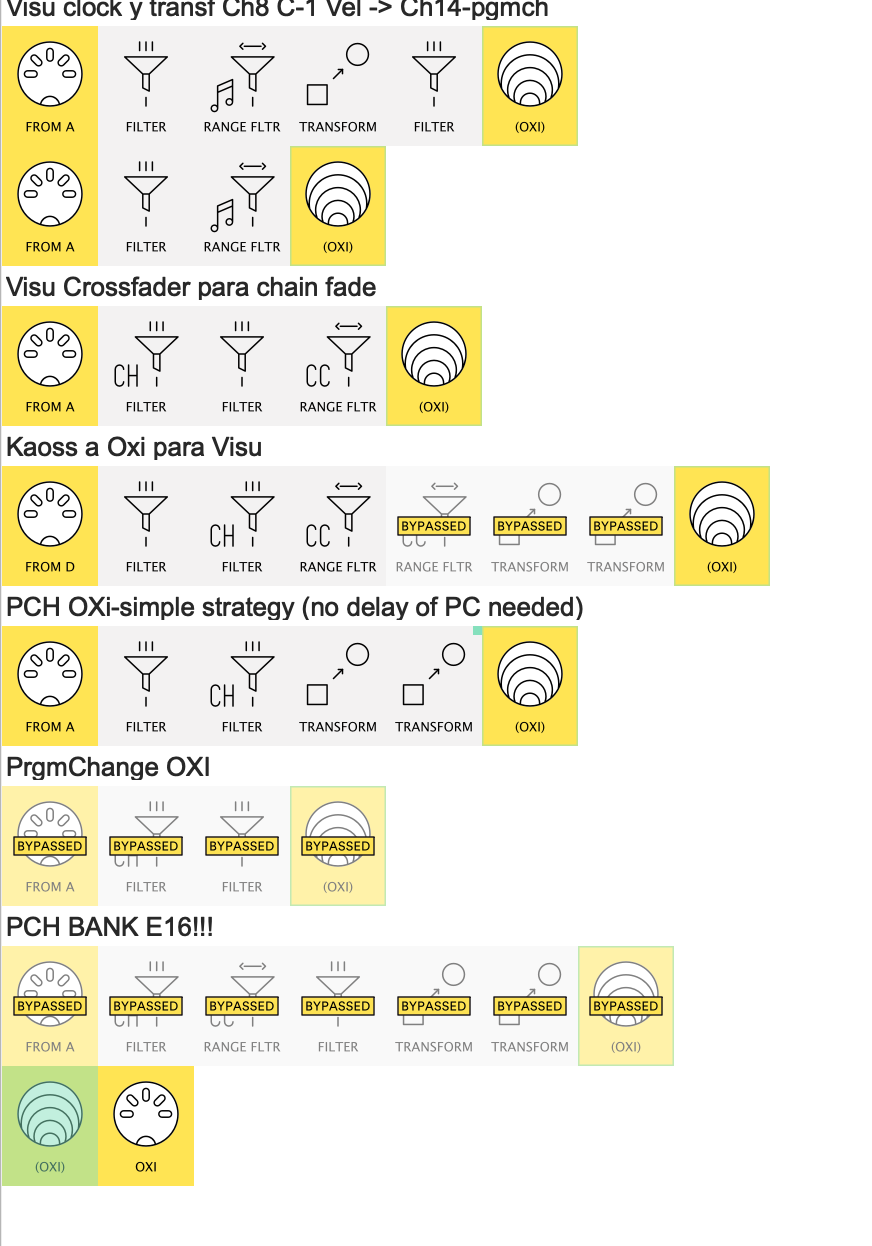
DiegoC_05_18_v1(OXI merged).mhp
this allows you to MIDI Monitor everything that’s going out in one place (selected in the screenshot)
OK, just checking out the “Send CC0-CC32-PC on either input” version.
Will upload without comments as I see you’re full.
PS. I see you have two long Init lines. CCTable nows makes this easier.
If you like, I’ll show you an example when we solved this…
Yes, I know! you already showed me how to do that in other post, but because it’s working as it is and I have been busy/lazy, I haven’t looked into - but probably will need to when I cannot add anything more
Thanks a lot once again!!
Getting old and forgetful!
Anyway, here’s the latest
Mapped_Pch_TriggerVersions.mhp
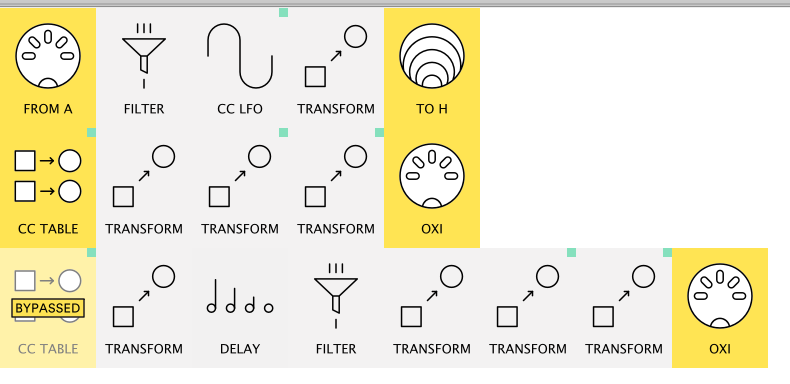
To keep things simple, I would suggest testing it stand-alone to start before you attempt to append it to your big preset.
Notes
Description reads
pipelines:
sets triggers for Tables below. creates a mapping to store PC#
CCtable triggered by both CC ‘Timer’ and PC value CC
2nd version which uses a Note thus allowing a (2ms) staggered message triple.
I wrote the Note-Delay line from the suspicion that OXI might be happier if the 3 messages were staggered. Delay can be set to 1ms if you like.
Swap the Bypass if the simpler line 1 fails
If it works, I’ll add an explanation…
 It fails in the scenario where you send a different Bank number with same Pgm. Here I’m sending Bank 3 Pgm 2 and Bank 4 Pgm 2, and it produces these two blocks: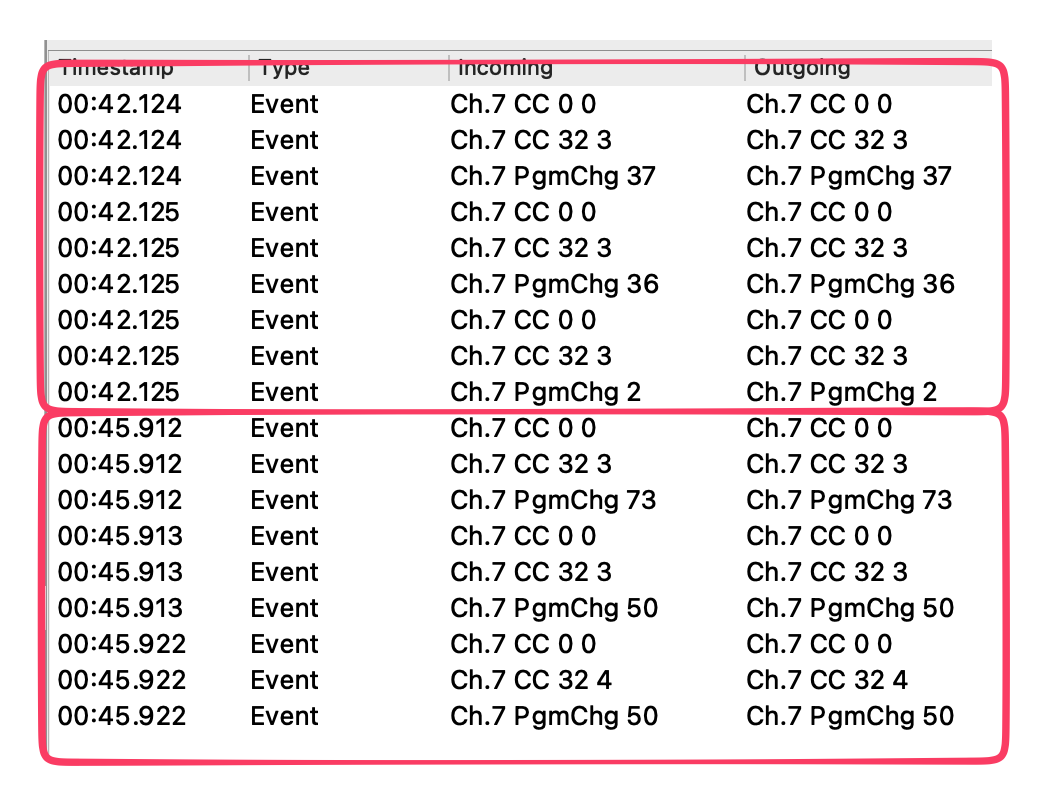
I’ve tested with several programs and it seems the bank is correctly selected, but the Program is always 50, as in the example above
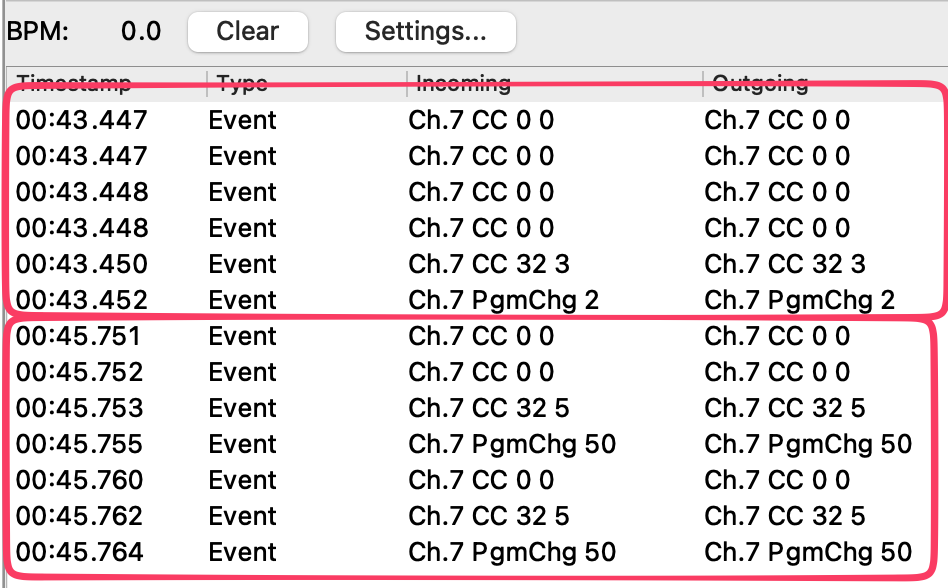
OK, let me test it with your input (difficult to replicate without an OT):
- select a MIDI-A-IN
- do some bank changes with a short pause between each
- if there are extra messages (eg Clock) coming in, Filter them out with MIDI Monitor → Settings → Incoming Filters
- when you’ve got enough lines, do MIDI Monitor → Settings → Export as CSV and send me the file
OT-PC.xlsx.zip (7.8 KB)
here it is- I also added two columns at the beginning stating the bank and program sent every time, I guess that helps. Let me know if you need anything else
Thanks, I’ll try to grab some time tomorrow to run the numbers!
Hey guys, I took some time to look into this and managed to get it with this approach: I’m using notes C-1 and C#-1 together with Velocity to trigger all the 16 banks x 12 programs. So the schema would be like this:
Bank 1 / P1 → C-1/v=1
Bank 1 / P2 → C-1/v=2
…
Bank 2 / P1 → C-1/v=13
…
—> because the Velocity can’t be higher than 127, I’m using C#-1 for higher banks, so
Bank 11 / P1 → C-#1/v=1
…
Bank 16 / P12 → C#-1/v=72
It’s not the best way (still would prefer the native PC), but the thing is it works perfect The problem: the preset is huge and also I need to have a printed table or text file to quickly check the equivalence… not an issue, but again not perfect. Probably this can be done with CC tables too, but I also don’t want you to spend more time on this, just wanted to share my solution to see what you think
Thanks!
(Preset attached)
WorkingOxiPch.mhp (1.8 KB)
Here’s my take, I hope I understood the assignment.
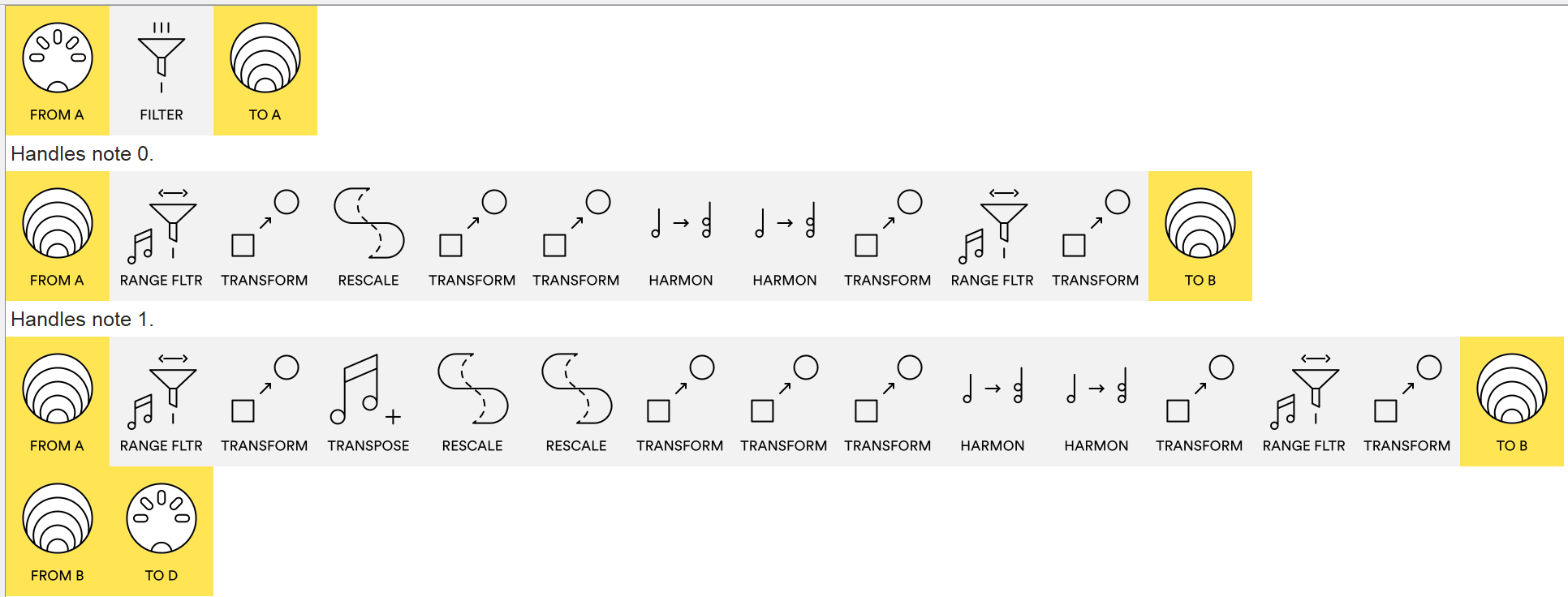
12 PGM Per Bank.mhp (679 Bytes)
This implements formulas:
Bank MSB = 0
Bank LSB = Velocity / 12
Program change = Velocity Modulo 12
The division is done by Rescale pipe.
The modulo is done by a Harmonizer and Note Range Filter trick.
Note 0 deals with the first 128 programs.
Note 1 deals with the remainig programs.
edit: I probably screwed up with Velocity = 0 notes, I guess Octratrack won’t be able to produce such an event on demand. But still, you could check if this solution is otherwise promising, we can probably adjust a little bit to make it fit without 0 velocity notes.
Yep, by my count you will hit 245/255 pipes.
Yes it can be made more efficient, but it would take time…
It’s still bugging me that we don’t know why the previous preset isn’t working (particulalry the 50 values which seem bizarre)
If you get the time, I’d appreciate a MIDI file from this:
Mapped_Pch_TriggerVersions_DAW.mhp
As you can see the main functionality is identical…
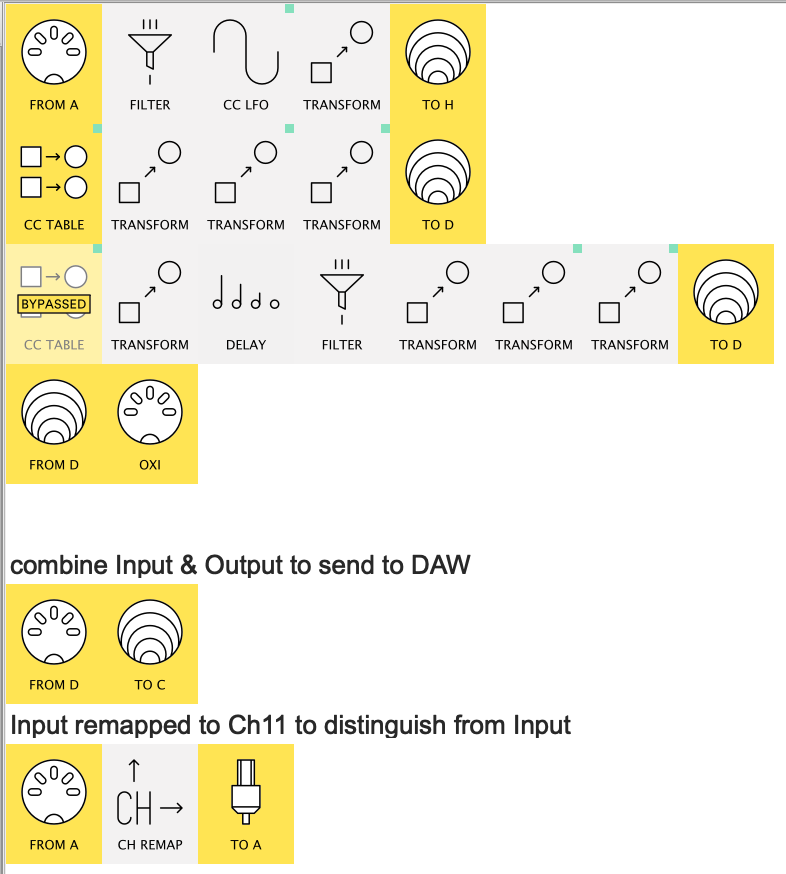
…but the last lines allow both the Input and Output to be recorded in a DAW.
The resultant MIDI file will then allow me to try to replicate the weird values
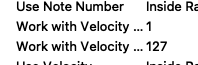
Correct, that’s why I used the 1-127 range and then Transpose -1
Will check the file ASAP!
Thanks!