How to pass (CC 64 value 1) but not (CC 64 value 127)

Hello friends! I have an acoustic piano that is also MIDI, and I love sending MIDI messages to my synthesizers. Here’s what I want: I use the sustain pedal on the piano very often of course and I SOMETIMES want to send these pedal signals to the synthesizers, and SOMETIMES not. So I took a CC Range Filter pipeline and filtered the CC 64 as needed. I mapped everything to a button in Loopy Pro. It works except that if I click the button before releasing the piano’s sustain pedal, the pedal off 64 value 1 message doesn’t get through, and I get sustained notes (I then have to reopen the pipeline and switch the pedal off again).

So, is it possible to not allow the pedal on (64 value 127) to pass through and only allow the 64 value 1 to pass? That way, I could solve the problem… I suspect that the Transform pipeline should be used, but this object is still a bit obscure to me… :black_cat:

You suspect correctly, Fred!

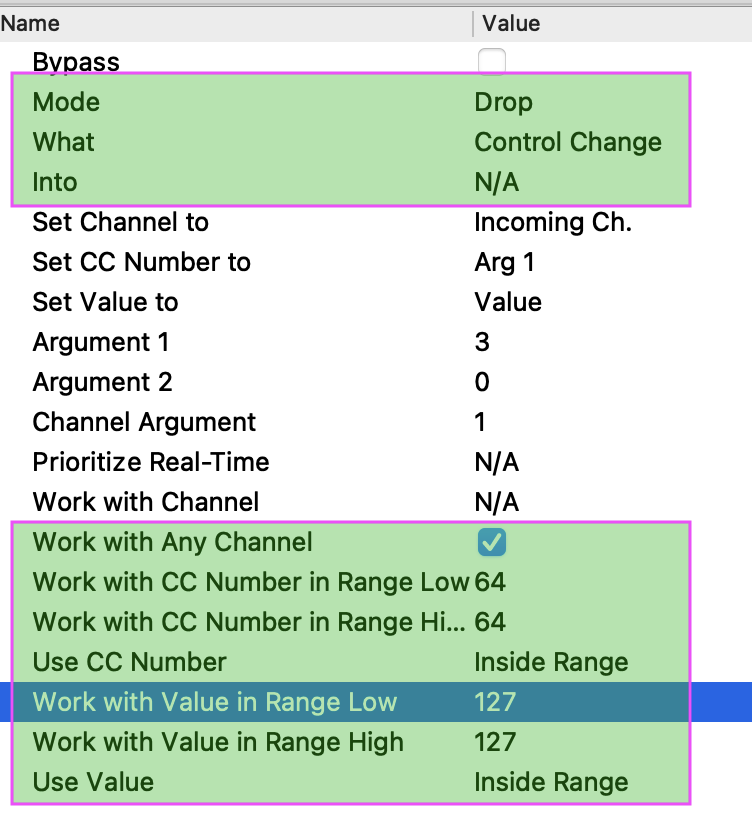
Construct this Transform:

In your case we’re really only interested the green boxes.

Look at the green box at the bottom first:

  • See how we’re telling this Transform to only work with CC 64…
  • …when its value is exactly 127
  • (note I’ve also assumed this could be on any channel)

So Transform is homing on just the message ids/values you want to deal with.

Now look at the top to see what it’s going to do when a CC arrivies fitting our critieria:

  • just “Drop” it
    (not change it into anything else, hence Into = N/A)

  • And, as we’re just Dropping/ discarding this particular message none of the other settings matter;
    (there is no Outgoing message)

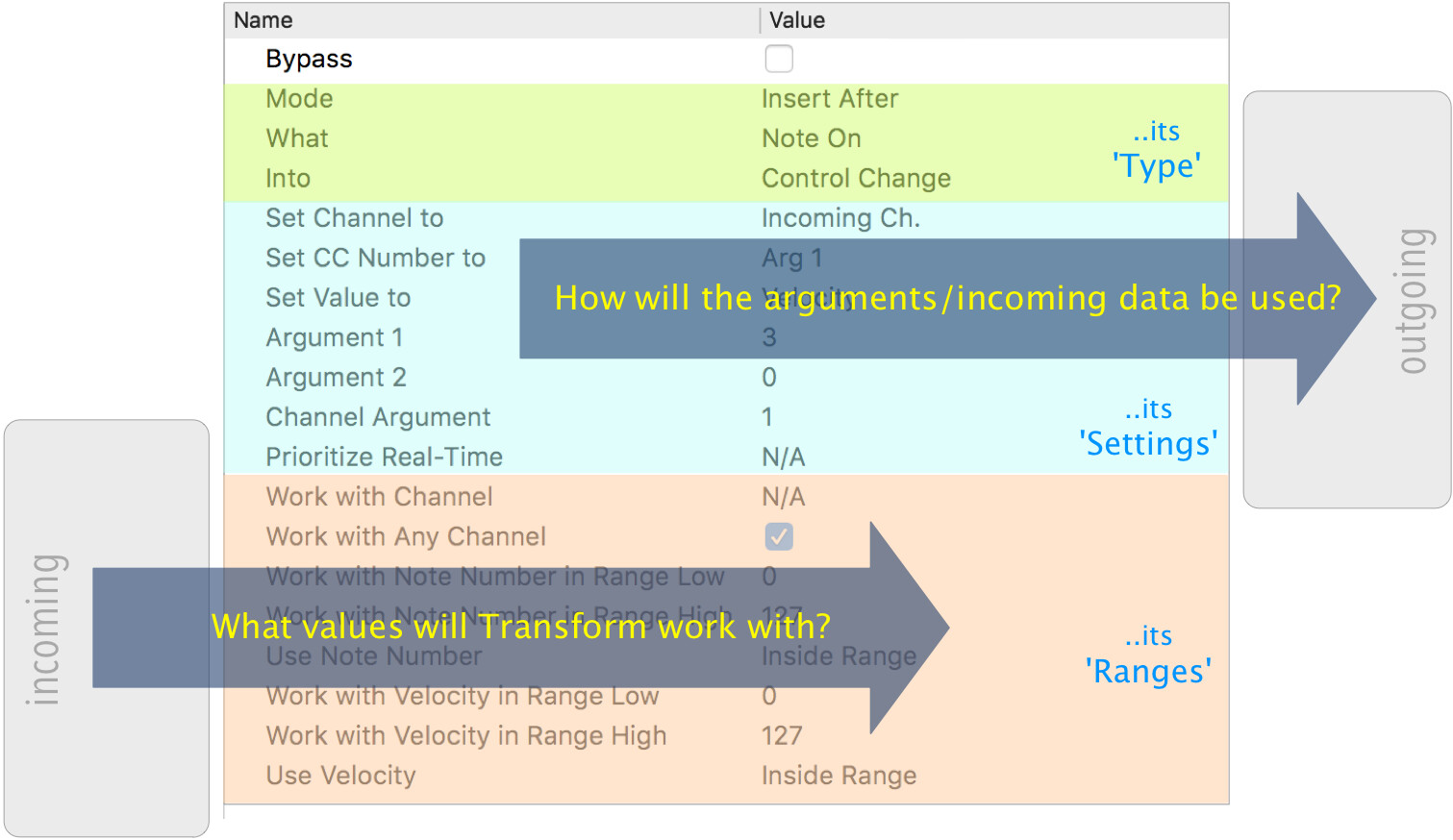
This diagram breaks Transform into three sections:


(from the tutorial)

1 Like

Work flawlessly Resonotter! I took the opportunity to read about Transform last night, your tutorials are a joy to read! :open_book:

2 Likes

Thanks, Fred.

Transform can seem quite intimidating at first, but when you break it down and work through the "sections "…

…I usually go “Type”, “Ranges” (often left unchanged, but worth a moment’s consideration) and only then the particulars of the “Settings”…

…it becomes clear that it’s the simplest way to achieve on helluva lot!


PS. I mean to write a tutorial on real case Transform “How-To’s”, so feel free to message me with any new Transform that come up…

1 Like

I promise to send you a few explications of real situations from my setup.