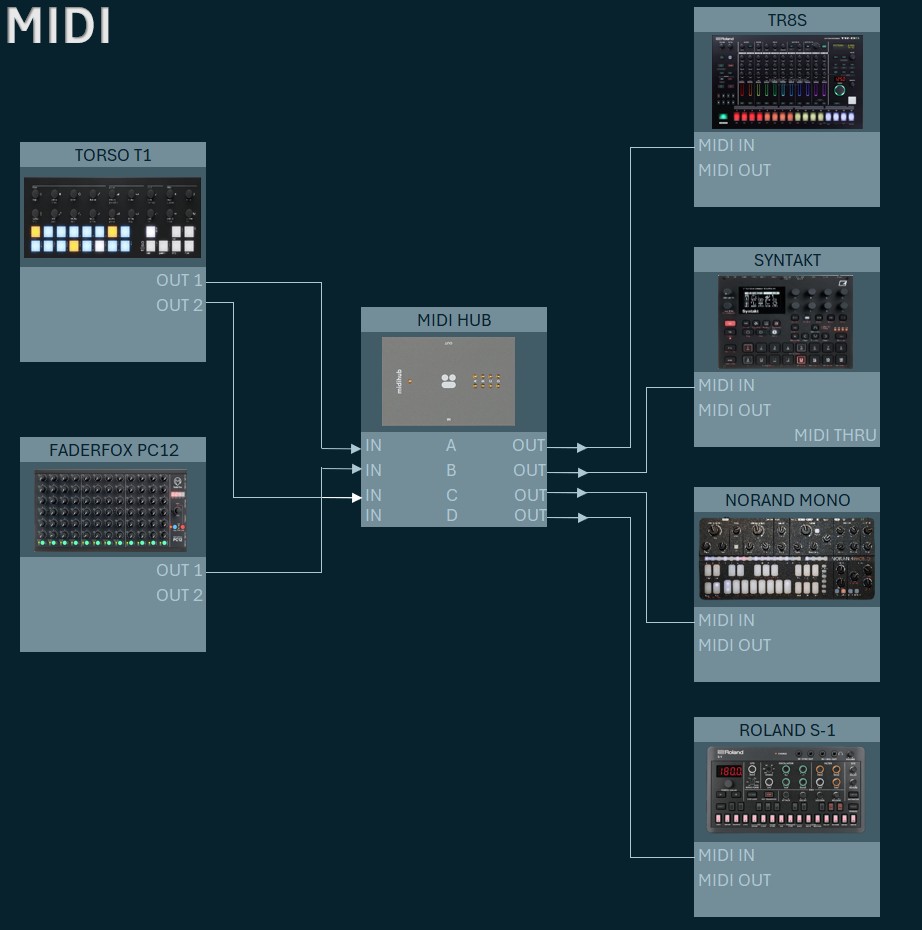
reason for this post is because i am stil trying to wrap my head around this system and could not find anything on patchstorage. i realy could use your guidance.
maybe i am asking something that is not possible at all.
i would like to have a sidechain pumping effect on my synths triggered by the torso sequencer generating a kick on channel, note C1.
What you’re thinking about should be possible, depending on what precisely you want.
Maybe try playing around with
a One-Shot LFO first, triggered by Torso.C1
(either directly or via a CC that Torso.C1 creates via Transform)
I often use Saw Up/Down,180° phase
the LFO could be synced or fixed time
later on, you might try modifying the behaviour according to the C1 velocity.
You might have the LFO out CC act directly on some synth parameter, or use it to map the another MH modifier like the Out High of a Rescale.
The trickier part is likely to be deciding when and how and when to return to “normal” after ducking. Maybe use a 90° Tri LFO to do this and work from there.
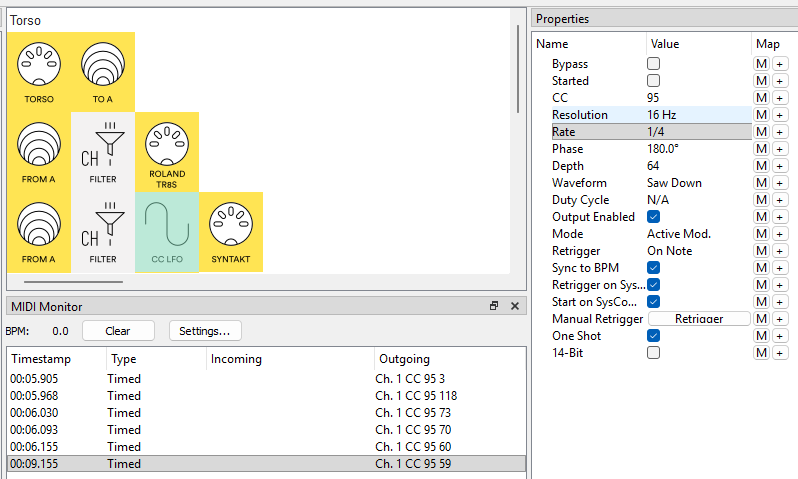
i have the syntakt playing in channel 2 and placed a ch filter to clean up the signal.
how come midi monitor is outging on channel 1? where do i set this to 2?
can you please take a look at my other settings?
for starters i am just trying to modulate the volume on cc95 on the syntakt while synced to the bpm.
Hey @JayJay, LFO always outputs on Ch.1 so you’ll need to remap this to Ch.2
I guess the Ch.Filter is only letting Ch.2 thro’ so use a Ch. Remap: In[1:16] Out [2:2]
At present your Manual Retrigger is unmapped so will only work by clicking on the button.
When you’re ready, try clicking on the Retrigger + and setting it to MIDI Torso Ch? Note On C1 (or clicking M and playing just that note in)
LFO depth = 64 means you’re getting the full [0:127] range. As well as changing the depth, you can always Rescale the CC95
depending on your BPM, Resolution 16 Hz might sound steppy so play with that. if it’s an issue
Try the 90°phase Tri LFO too to hear the difference (remember you can have both in the line and keep one disabled)
PS. As well as screenshots, you can upload your preset by saving it file then dragging the .mhp into a reply