The preset on Patchstorage is pretty much the simplest version, just to show the idea.
Users adapting it for their own gear, chords and usage might want to look into one or more of the ideas below.
changing the mapping inputs
It can be a bit of work editing mappings if you’re likely to change your set-up and want to use a different
- note range
- channel
- input port
A workaround for this potential PITA is to have the notes enter a physical port…
…then remap them before they go to a virtual port…
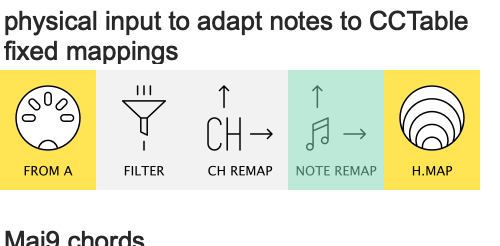
…then set your mappings up like this:

(here I’ve reserved Virtual H-OUT for mappings)
worth thinking about before you set up your your CC Tables
more than one note can trigger the same chord
Maybe you have small number of keys like the Crumar above (or say a KMI Soft/12-step or Arturia BeatStep) and you want to do Octave ± to use chord/progression variants?
No problem: just add more CC Table pipelines for other Chord types or Inversions.
But here’s a nice trick: you can use different keys for the same chords:
Here I’ve used C0 and E0 to trigger the same Major 9th chord as C1 & E1 in the octave above
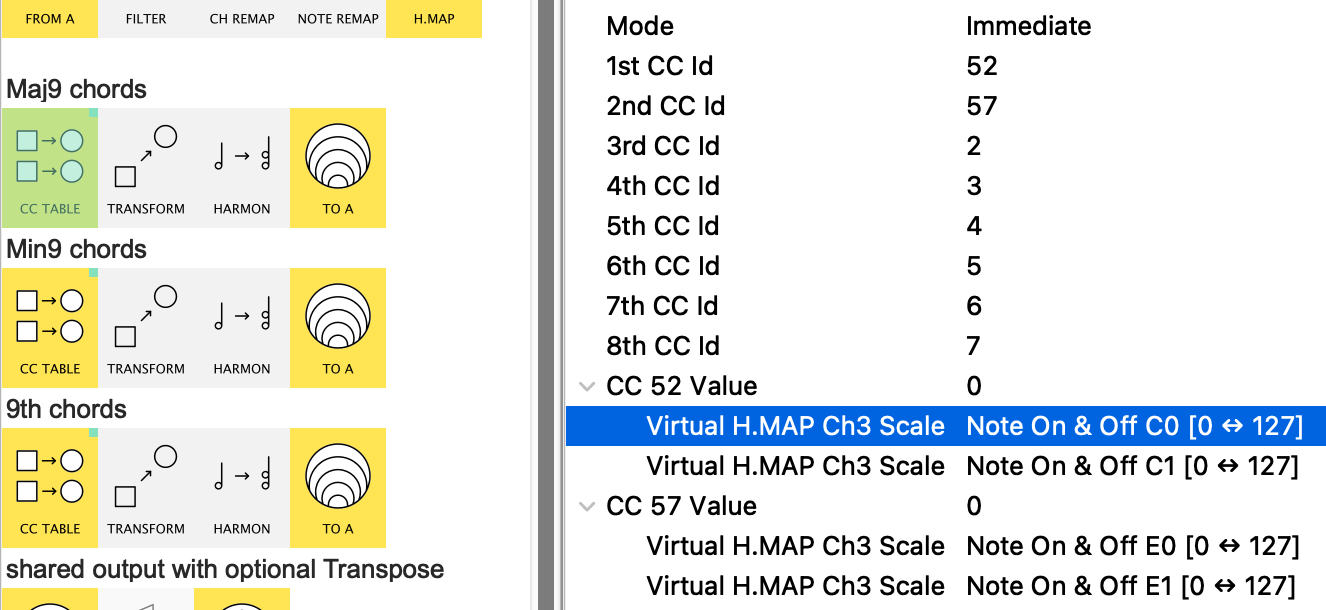
So now the notes in this octave can play a variation of the chord sequence from the original octave keys…
…but with some common chords to tie the two sequences together
Important Note: when using multiple mappings for the same CC Value, make sure to set the Mode to Immediate
“set and forget” chords
What if suits your routine (or your gear) to hit the key/pedal/button and have the chord play on…
…and on…
..until you hit another note?
No problem…
...here's the trick:
We use the virtual input line used above…
…and add a couple of pipes to it.
(ignore the disabled pipes for now  )
)
The first is a Length pipe. This discards the incoming Note Off and adds its own at the require time:
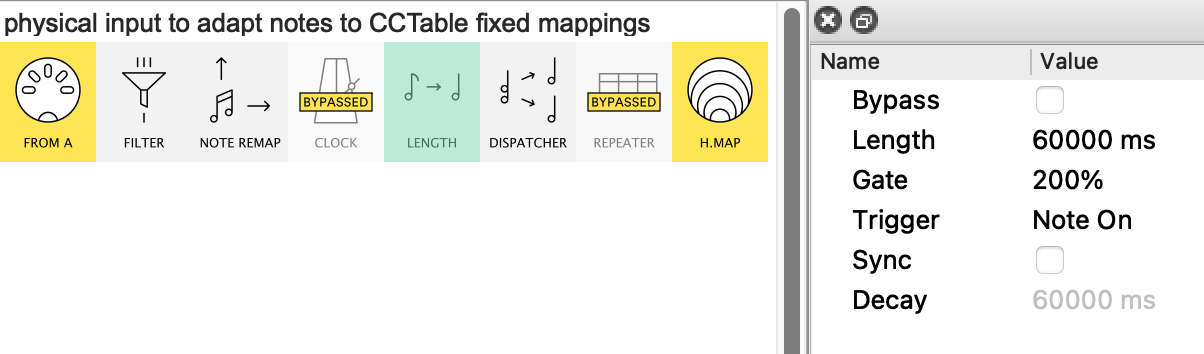
See here the Length is set to 60secs and the Gate is 200%, so your note will last a whole 2 minutes…
…if you let it!
That’s because the 2nd part of the trick is the Dispatcher:
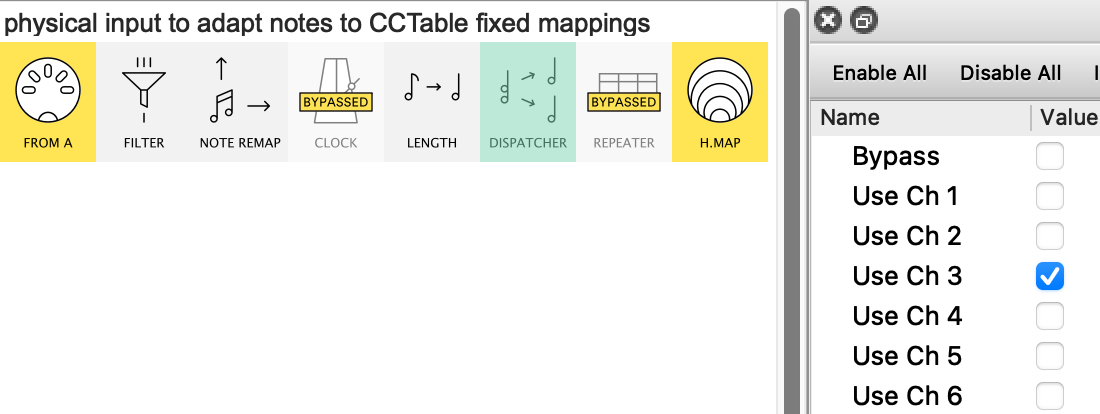
Usually Dispatcher is set for several channels, but here we use only the channel our CC Tables are listening for.
The neat thing about this is that when Dispatcher receives the next note, it automatically sends a Note Off for the previous thus killing the chord previously created.
“But what about the final, uncancelled, note – do I have to let its chord play on for two minutes?”
Not if you have a spare key!
Remember the CC Tables will only produce CCs → Notes → Chords from incoming notes that are mapped…
…so if you have a “kill key” that isn’t mapped, hitting it will cancel the previous note without triggering any new chord.
This third trick is particularly useful if your synth sound has a long release tail; you can hit the “kill key” and wait for the sound to die beofre playing the next “real” key
PS. I added a Clock and a Repeater as a hint that one could easily have a chord repeated say every bar until a new note is played.
If you route clock messages into the output side of the preset, “set and forget” chords lend themselves nicely to running an Arpeggiator.