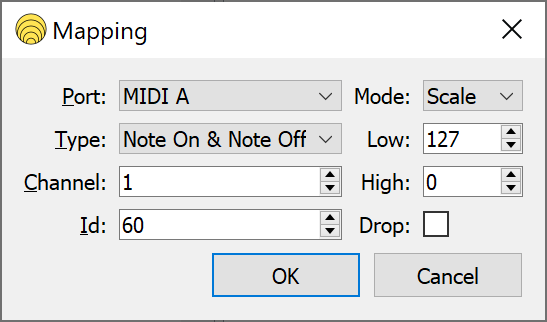
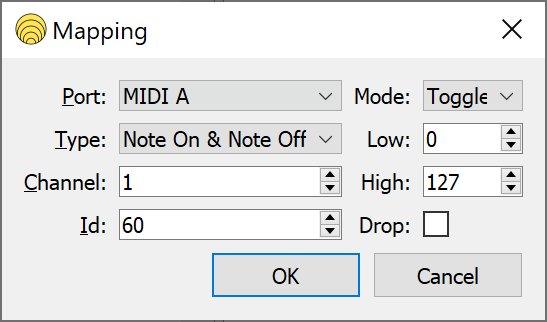
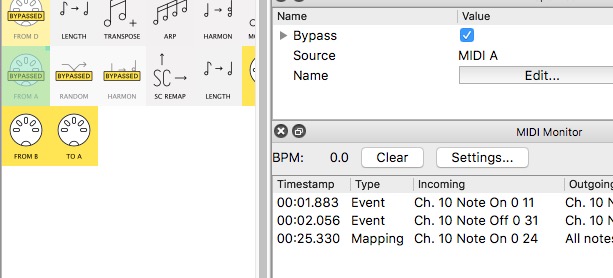
I have a problem with mapping the bypass function of pipes. The toggle function just doesn’t work.
Anyone has an idea why this could be?
I have a problem with mapping the bypass function of pipes. The toggle function just doesn’t work.
Anyone has an idea why this could be?
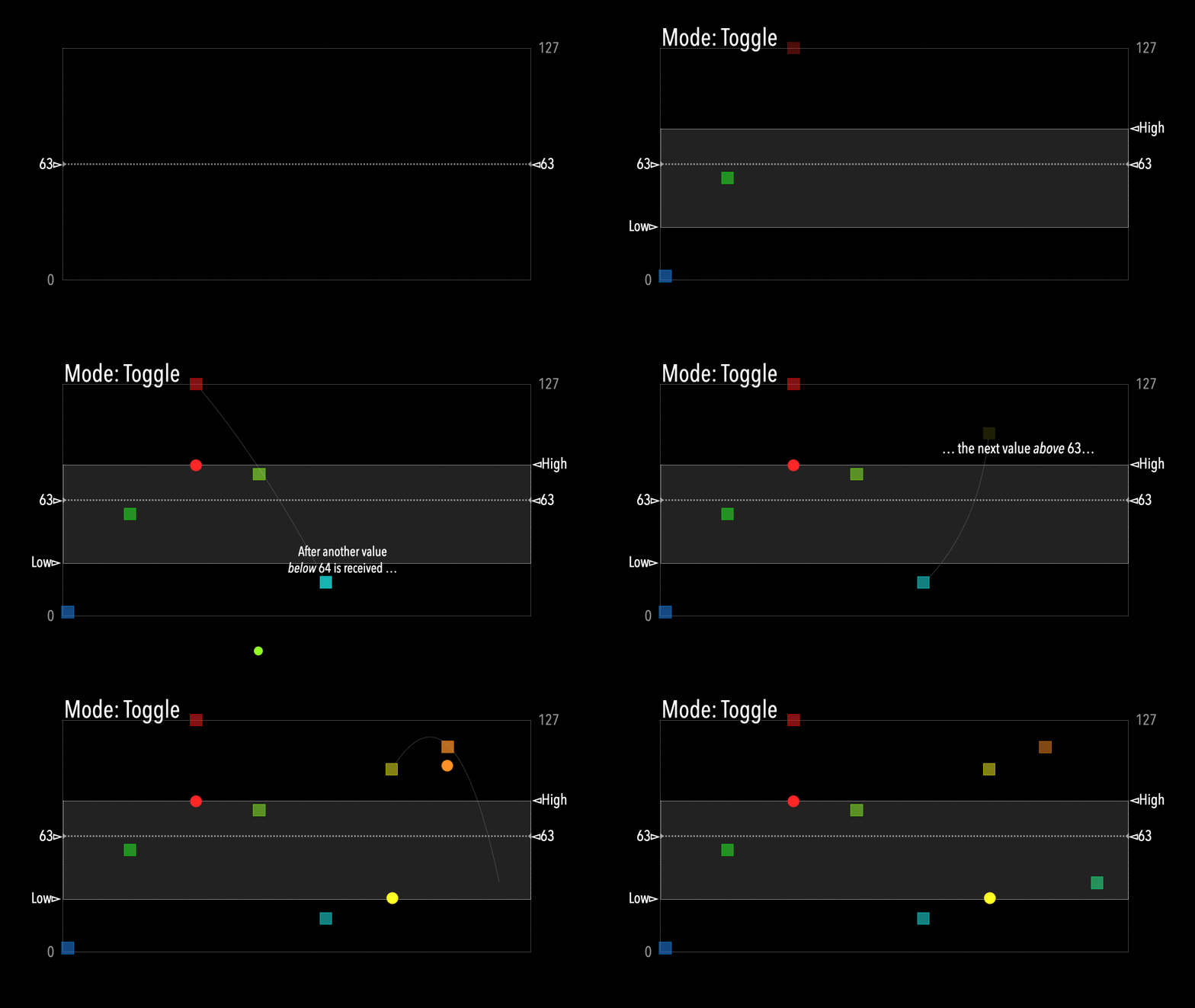
Hey, @Jakob_Warmenbol, when the mapping Mode is set to Toggle with CC messages, it needs successive values over-63, then under-64 to work.
in this sequence:
120 → 120 → 88 → (60) → 30 → 0 → 66 → (55) → 63 → 80
only the bold values would change the Bypass.
We can think of the values in brackets as “resetting” the Toggle
Please upload a MIDI monitor screenshot (at the port the mapping is set to)
From an upcoming tutorial:
thank you, but I would need it to work with the note on & note off functions
Try changing to just Note On instead of Note On and Off
Hey, @Giedrius, it appears to me that
Note On will toggle with any velocity, whereas
Note On & Note Off needs a Note On velocity>63
is that correct?
That’s true, it might be a bug though. I think it should be made to toggle on Note On with velocity >= 1 instead.
The regular Note On type should work like that already.
none of these things are working unfortunately. The only thing that seems to work is when I put it on Clip mode, the bypass gets deactivated when I send a note.
The toggle function just doesn’t work under any circumstances.
I did try out the setting combinations as in my posted screenshots, both variations worked ok. Please upload your preset here so we can take a look.
ok, should I send you the .mhp file ?
Yes, that’s always useful @Jakob_Warmenbol, with maybe a note where to look if there are lots of mappings!
PS. just drag the .mhp into the open editing window or click the upload button in the toolbar
Midihub 2025.10.22 16.48.58.mhp (484 Bytes)
so in Preset 4, I mapped a bypass toggle on the input MIDI A port.
Sorry, Jakob, not seeing the problem here.
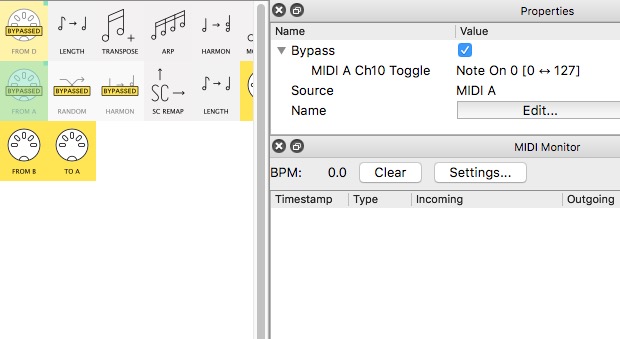
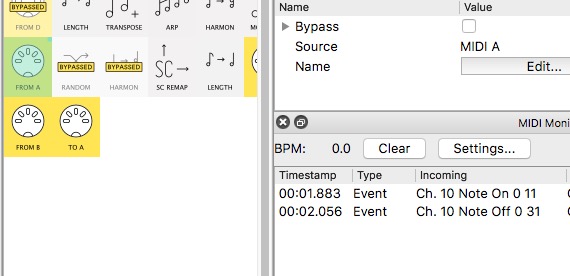
At first I left 2nd pipeline as was and it worked fine when key hit fast enough.
Then I changed the mapping to Note On
before key hit:
after 1st hit (lightly):
after 2nd hit:
if you’re still seeing a problem, please upload screenshots like those above
(showing the pipe selected, the mapping disclosed and the MIDI Monitor {apologies: my Outgoing is a little cut off!})
Hi Jakob, did you manage to make it work in the end?
Hi Giedrius,
Yes! I just deleted the midihub editor and reinstalled it and now it works!
Thanks for your help!
best,
Jakob