Hello! Is there a way to control a CH REMAP using an external MIDI signal?
I have several pipelines mapped from CH1 of my MandalaDrum to different output channels. I’d like to use an external signal to change which channel (mapping) is currently active. Right now, I have to manually change this in the software with a mouse click every time.
Hey @E2KY Eckart, welcome to Midihub forums.
Yes, nearly every property in every Midihub is mappable.
This means a given setting can be changed by an external device.
If you want to reserve the MandalaDrum as a playing surface, you’ll want a second device to send the messages.
The mapping messages can be Control Change/Note On/Note On&Off.
Please upload your saved preset: this will help give better suggestions of the best mapping design.
Hi @resonotter Thanks for the kind offer! I’ve uploaded a preset for you here. I’d like to use my Donner Starrypad on channel 3 / Note ON to trigger different notes (G1/D1/…) in order to dynamically update the MiniHub/Mandala’s REMAP.
Midihub–CC-REMAP.mhp (1.4 KB)
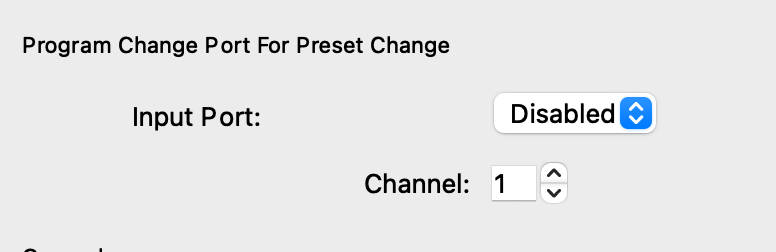
This is for loading the entire preset from a different slot. That’s one way to do it.
Alternatively, you can MIDI map the CH Remap’s parameters using ‘MIDI Learn’-type interaction (using the ‘M’ button next to a param in Properties), so you can change the channels using MIDI CCs for example.
Unfortunately, I still don’t understand the workflow. Is the CH Remap Pipe the right tool? If so, I’m missing something like an if-then operator. I can map my MidiPad to channel ten, but I don’t understand how I can set a different output channel for the MandalaDrum depending on the situation.
The pad sends a signal—the Mandala switches to a different transmission channel. I need about five different channels that I can switch between repeatedly using the pad for the Mandala.
Sorry for all the questions! And thanks for your help!
There are usually multiple ways to reach the same goal, including imitating a “if then” type of operation. 
Could you describe what you’d like your preset to do exactly? Basically which devices you have connected to which Midihub’s inputs, and what you’d like the output to look like and what you’d like to control externally?
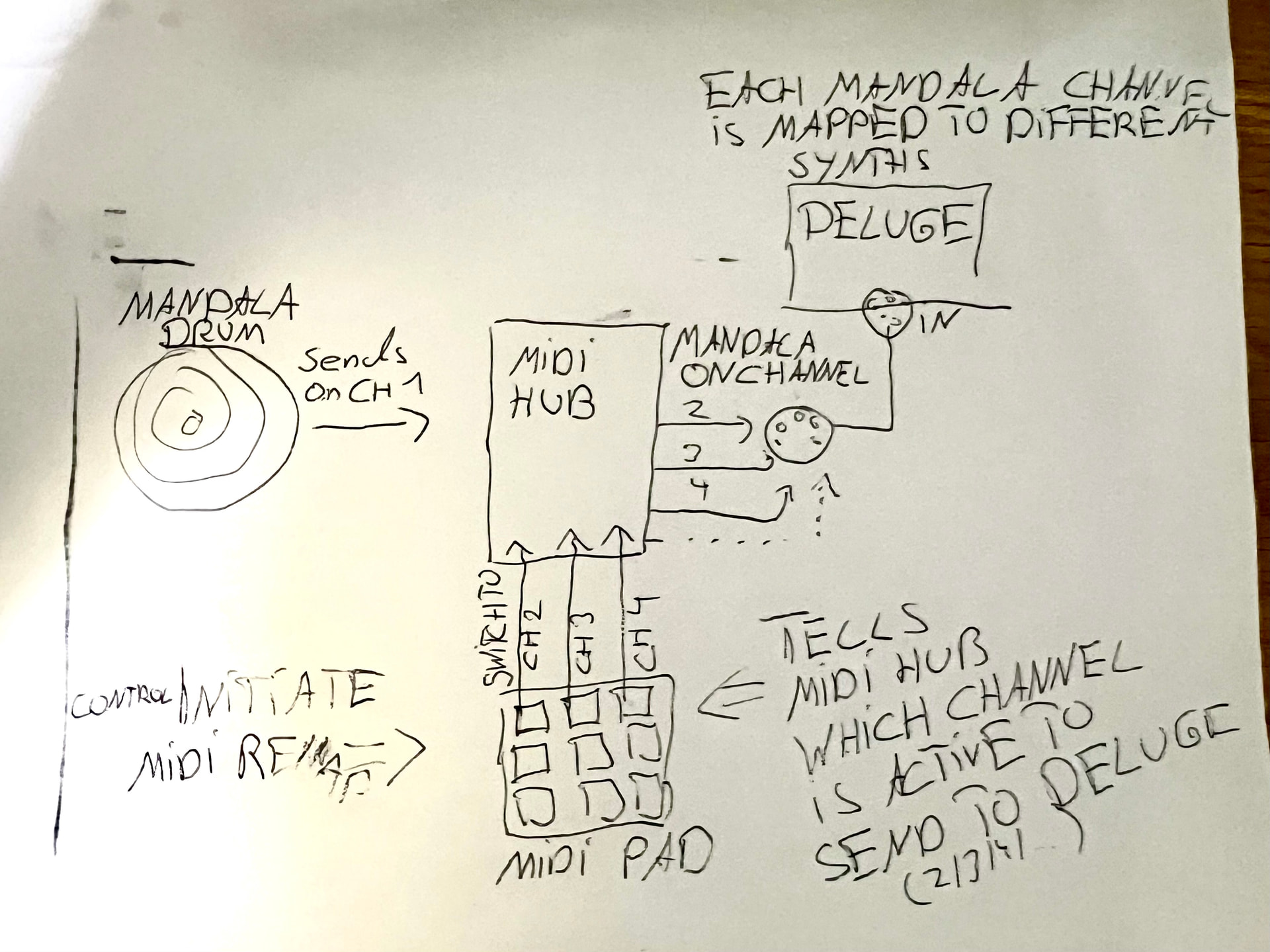
Ok, so you want the events coming from Mandala drum to get sent on a different channel to Deluge, based on the last MIDI pad you triggered?
Exactly! To switch fast between channels on which the Mandala sents to the deluge.
What are the MIDI events that your MIDI pads send? (Use MIDI monitor to see, you can send a screenshot)
And which output channels do you want to be sent to Deluge?
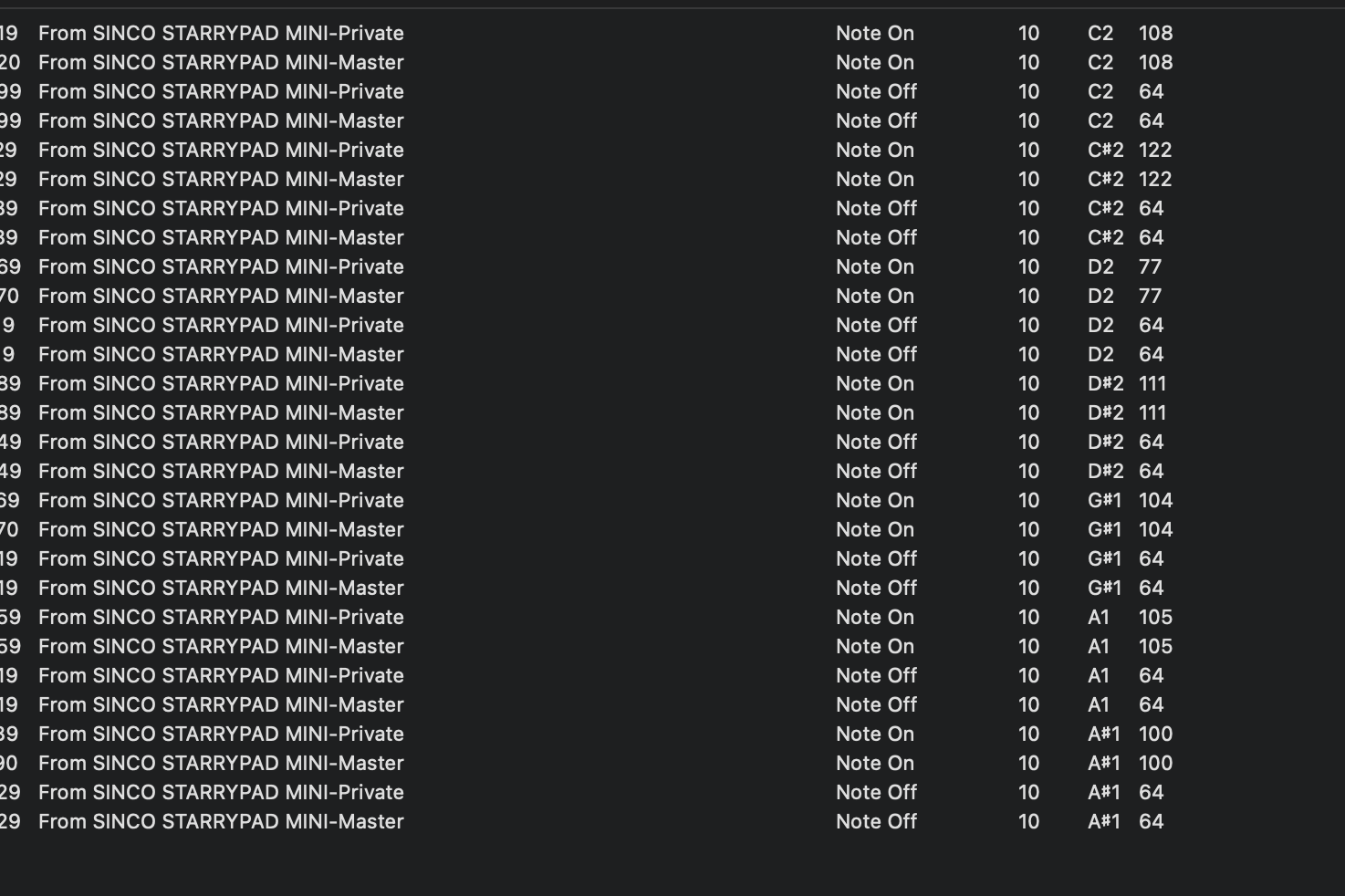
Hey, @E2KY, thanks for the useful extra details.
Here’s a mapping example:
MappedRemapTester.mhp
It assumes the input notes are C2 → D#2 (Note numbers 48 → 51)
It assumes the desired channels are 6 → 9 respectively.
We use the Note numbers to give the correct values for a CC mapping.
The correct values to give channels 6 → 9 are 40, 48, 56, 64❖
❖ 0 → Ch1, 8 → Ch2, 16 → Ch3 etc
The Note Remap serves two purposes:
it only allows the notes 48 → 51 through
it then remaps them to 40, 48, 56, 64 respectively
(So if these are incorrect you only need to edit the Note Remap to fit your design)
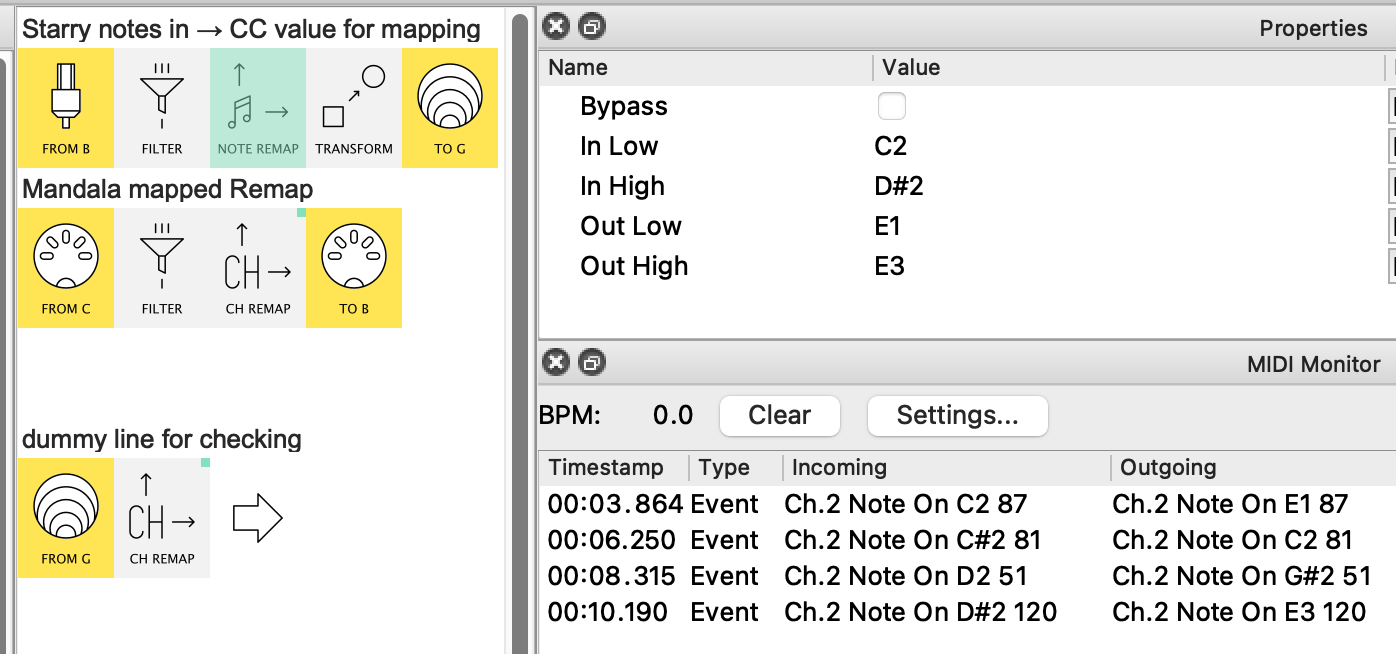
as notes (C3=middle C)
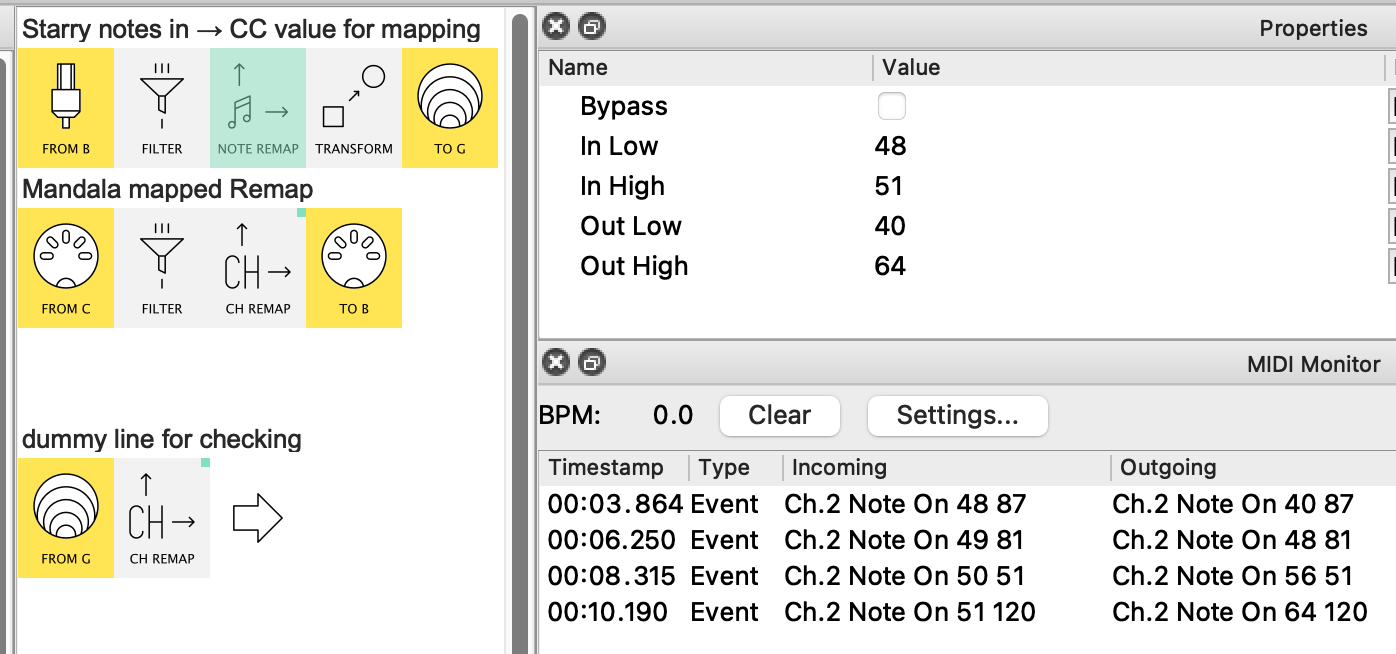
as Note numbers –easier to follow the changes!
The remapped Notes are then Transformed into different values for an arbitrary CC (here Ch16 CC77):
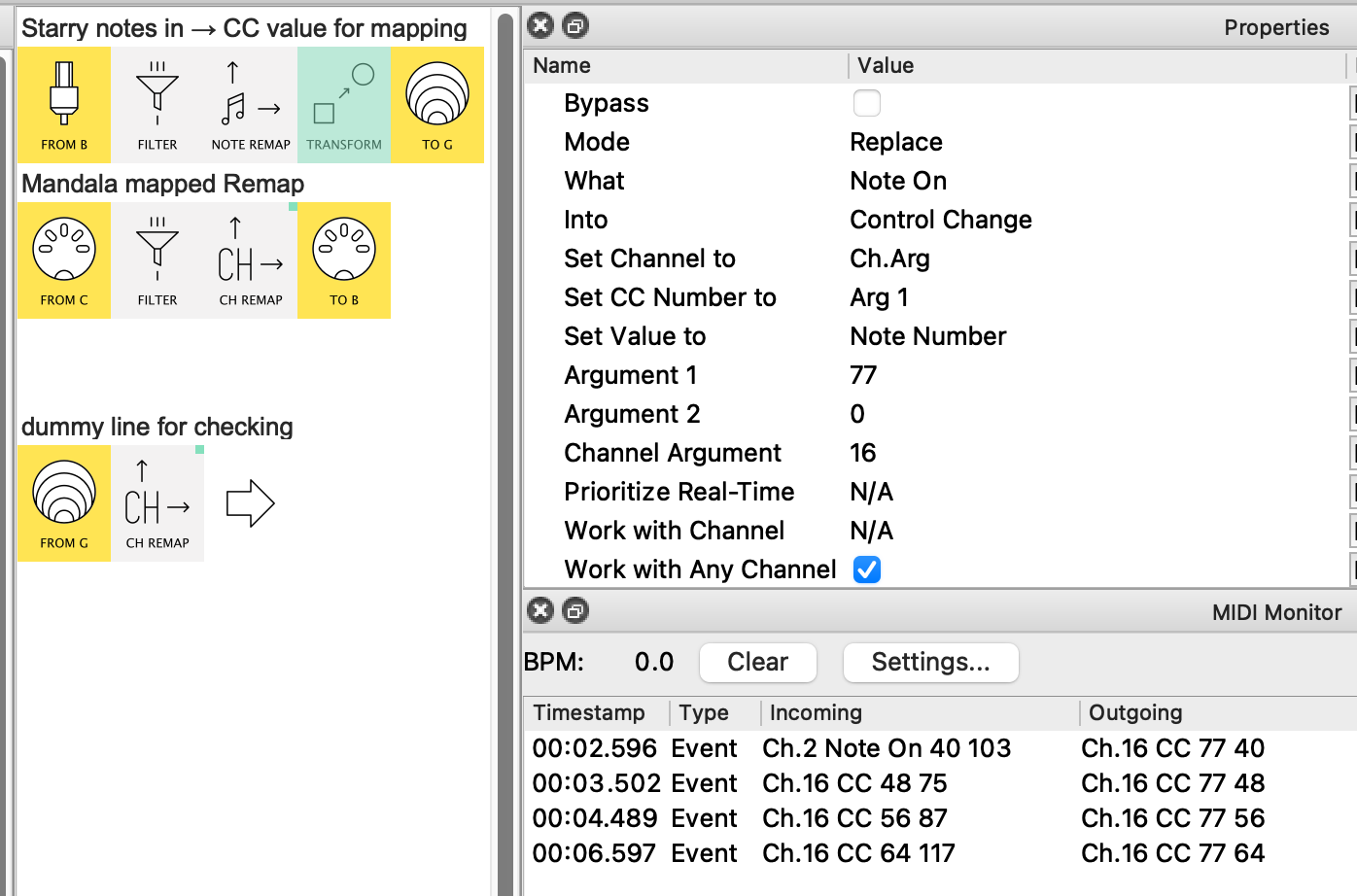
PS. there is a Monitor glitch here, all the Incomings are actually Notes similar to the Outgoings in the previous pic. (@Giedrius, can you reproduce this?)
This CC77 is then used as a mapping for the Mandala Ch Remap
4 pictures showing the Channels changing
The proper Mandala pipeline is line2,
here I’ve made a copy of the mapped Remap just so we can see the CCs which create the change in the Monitor
(again the Monitor is wrong ~ all the CCs should be Ch16, not just the first entry)
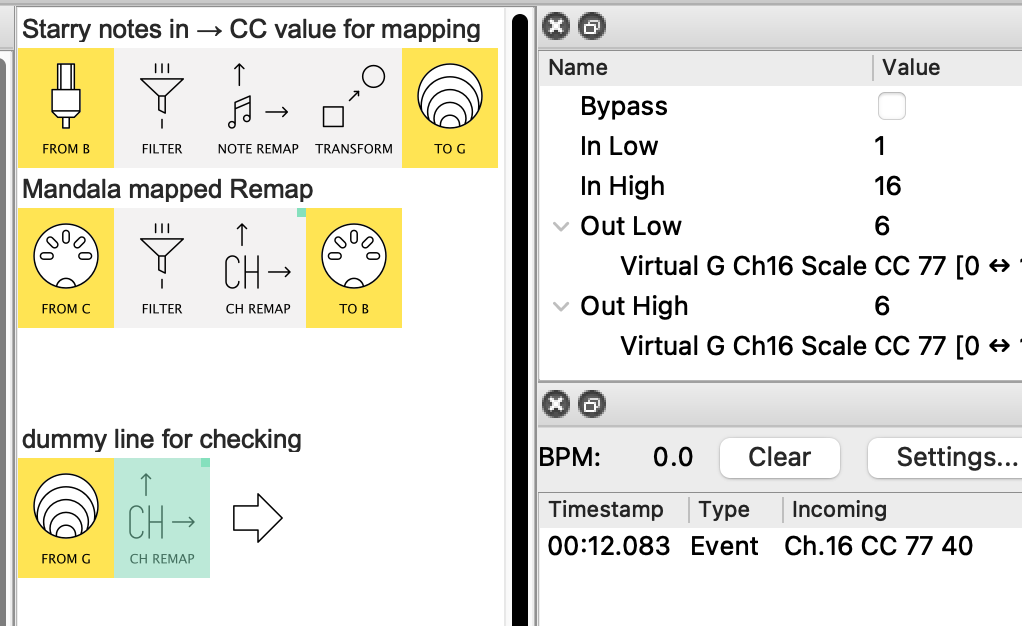
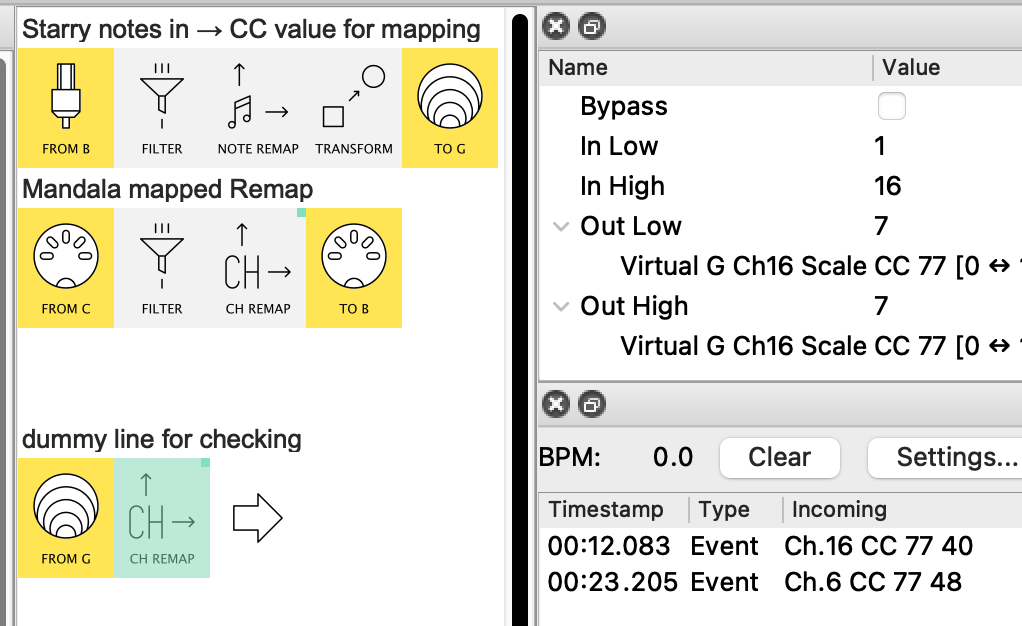
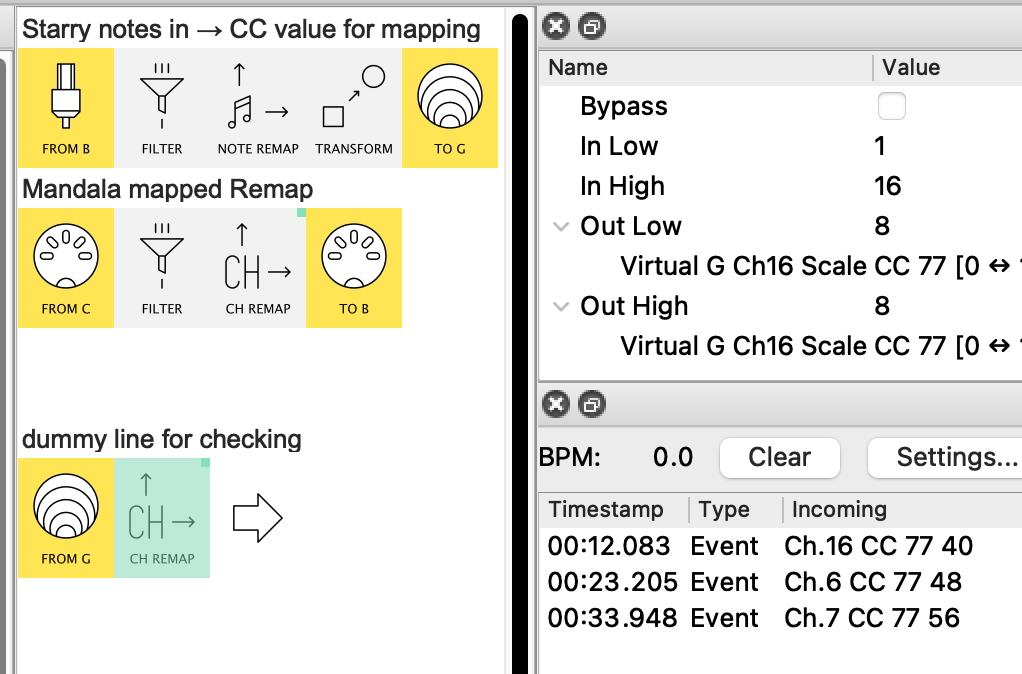
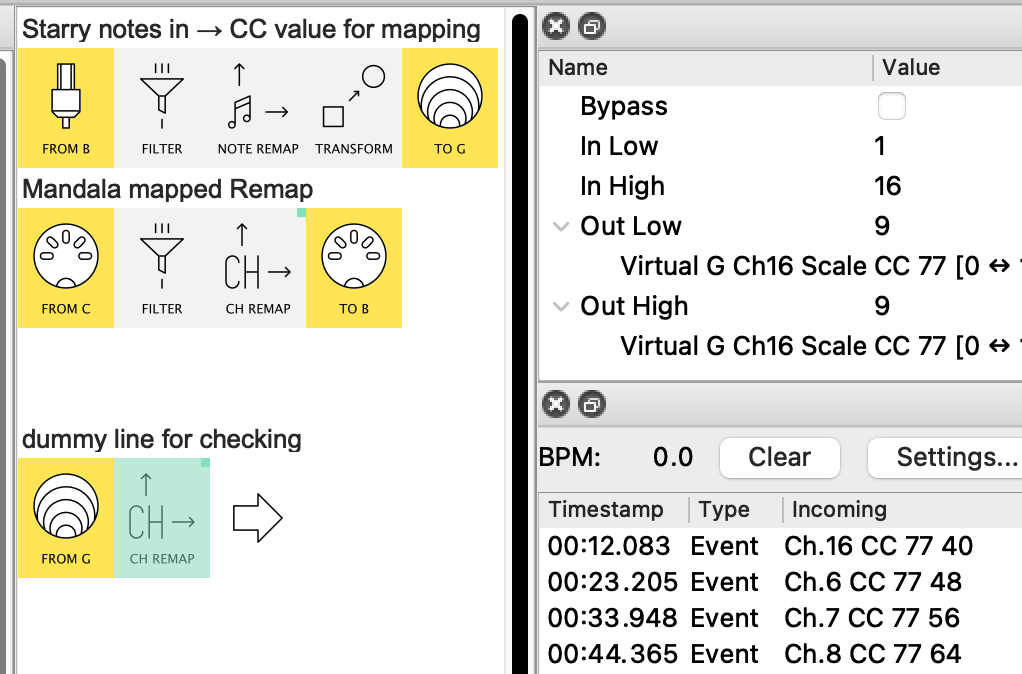
See how the CC77 value=40 sets the Out Low|High to Ch6, value=48 → Ch 7 and so on
Once you have checked that the Remap is doing what you want, just delete pipeline3!

Wow! Thank you very much! Will try that asap!
Hey @E2KY, when you followed the message flow (and hopefully got a feel for how mappings work) with the version sent…
…this is what the more modern version looks like:
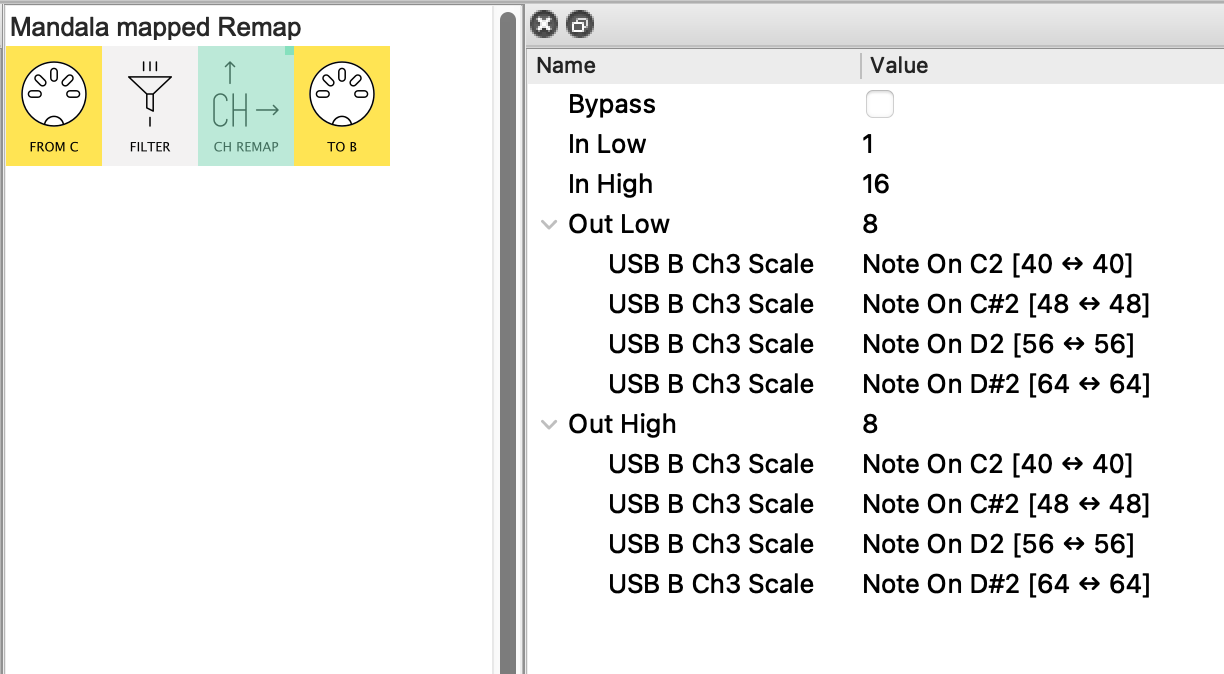
Instead of using a separate pipeline to create a mapping CC from incoming notes, this version maps the In Low|High properties directly from those notes.
So no extra line is needed.
It works by scaling the 1-127 note velocity range to a single value for each note separately.
This value corresponds to the channel a given note should set.
It has the disadvantage that each mapping needs to be edited if the set-up changes (In-port/channel/note/desired channel), but once things are settled its a more compact approach IMO 
Thank you all for your help!