Hello all!
I am trying to do something where
Note 1 -transformed → PC 1
Note 2 -transformed → PC 2 and
Note 1+2 together --transformed → PC 3
How do i have the combo of notes perform an action without the seperate notes and subsequent program changes being triggered. I want the combo to behave almost like a seperate button.
hopefully thats clear. Thank you!
Hey, @choponster01, nice problem!❖
At first glance, this looks like the solution could be a simpler, cut-down version of the Triad Chord Identifier.
This was designed to work with 3 “simultaneous” notes where each combination resulted in a unique “identifier” note.
In your case, the small set of possible/allowed “identifier” notes would be Transformed → Program Change
It was not designed to work with single notes but I just tried it with a one-note Harmonizer pipe
i.e.
my single “PC” notes Note# 64 & 65
pass through a +3 Harmonizer so
64 → 64, 67
65 → 65, 68
64, 65 → 64, 65, 67, 68
thus creating a simple “chord”
This gave consistent results.
There maybe at least one other strategy:
For example, involving using Length to fix the time to check for the second note with various mappings setting up conditional outcomes.
These approaches are fraught with difficulties though, so personally I’d always look at the upgraded Dispatcher as a way into multiple note scenarios
❖ I’m on the move now, but I’d like to take a second look later in the week when I’ve got more time to find the most elegant way 
Awesome! I will wait to hear back if theres another way. Will try this in the meantime! THank you!
I think the notes make clear which parts you can safely throw away
(that was pre-comments so I need to update it)
An improved version will just be chord identifier tailored to your needs.
What are the incoming note numbers in your scenario?
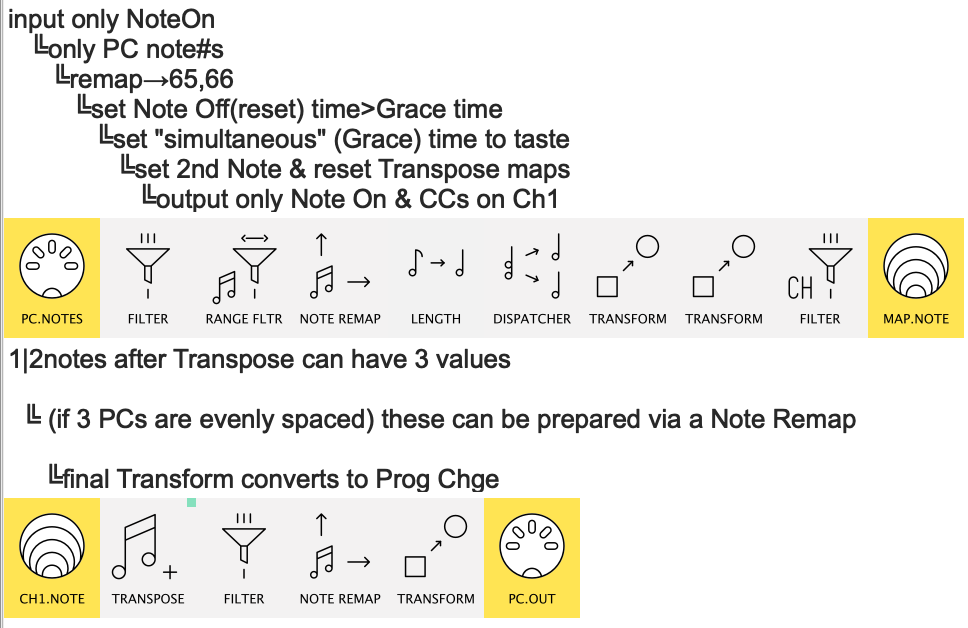
Hey @choponster01 here’s the first draft of a neater version:
two_note_combinations>uniqueProgChange.mhp
Notes
the inline comments give a sense of the steps taken…
…but a better understanding will be gained by Monitoring each pipe as you enter notes
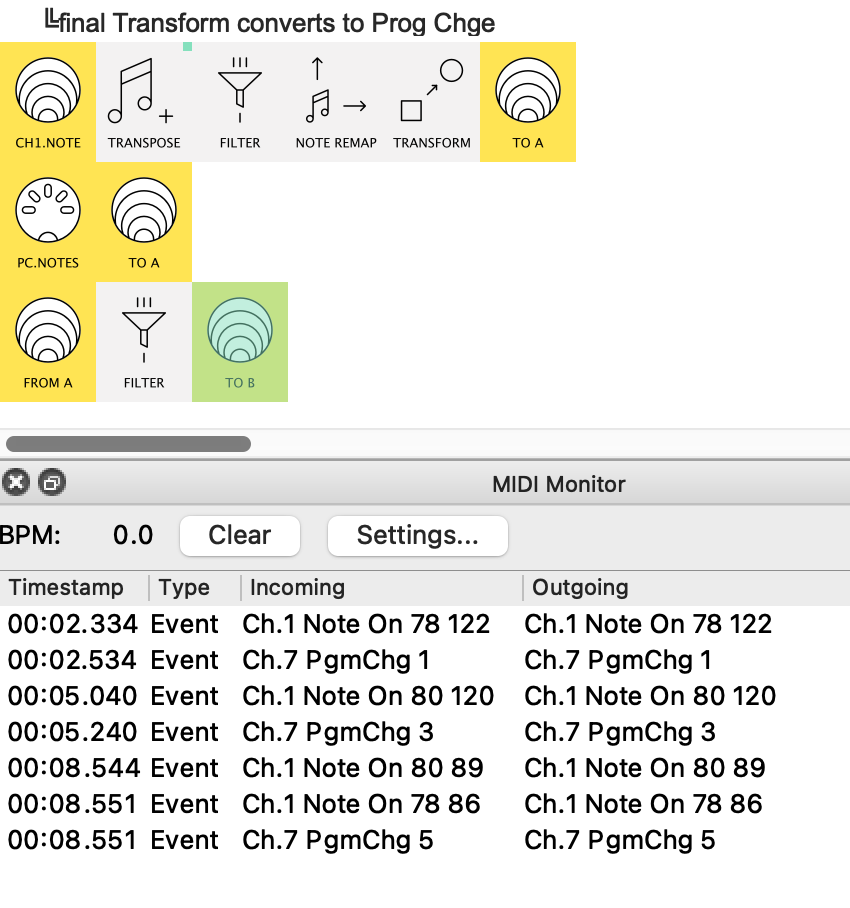
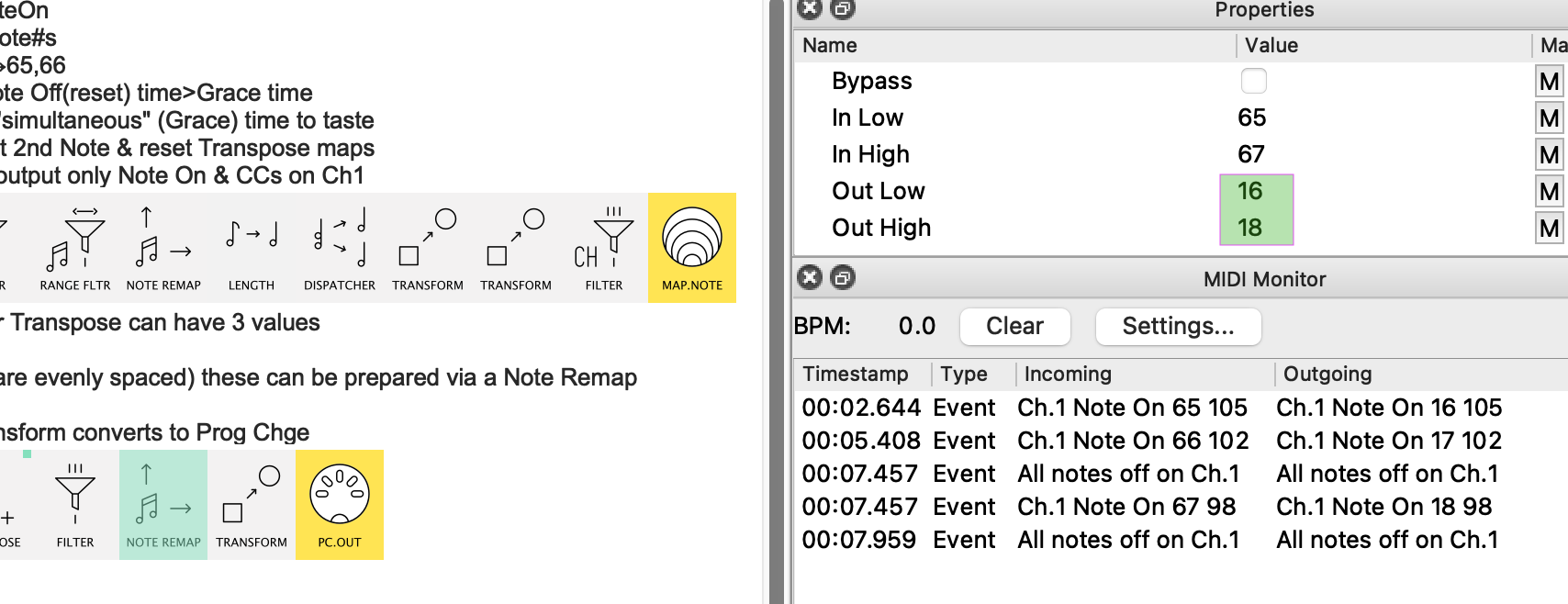
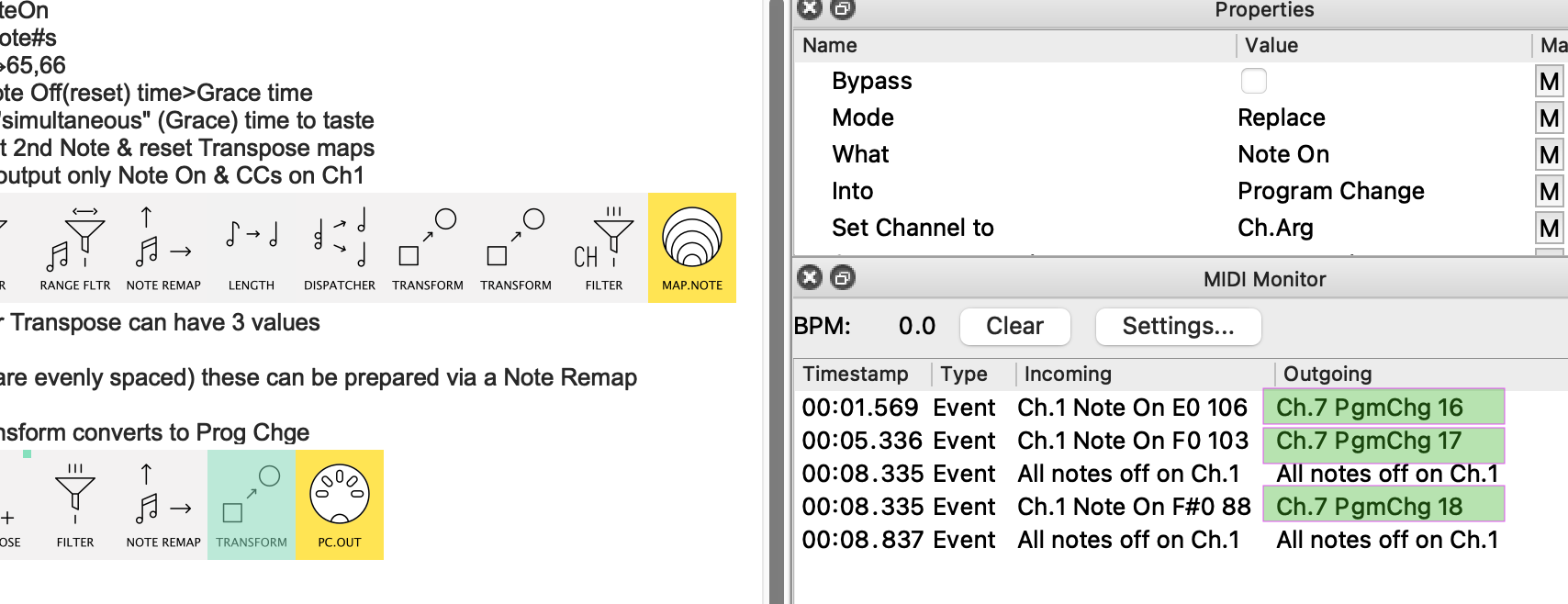
Here’s the input alongside the output in a version adapted for monitoring the I/O:
(note how, when a single note is hit, the Ch. 7 PgmChg isn’t output until after the Chord Grace Period is elapsed)
See the Preset Description panel for more.
The core approach here lends itself to two note combinations of several notes – say 4 adjacent white keys.
This version will need CC Table for the I/O conversions so it’s slightly longer.
I may well publish this soon (along with more explicit details on how/why it works ) for more general use
Wow thank you for this. I am still lost haha! i’m still new to midihub and so some of the shorthand instructions get lost on me
Perhaps you can help guide using a specific situation in my case?
Note on C8 -transform- > Program change 16
Note on C#8 - transform → program change 17
What i want…
Note C8 + C#8 → Program change 18
Andris pipeline for resonotter.mhp (373 Bytes)
very excited that this is possible though! You are a genius!
OK, Andris, let’s talk about your preset first.
It will give you C8 → Program change 16 and C#8 → Program change 17
but C8 & C#8 → Program change 16 & 17…
…which is why we need a different approach.
Incidentally
Just as a learning exercise…
…try setting the Work With Range Low|High to C8 for the 1st transform
and C#8 for the 2nd.
You’ll find that they will then work without the Filter…
…and can both sit in the same line.
btw, unless you want the Notes to persist the Transform Mode should be Replace
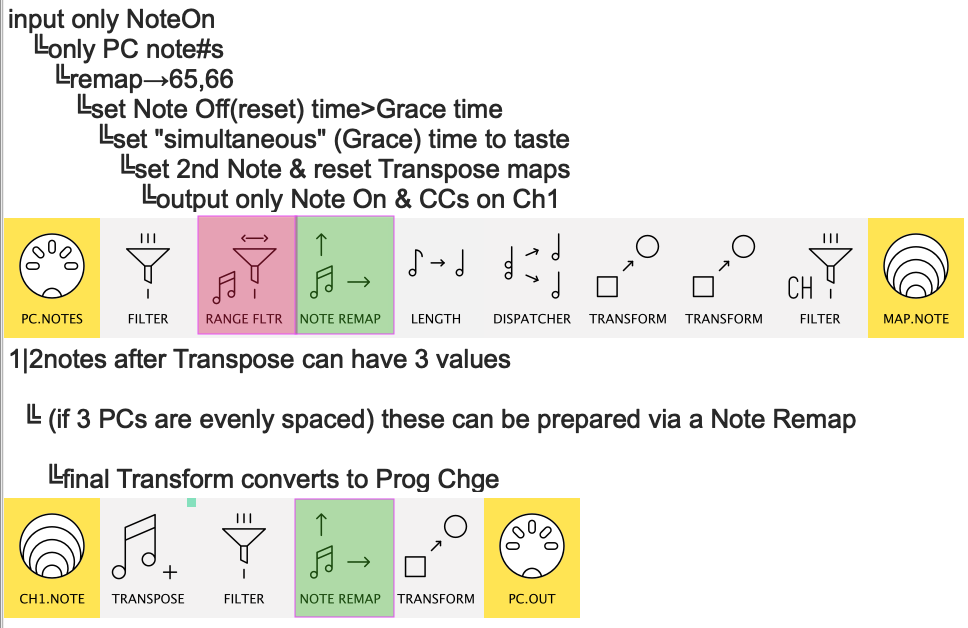
Adapting the “two_note_combinations>uniqueProgChange” preset
-
now we know your incoming notes are adjacent…
…so you can delete the Note Range Filter
You will…
…delete the red, edit the green!
-
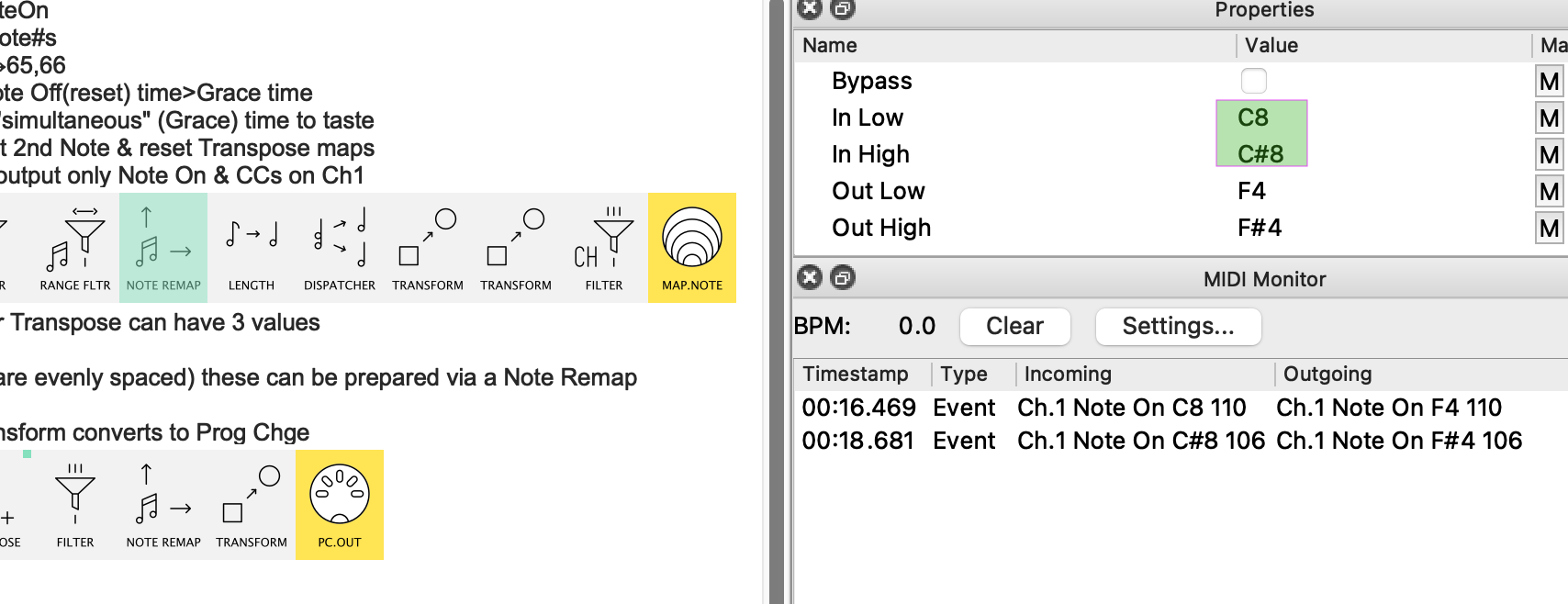
In the first Remap, set the Incoming range to yours:
(leave the Outgoing range unchanged)
-
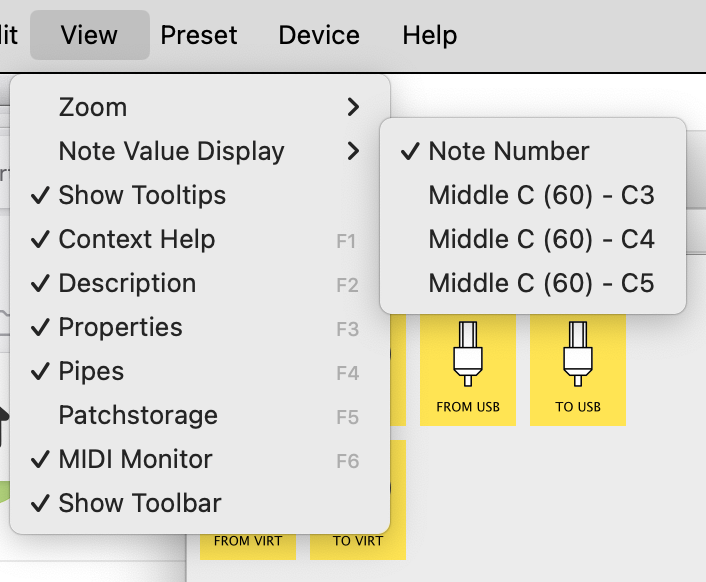
Before changing the second Remap, switch to Note Number display…
…then set your outgoing range to fit your PC numbers:
-
Now observe the Program Changes created in the next Transform:
-
Make sure to correct the channel (mine is set to Ch.7)
Thank you for the follow up! Things i’m still lost on are
-
the Input and Output categories…
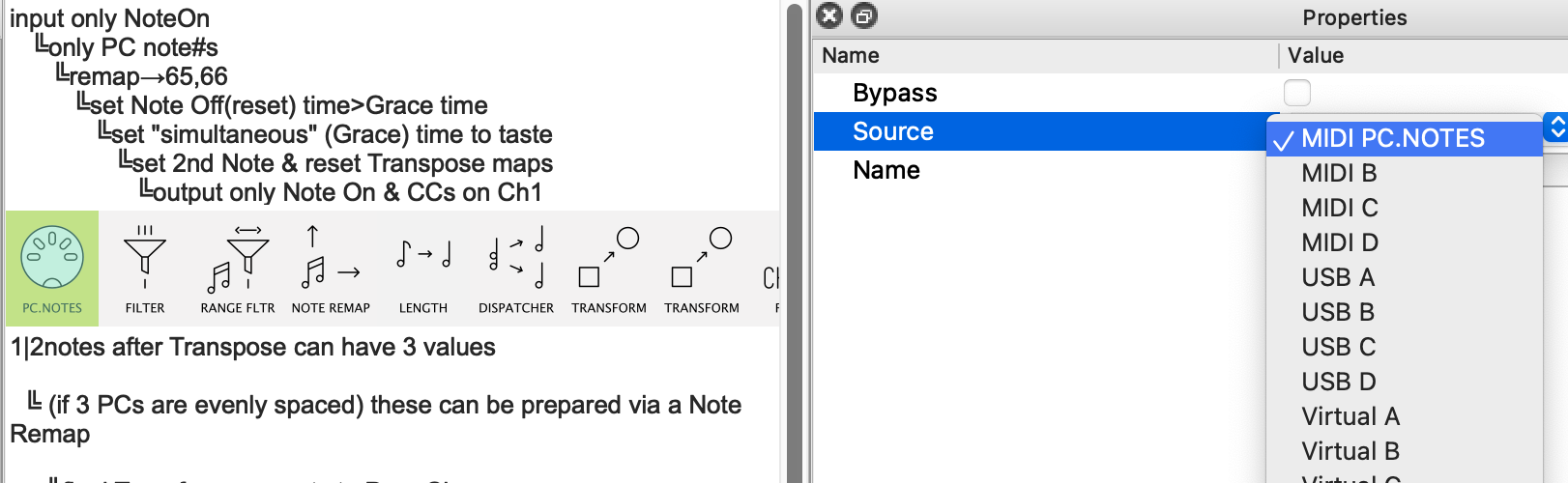
My controller is sending from MIDI C and i want to send these PC changes to MIDI B.
How would these input and outputs translate from your template?
-
Length.. its not giving an option for milliseconds… only subdivisions 1/4, 1/8, 1 bar etc…
-
why is the transform changing to a Control Change and not a PC Change in row 1?
Thank you so much!
sending from MIDI C and i want to send these PC changes to MIDI B
Just change the Source/Destination accordingly
not giving an option for milliseconds…
you have Sync parameter ON. Turn it off
transform changing to a Control Change
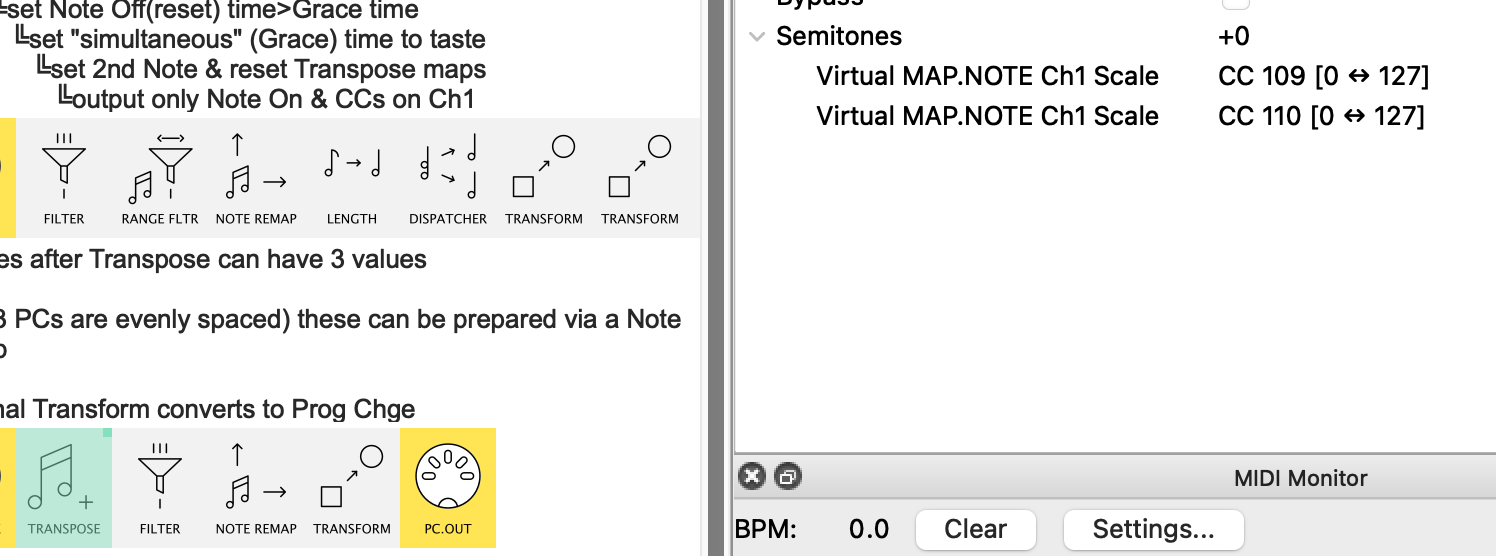
The CCs create the mappings to change the Transpose.
Just as a test:
-
if you make the Length much longer than the Chord Grace Period
-
and watch Transpose when both keys are pressed
-
you will see the Transpose change to +2
-
then back to +0 when the CC from Note Off is received
In short,this mapped Transpose is what makes the simultaneous note aspect work
Thank you! One last question for now —
If I wanted button 1 to act like a “Shift” key (so that holding it down modifies the function of the next button press — for example, holding button 1 and then pressing button 2 sends a different Program Change than pressing button 2 alone), would I use the same process as before, just with a longer “Length” setting instead of milliseconds?
Off the top of my head, I would say “No”, @choponster01,…
…if only because we usually think of a “Shift” key as having no output itself.
Probably best to try start a new topic on that (it also needs some more specifics to hint at the best strategy)
PS.
Don’t forget to “fine tune” the Chord Grace Period to suit your “chord speed”; the longer you leave it, the more noticeable the Program Change delay when hitting both keys…
..but make it too short and you’ll get the same behaviour as your previous preset!