A “Velocity Remap” that works like the “Note Remap” would be very useful.
Properties would be:
“In Low” (1…127)
“In High” (1…127)
“Out Low” (1…127)
“Out High” (1…127)
A few use cases: compressing/expanding/clipping/inverting velocities, velocity curves based on breakpoints (using parallel branches), replacing all velocities by a constant velocity, velocity dependant separation or layering, …
Thank you for your attention.
Hey, @Stephan_Schmitt, this functionality is already available with the Rescale Pipe.
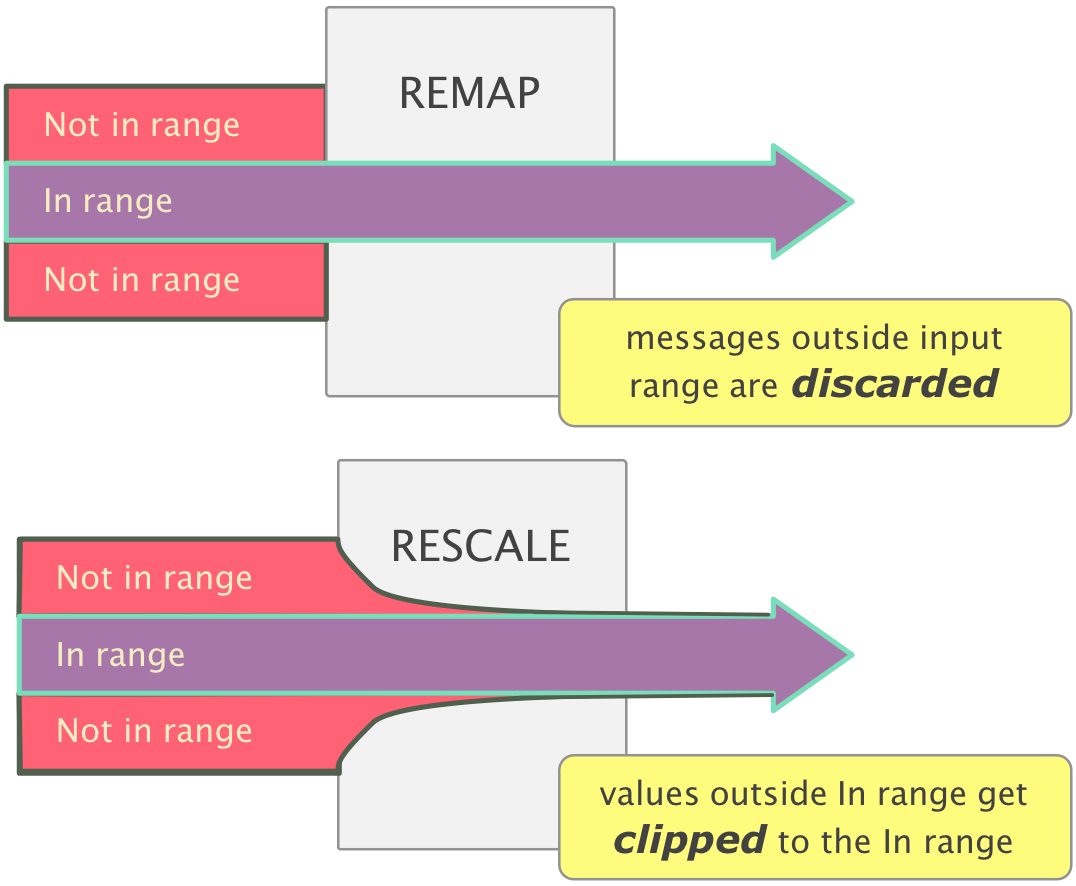
There is a distinction between Remaps and Rescale
shown here:
So if Rescale has In Low = 17, then all velocities < 17 will become 17, etc.
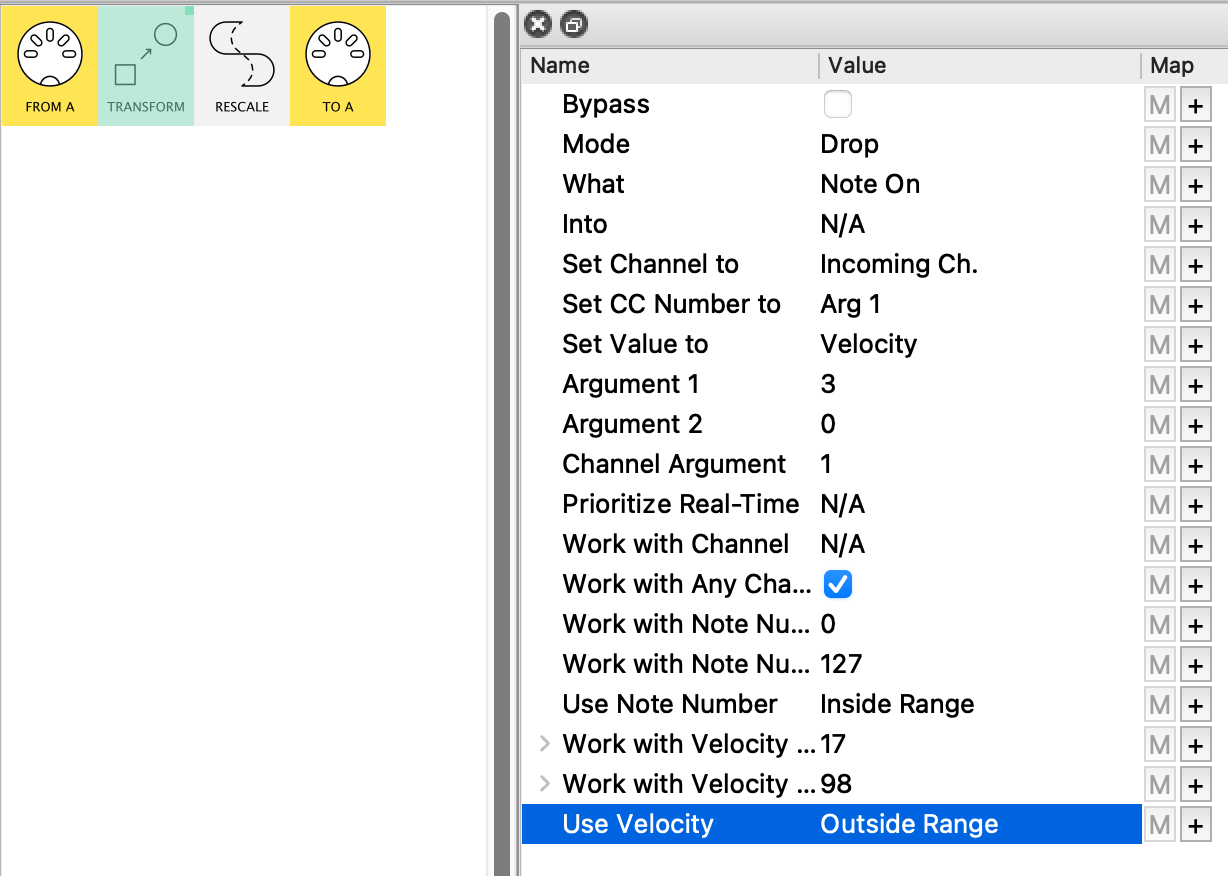
If instead you want to discard all notes with velocities outside the In Low|High, you would precede the Rescale pipe by a Transform pipe set to Drop Mode:
This discards all notes with velocities outside the velocity range [17;98]…
…(using Outside Range allows us to map the Transform range using the same mappings as to Rescale In Low|High range!)
Thank you for the quick reply, resonotter!
The combination of Transform (Drop) and Rescale seems to fullfil my requirements.
1 Like
Ah - interesting!
I will try that. Thank you!
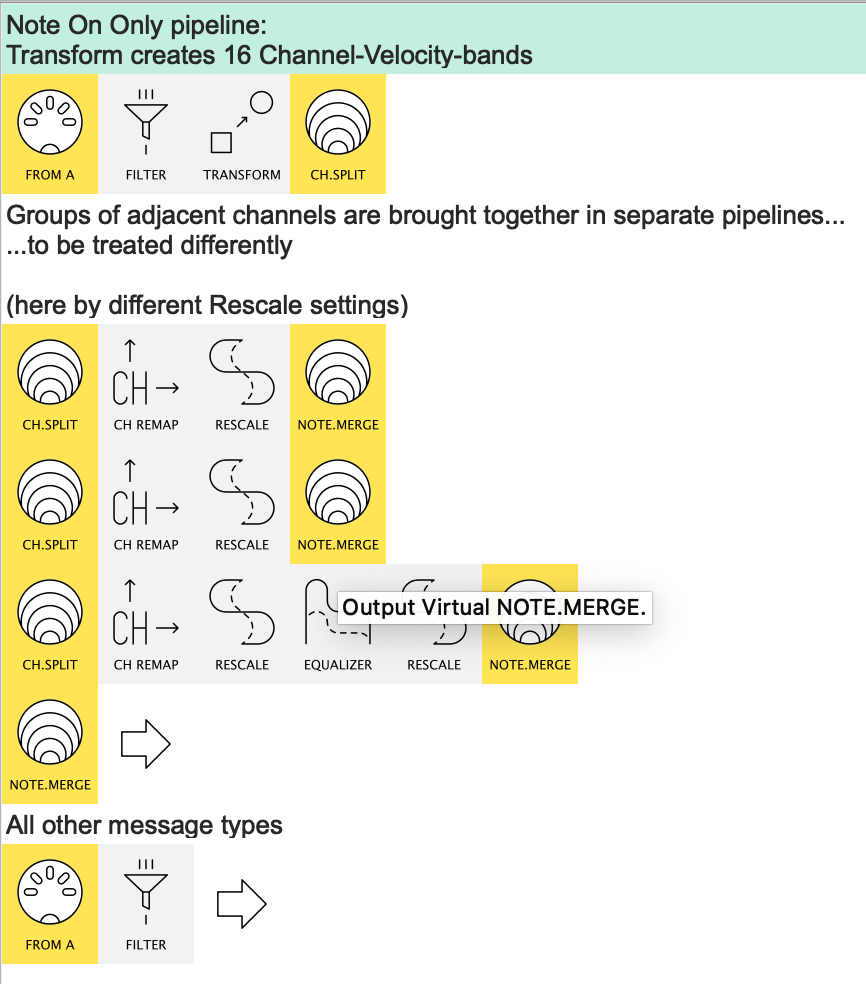
I realised after posting, Stephan, that there’s a neater way:
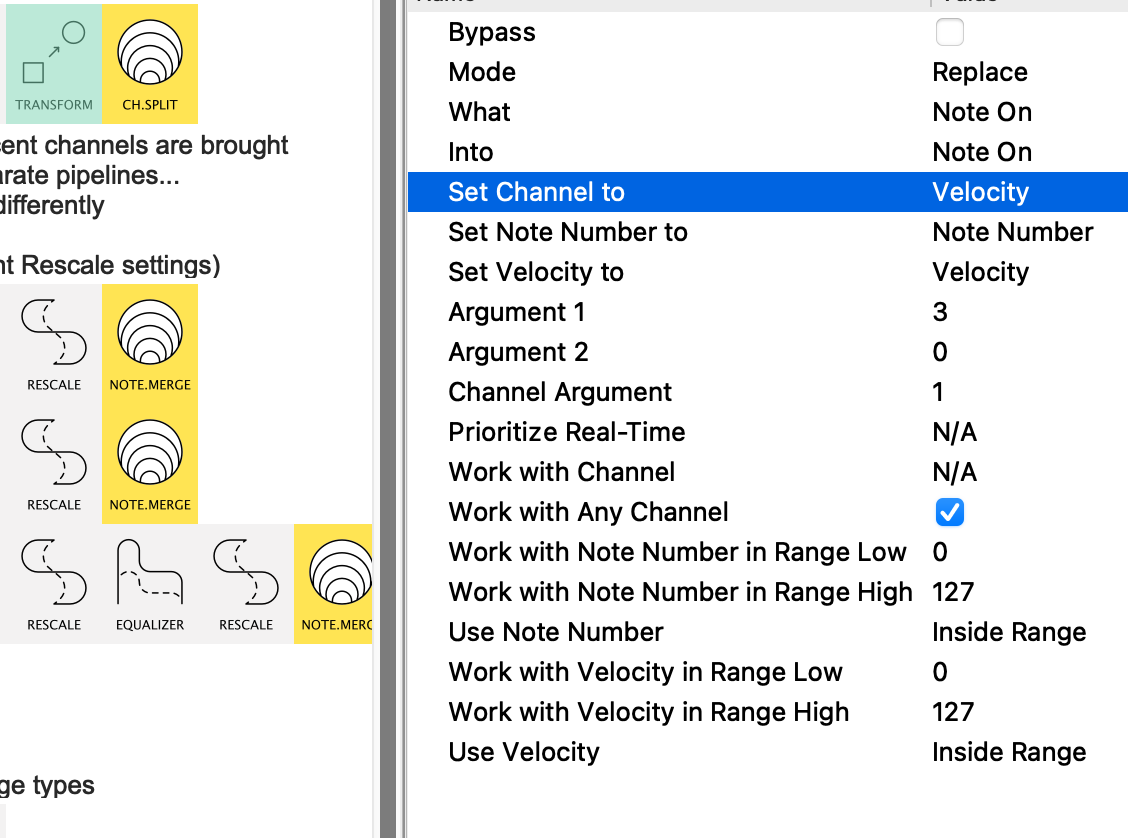
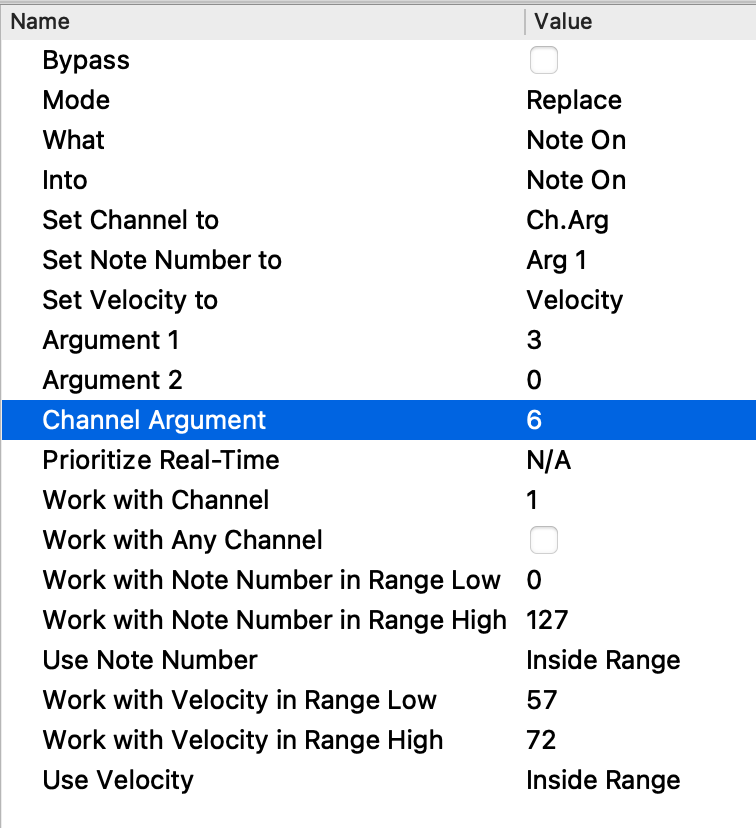
It leverages this rather unusual Transform setting…
…where the channel is set to the Velocity
- this gives 16 “velocity bands”
- which can then be grouped together by different Channel Remaps
Give it a try; it’s rather pleasing.
1 Like
 )
)