Hi guys,
is it possible to use a single fader controller and transform its messages to raise one cc value, while simultaneously decreasing another?, in one motion. And then the same combo inverted when moving it in the other direction?
Use case: Lower Track1 Volume and raise Track 2 Volume in one motion, and vice versa. Effectively simulating a Crossfader.
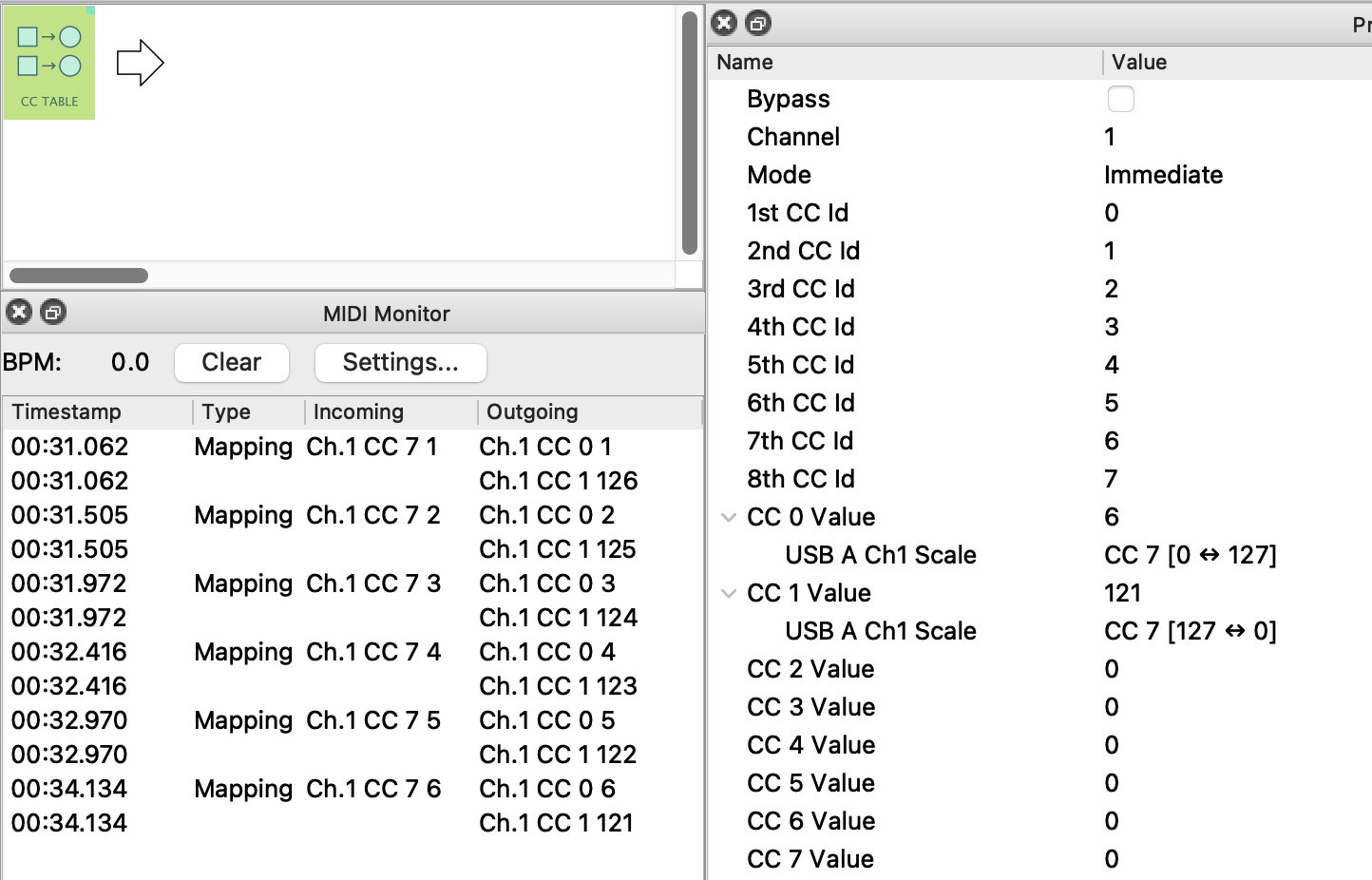
Hey, @Pablo, with the new firmware, you’d set up a CC Table with the two outgoing CCs created by the same input CC (say MIDI-A Ch1 CC3) but with a reverse scale:
-
1st CC Id would have its value set to the map
MIDI-A Ch1 CC3 Scale Low=0 High=127 -
2nd CC Id would have its value set to the map
MIDI-A Ch1 CC3 Scale Low=127 High=0
(Not got Midihub to hand but pretty sure that’ll work  )
)
Awesome, thanks for the help 
I have yet to buy the fader itself, wanted to know beforehand if the idea is doable.
Will report back when I managed to set everything up.
Thanks again!
Hey man,
the fader arrived and I am attempting to set this up, but am confused, because it is a bit more intricate than in your example.
Here’s my scenario:
The fader sends cc9 on Ch1.
I need to convert this into cc48 (0-127) and cc49 (127-0) on Ch16.
If you could help me out again, I would really appreciate it!
No worries, think this is what you want:
pablo-raise one, drop another.mhp
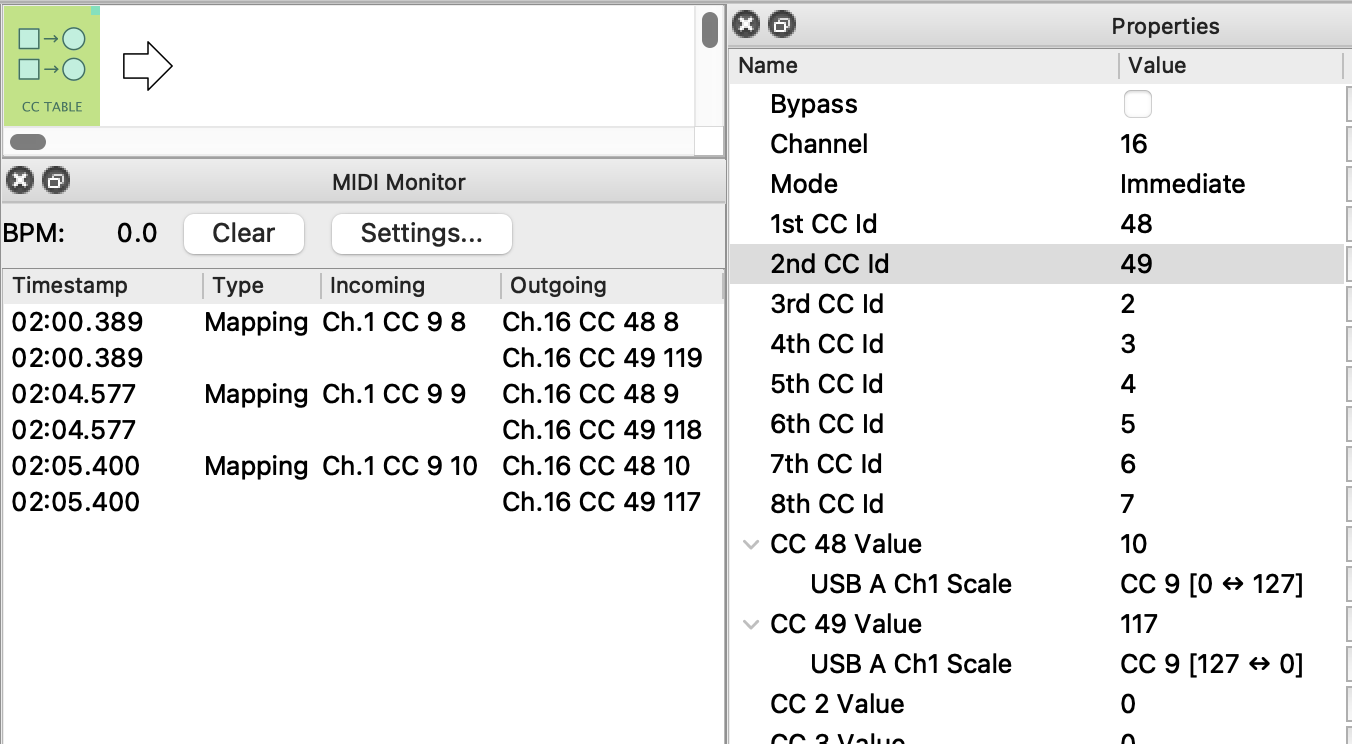
PS. Note my mappings are set for USB-A. You may need to change them to your chosen input port (click the ... buttons).
Then add your chosen output pipe to complete the pipeline
PPS. I left a loose USB-A in pipeline 2 for checking. this can be deleted.
Awesome, thanks a lot, again!
Unfortunately I had to notice, that the recieving device couldn’t handle that many messages at the same time very well, lol.
So the idea is off the table, but great to see what the MH is capable of anyways
Already found a better way to implement the fader as a performance macro controller, so all is good
If anyone reading this in the future is curious: Originally I was attempting to simulate a crossfader to raise/lower the levels of two tracks on the Torso S4 simultaneously. Turns out I could achieve this by mapping the S4s internal macro controls accordingly (or to any other desired paramaters really), meaning the fader is now mapped to said macro (which avoids flooding the device with cc messages). Should have thought of this (much more elegant) approach from the beginning. Well, the whole process taught me a lot about the the MH and S4, so I am happy anyway
Jolly good! 
Yep, always good to handle things internally rather than clog the MIDI stream unnecessarily– although I’m a tad surprised that just two lots of CCs did that!
Well, even the Blokas midi monitor stated “overflow” when I moved the fader a bit faster ^^, even managed to “crash” the MH itself couple o’ times. 
Could you post your preset here or via PM? Maybe there’s something unexpected in it that’s causing too much traffic.
Adding to @Giedrius, I’m also interested in what messages are being sent by the fader:
a (slow non-Overflow) MIDI Monitor shot/csv file❖ of what’s coming from the fader would be useful.
❖ click MIDI Monitor bar → Settings → Export as CSV
PS. Do you have a link to the fader manual?
It sends pitchbend as well.
I’ll need to see if I find time to reproduce the preset. I updated it in the meantime and don’t use the table-pipe anymore..
Aha! Are you using PB too?
The fader is sending it regardless afaicr, but I did filter it with the respective pipe.
PB seems to have bee the culprit. I am now blocking PB at the USB-Host before it reaches the MH and everything seems to work fine.