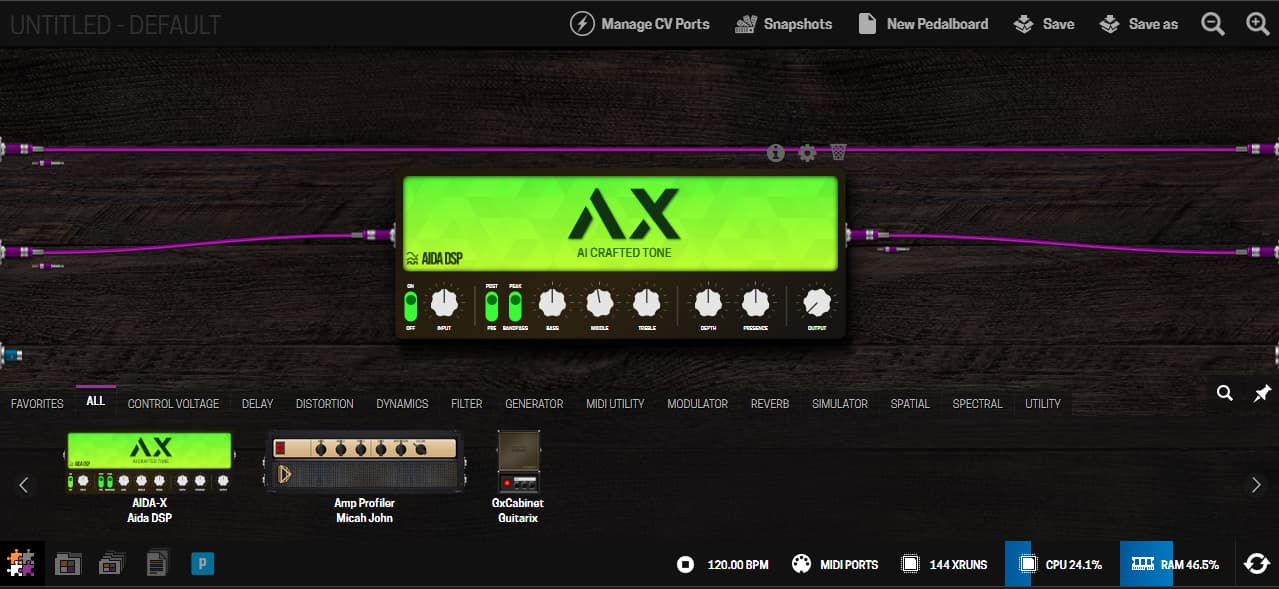
Title says it all. I have tinkered around with Raspberry PI’s and I know my way around a terminal. I have installed Patchbox OS on a raspi 3a+ and configured my audio interface to be the sound card to be used by JACK. I have loaded up the MODEP Pedalboard web UI and that’s all I can do.
The documentation does not cover how to use MODEP and how to configure AMP sims e.t.c
I have no idea how to chain an amp sim and I have no idea how to check input and output.
I am sorry if this comes across as impolite but the lack of any tutorials or documentation makes a project like this really jarring for musicians who don’t know too much about pedal boards and these type of software.
@havsav welcome to the community! You’ve done the right thing here…ask the community! We’re all very welcoming and helpful here and we’ll get you on your way!
You do bring up a valid point; there is no introductory video/documentation and what to do after you get MODEP installed. Just an FYI, you can also look for any tutorials/documentation on how to use the interface for the MOD devices as it should be mostly the same.
I don’t have a pedalboard in front of me so I’m going to help you through the first steps by memory:
From MODEP look for the button at the bottom with the small “P”. This will bring up an interface to let you browse through the available plugins on Patchstorage.com (this is the site that MODEP uses to download available plugins. The MOD devices use the official plugin page from MOD Audio).
Once you’re seeing the available plugins, search for NAM. You should find an entry for the NAM plugin. Donwload/install that to your device.
Once installed it should be listed in the “Plugins” list at the bottom of the MODEP pedalboard constructor page.
Drag that plugin onto the pedalboard. Then grab the “input” cable with your mouse on the left hand side, plug it into the “input” of the NAM player then grab the “output” cable of the NAM player and plug it into the “output” on the right hand side of the pedalboard constructor page.
At this point you should hear your instrument coming through the pedalboard, assuming you have an instrument plugged into the input of your audio interface and speaker or headphones plugged into the output of your audio interface.
Go to tonehunt.org and download whatever amp sim you desire. Careful…this could take hours as there are thousands of them by now. A rabbit hole for sure! Download whatever model you want to try and unzip the file on your local computer.
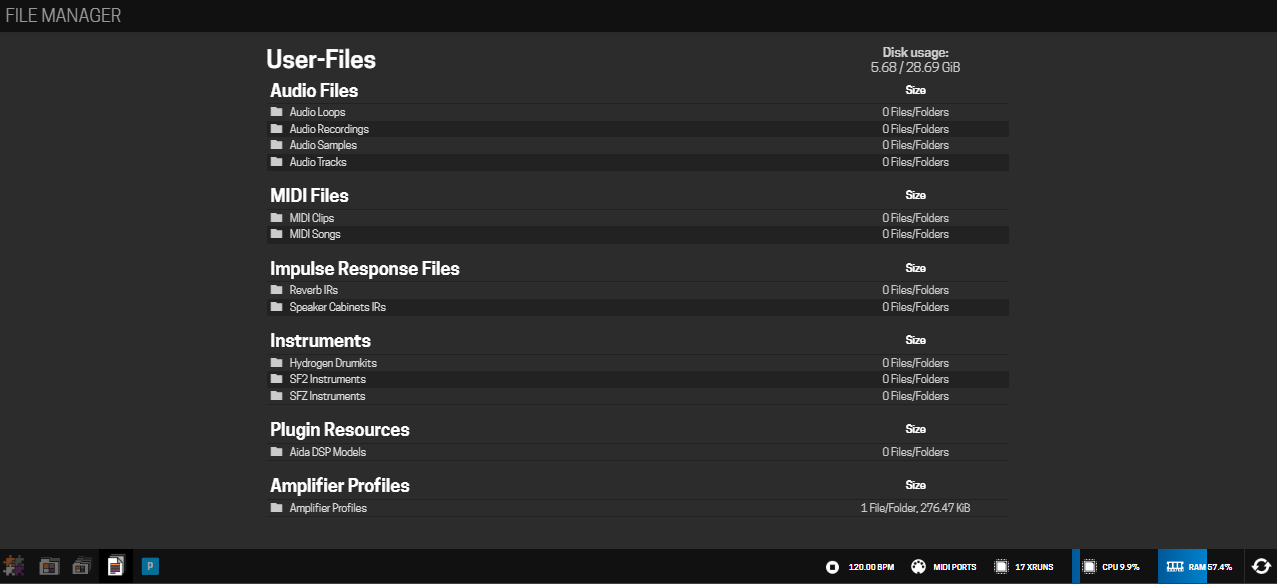
Now select the “File Manager” at the bottom of the MODEP page (it’s close to the “P” button)
Locate the NAM Models folder in the file manager list, open that folder and upload the profile
Refresh MODEP so the NAM player can see the newly uploaded model
Select the model in the model dropdown on the NAM player and rock it out!
Again…all this from memory so hopefully I didn’t miss anything. And feel free to post further questions if we can be of any help.
Thank you so much for such a kind and swift reply!
I loaded up a NAM (AIDA-X) and I chained it up as you said.
I’m a bit confused as to how I am supposed to connect my guitar.
My setup is as follows; Guitar cable into audio interface → audio interface into Raspberry Pi 3a+ → AUX cable into raspberry pi for output to speakers.
I am not sure if I’m getting an input and I’m not sure how to output any sound.
Again I’m completely new to this and I apologise for my lack of knowledge concering ALSA and jack.
@havsav since MODEP can recognize multiple inputs there’s two purple lines on the left hand side of the pedalboard window as shown in your screenshot above. Typically input “1” is the top one and “2” is the bottom. If you’re not getting sound out of “2” as you’ve got it hooked up then try input “1”. Not sure how your audio interface is recognized by the Pi and which input is which, assuming your interface has 2 inputs.
If you switch to “1” and are still not getting any sound then I would suggest installing the spectrum analyzer and see if it registers any signal on either inputs:
If you’re still getting no signal then we might want to check how you’ve configured Jack.
@havsav if you’re wanting to try NAM I would also suggest to install the NAM plugin since the selection of NAM models are much greater on tonehunt.org:
Alright so spectrum analyzer shows spikes when I strum my guitar which indicates that there is an input, I’m having trouble knowing whether my output is on my audio interface, also how do you install models on NAM?
@havsav Sometimes it’s a bit of trial and error with an external audio interface. I would suggest to run the ouput signal chain into both outputs in MODEP and see if you get any audio. I’m assuming you have headphones plugged into your interface and are monitoring that way?
Also, as far as loading NAM models, the steps are outlined in my original reply above.
@havsav did you install the Beta Bookworm version mentioned in the forums here or the version available from the blokas.io MODEP page? If you downloaded the one from the MODEP page it probably doesn’t create the NAM folder by default. You can add the folder by opening a terminal on the Pi and running the following commands:
Once you do that you will need to refresh the MODEP browser page and the “NAM Models” folder should be visible. Upload your models to that folder and you should be good to go.
You may find here many answers to your questions regarding very specific points réalités to MODEP/RaspPi but a very good source will be the mod.audio forums since modep is some kind fork of the Mod.audio software part. HTTPS://forum.mod.audio
Hi All, I am new here so I hope I am not breaking correct protocol by tacking on the end of this post but I feel my issue is relevant to this one.
I have Patch box fully functional with audio throughput as expected. My issue is that after Downloading a NAM model into Downloads, it does not appear in the list under File Manager. The folder ‘NAM Models’ exists, but 0 content. When I try to copy the file/s from Downloads to ‘NAM Models’ I get an error advising that I do not have Permissions. (Grumpy old man shouldn’t need permissions!). I have tried running sudo chown commands to no avail. Can anyone offer suggestions as to why I don’t have permission? Cheers.
When you added the NAM model to your MODEP setup, did you upload those through the file manager interface in MODEP or did you add them through the graphical desktop/command line? If you added them through desktop/command line it’s likely the owner is not set correctly. Try uploading through the File Manager in MODEP and see if that solves the issue. Let me know.
Thank you jtemple967 for the rapid response. With renewed enthusiasm into the trenches once more, the key word is UPLOAD. I was foolishly attempting to, and looking for a Download icon to click. Perhaps the word Load might be more intuitive. Thanks again, I now have progressed to an extremely unusable distorted audio throughput, and a CPU usage icon that cycles from 45 to 100% in the red. Assuming that this may have been due to the Komplete Audio interface, I popped the Pi Sound onto the R.Pi 4B only to discover that the Browser can no longer locate 127.0.0.1
You might want to try “buffered” mode in NAM on your Pi4 (not sure how much memory your 4 has) if you go back to using the Komplete audio interface. You can also try adjusting the settings in the “patchbox” utility to see if you can get better performance from that interface.
That being said, I do think your optimal setup would be to use the PiSound card.
Thanks guys, Pi 4 has 8 Gig RAM. Got Jack sorted so now have audio through the Pi Sound ok. CPU usage using basic pedals sits around 2.5 - 14% with no glitching. Using NAM without a Model loaded also peaks at 14%. It is only when a Model is applied that the CPU overloads. I found a Buffer switch in the NAM settings, (I assume this what you meant by Buffered Mode?). When switched On the CPU red lines at 98% and is still unusable. I will continue to read forums and docs and try the patchbox utility settings as suggested. Cheers.