There’s a couple of mistakes in your json. You should use an editor that support immediate schema validation to detect these errors immediately.
An alternative to such editor is using an online JSON schema validator tool like https://www.jsonschemavalidator.net/ - paste the contents of https://blokas.io/json/pisound-micro-schema.json into the left text box and your JSON config into the right text box and it should show whether there are any syntax or schema validation errors.
Additionally, check the output of pisound-micro-mapper.service to see if there’s any other issues than the JSON itself:
journalctl -u pisound-micro-mapper.service
The 1st issue with the JSON config was that “osc” object should be under “controls” object.
The 2nd issue is that you should be using “encval” instead of “sendpd” for the control name in the mappings section. (encval is a control’s name, sendpd is a sort of a “control server” name, mainly for the case if you’d want to have different OSC addresses for different controls)
Here’s the fixed up config:
{
    "$schema": "https://blokas.io/json/pisound-micro-schema.json",
    "version": 1,
    "controls": {
        "pisound-micro": {
            "volume_pot": {
                "type" : "analog_in",
                "pin" : "B33"
            },
            "headphone_pot": {
                "type" : "analog_in",
                "pin" : "B29"
            },
            "encoder_pot": {
                    "type" : "encoder",
                    "pins" : [ "B03", "pull_up", "B04", "pull_up" ]
            }
        },
        "alsa": {
            "hw:pisoundmicro": [
                "Digital Playback Volume", "Headphone Playback Volume"
            ]
        },
        "osc": {
                "sendpd": {
                        "notify": "osc.udp://:8000",
                        "params": {
                                "encval": {
                                        "path": "/main/encoder",
                                        "type": "i"
                                }
                        }
                }
        }
    },
    "mappings" : [
        [ "Digital Playback Volume", "<-", "volume_pot" ],
        [ "Headphone Playback Volume", "<-", "headphone_pot" ],
        [ "encval", "<-", "encoder_pot"]
    ]
}
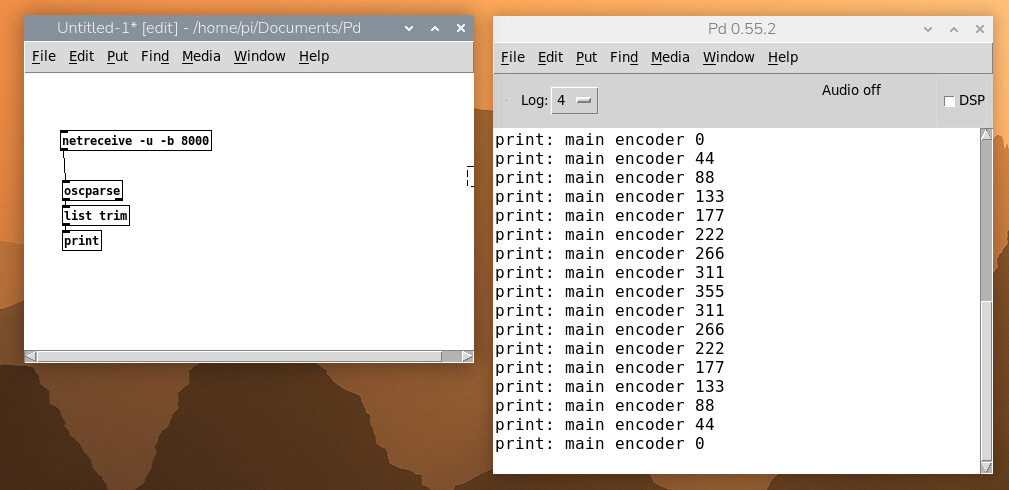
To verify that OSC events work, install liblo-tools and run oscdump:
oscdump osc.udp://:8000
and you should see the OSC events as they arrive at that address.